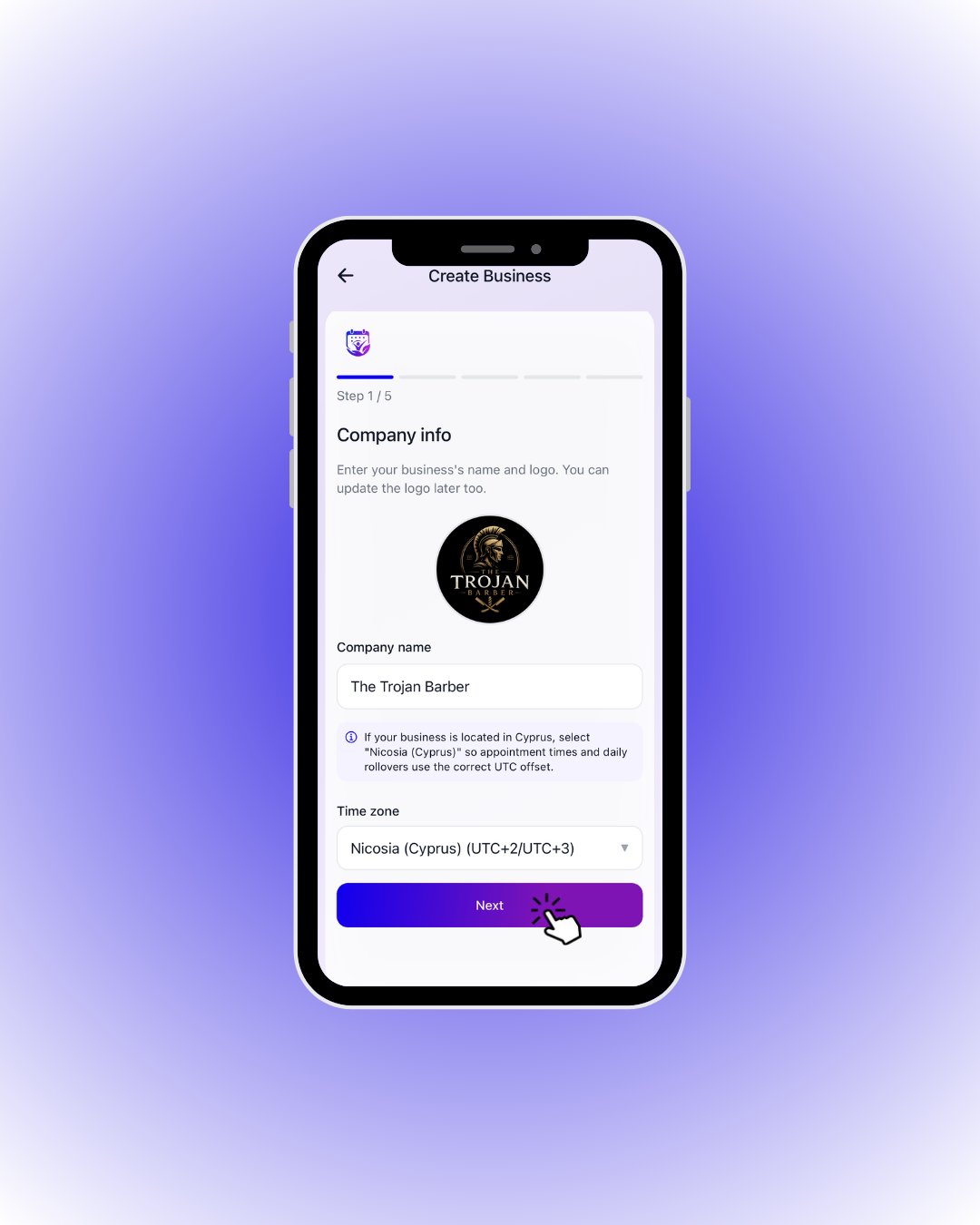
 Enter your business name, upload your logo and pick your time zone. If you are in Cyprus, selecting **Nicosia (Cyprus)** keeps appointment times correct.
Tap **Next** once your info is in.
| Field / Element | What it means |
| ---------------- | ------------------------------------------------------------------------------------------------------------------------------- |
| **Logo** | Tap the circle to upload your logo; you can change it later. |
| **Company name** | The name customers see in search and listings. |
| **Time zone** | Appointment times and day rollovers use this. Businesses in Cyprus should pick **Nicosia (Cyprus)** for the correct UTC offset. |
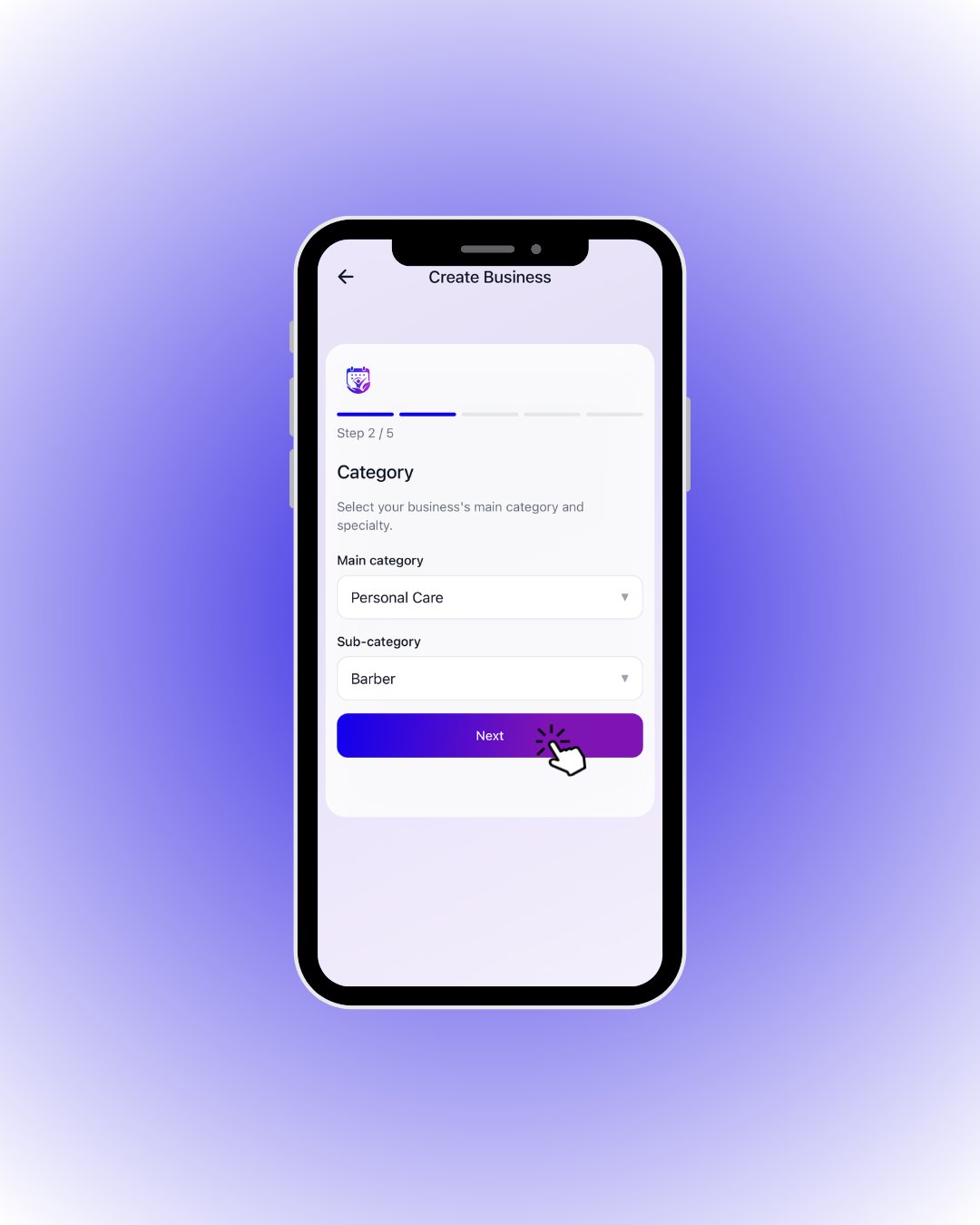 Pick your main category (e.g. *Personal Care*) and specialty (e.g. *Barber*) — customers find you through it.
Make your picks and continue with **Next**.
| Field / Element | What it means |
| ----------------- | --------------------------------------------------------------------------------- |
| **Main category** | Your primary field: Personal Care, Medical, Fitness, Car Rental… |
| **Sub-category** | Your specialty (e.g. Barber, Hairdresser); customer-side category filters use it. |
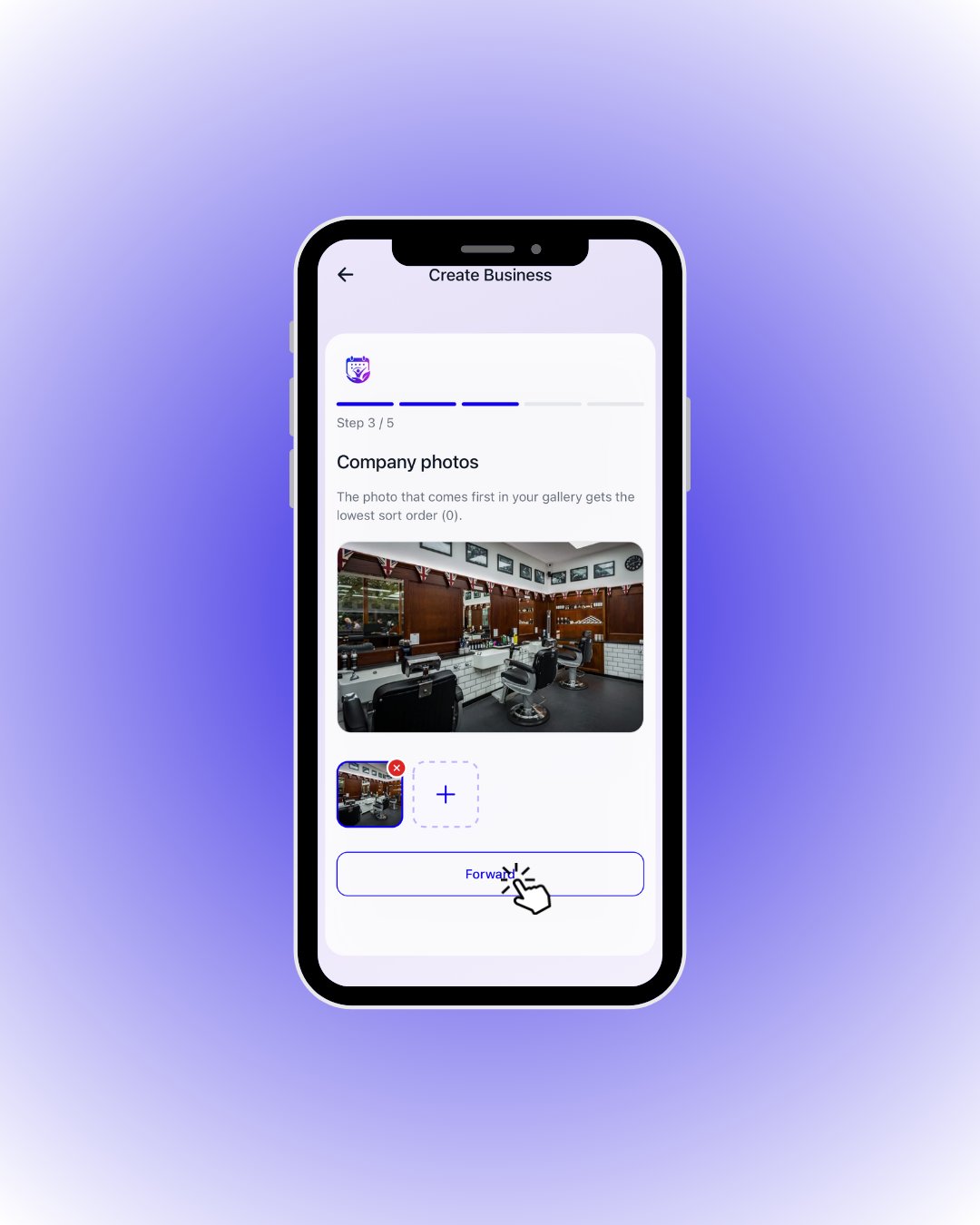 Build your gallery. The first photo becomes your storefront image.
Add photos with the **+** tile, then tap **Forward**.
| Field / Element | What it means |
| ----------------- | ----------------------------------------------------------------- |
| **Large preview** | Preview of the selected photo. |
| **Thumbnails** | Your gallery; remove any photo with the ❌ badge. |
| **Ordering rule** | The **first** photo (sort order 0) becomes your storefront image. |
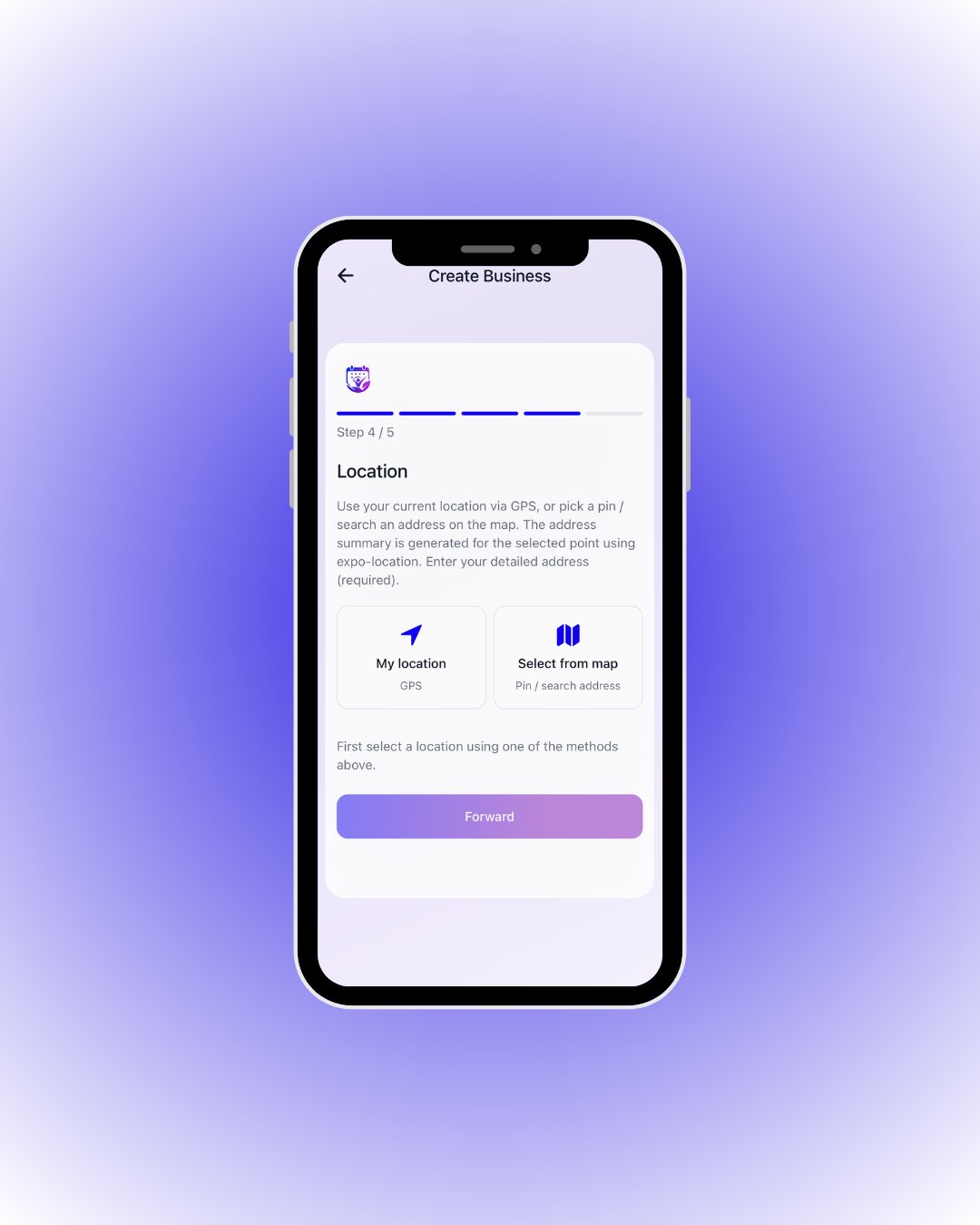 Use **My location** for GPS or **Select from map** to drop a pin; then type your detailed address.
The **Forward** button stays disabled until you pick a location with one of the two methods.
| Field / Element | What it means |
| --------------------- | -------------------------------------------------------------------------------- |
| **My location (GPS)** | Grabs your phone’s location in one tap — fastest when you are at the shop. |
| **Select from map** | Drop a pin or search an address; the address summary is generated for the point. |
| **Detailed address** | Required free text for door number, floor, etc. |
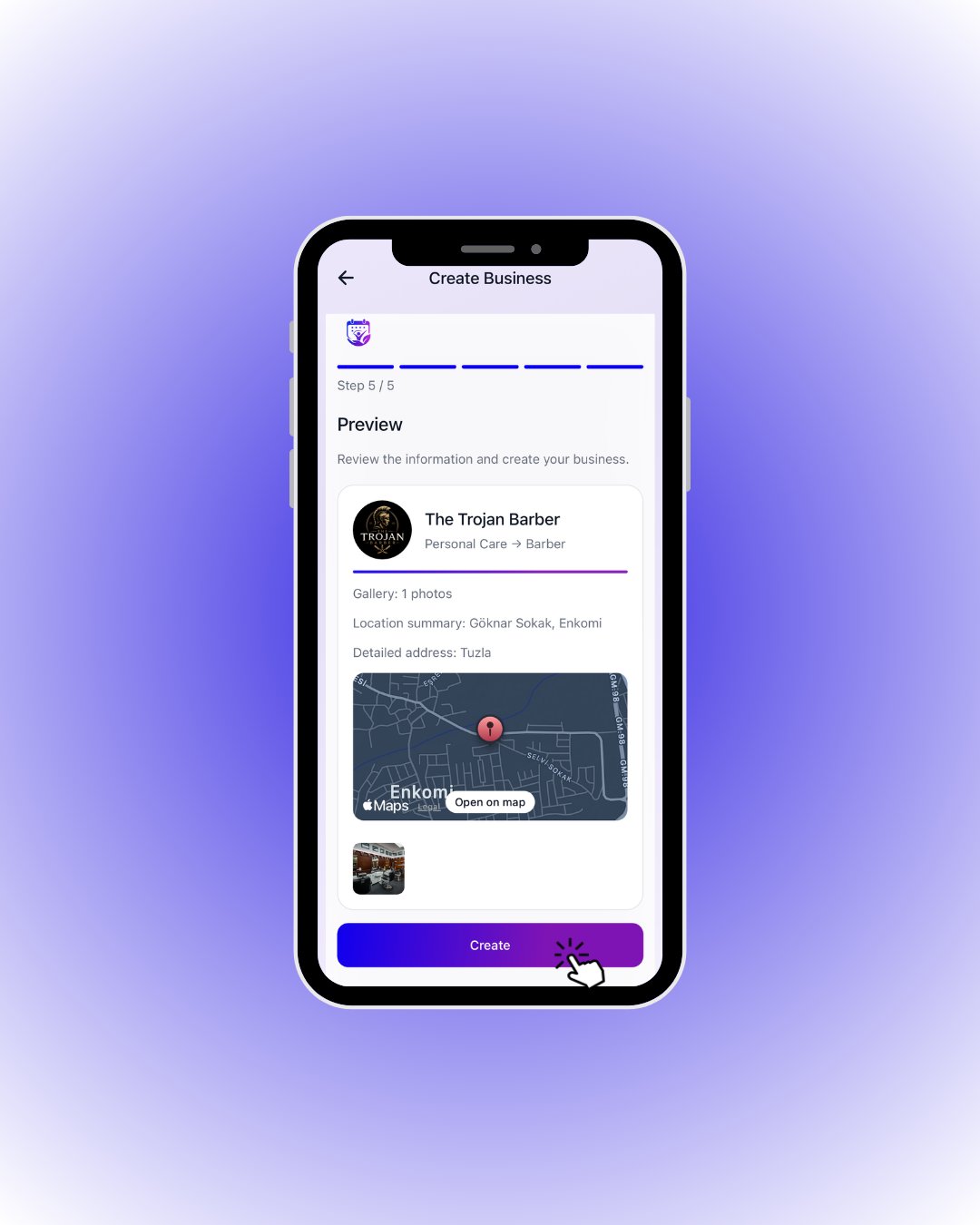 Everything is summarized on one card: name, category, gallery, address and map.
If it all looks right, tap **Create** — your business is live! 🎉
| Field / Element | What it means |
| --------------------- | ---------------------------------------------------------------------- |
| **Top row** | Logo, business name and category → sub-category. |
| **Gallery** | Number of photos you uploaded. |
| **Location summary** | Auto-generated address summary from the map. |
| **Detailed address** | The detail address you typed. |
| **Map / Open on map** | Preview of the chosen point; **Open on map** opens it in the maps app. |