> ## Documentation Index
> Fetch the complete documentation index at: https://documentation.slotify.com.tr/llms.txt
> Use this file to discover all available pages before exploring further.

# Book on the Web

> Pick an expert, choose a time, confirm

# <span className="s-hero">Book on the Web</span>

Four steps and you are booked.

<Steps>
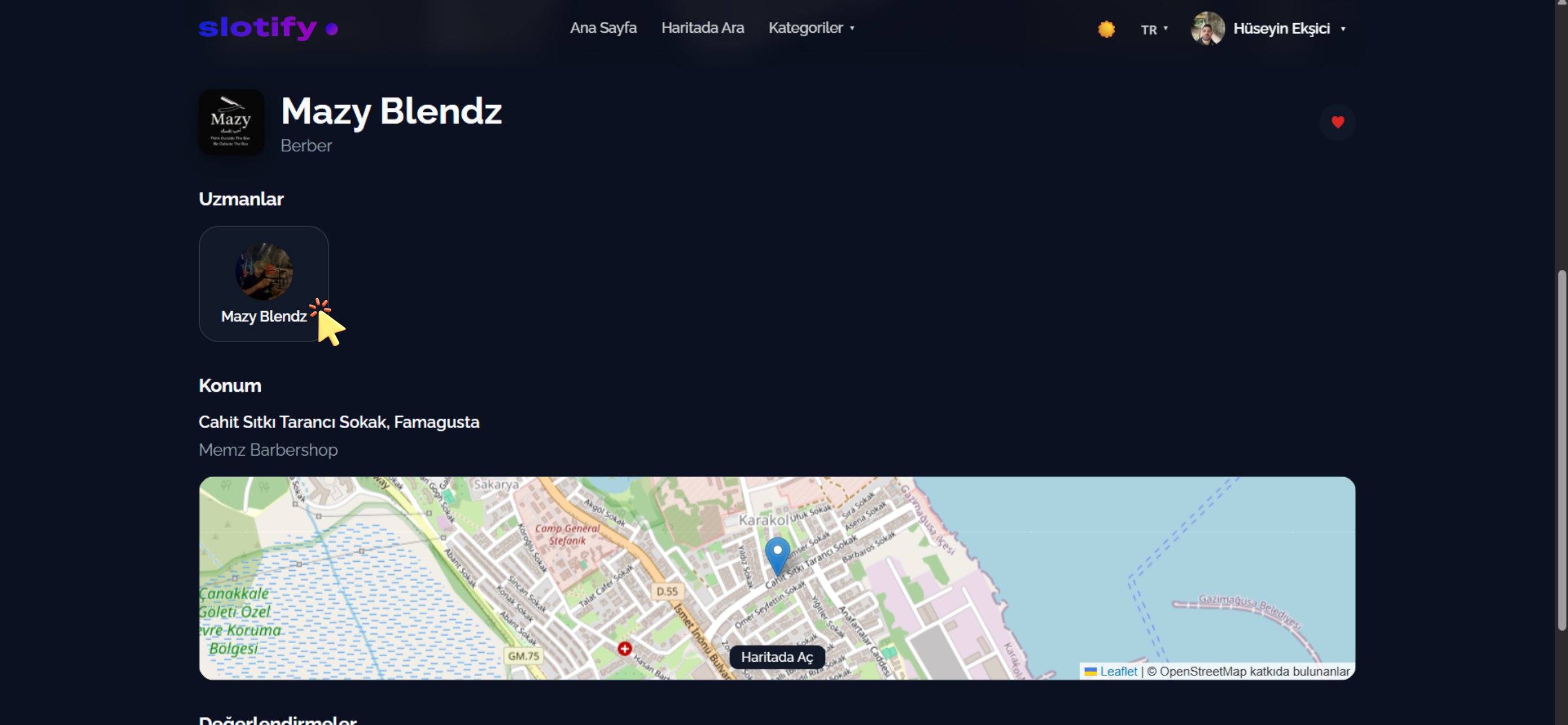
  <Step title="Business page">
    <Frame>
      <img src="https://mintcdn.com/codevestllc-5d6f3ede/83OKNCH1Mjf0LcvJ/images/customer-web/26.png?fit=max&auto=format&n=83OKNCH1Mjf0LcvJ&q=85&s=5c3a6298189958dc4f8f96977ca8228c" alt="Business page" width="2778" height="1284" data-path="images/customer-web/26.png" />
    </Frame>

    Name, category, experts, location and reviews are all here.

    <div className="s-action">Click the expert you want under **Experts**.</div>

    <Accordion title="🔎 Sections">
      | Field / Element            | What it means                                      |
      | -------------------------- | -------------------------------------------------- |
      | **❤️ Favourite**           | Saves the business to your favourites.             |
      | **Experts**                | A booking is always made with an expert.           |
      | **Location + Open on map** | Address and map; **Open on map** gives directions. |
      | **Reviews**                | Previous customer comments at the bottom.          |
    </Accordion>
  </Step>

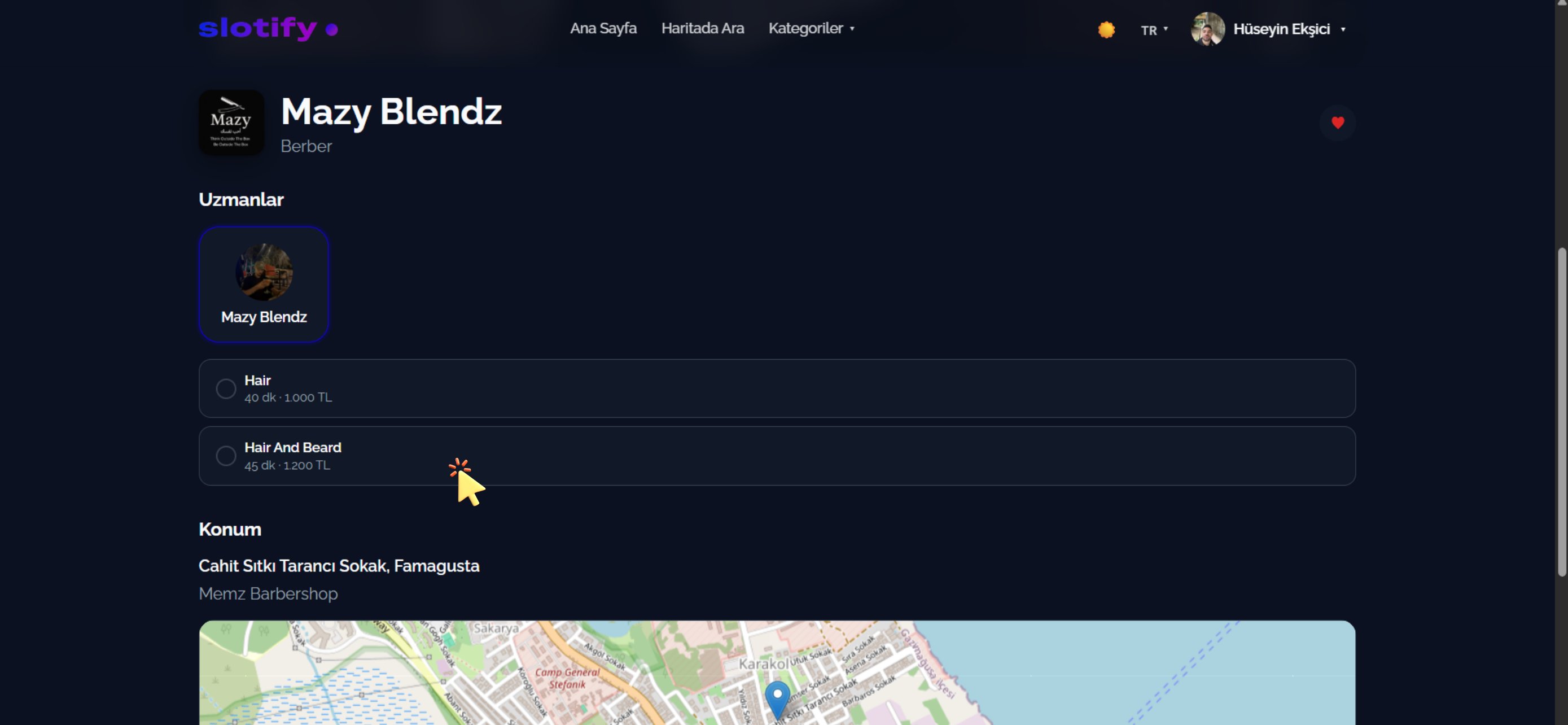
  <Step title="Pick a service">
    <Frame>
      <img src="https://mintcdn.com/codevestllc-5d6f3ede/83OKNCH1Mjf0LcvJ/images/customer-web/25.png?fit=max&auto=format&n=83OKNCH1Mjf0LcvJ&q=85&s=bb2f78a5dd9fdf824e505588b5ac9366" alt="Service list" width="2778" height="1284" data-path="images/customer-web/25.png" />
    </Frame>

    The expert’s services are listed with duration and price.

    <div className="s-action">Click the service you want — e.g. **Hair And Beard · 45 min · 1,200 TL**.</div>
  </Step>

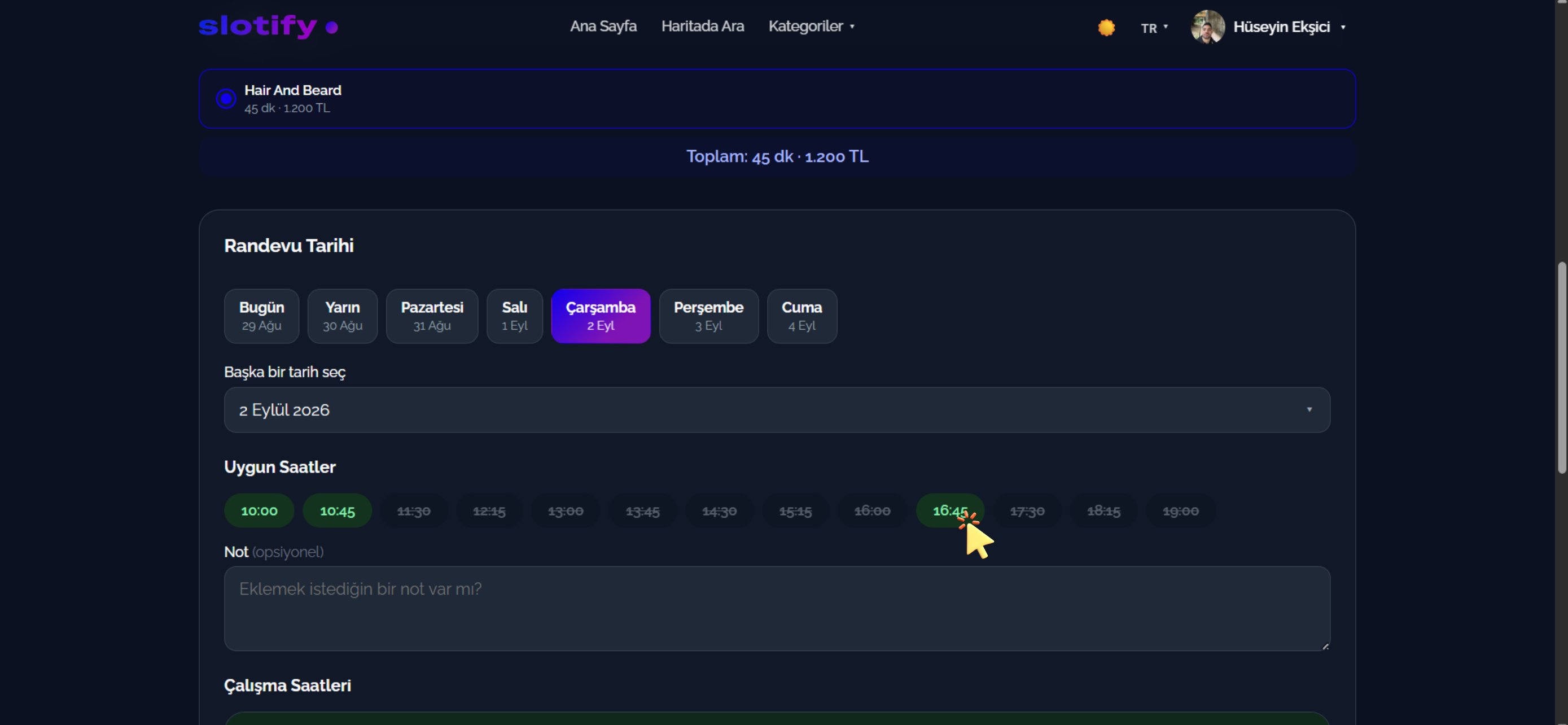
  <Step title="Pick date and time">
    <Frame>
      <img src="https://mintcdn.com/codevestllc-5d6f3ede/83OKNCH1Mjf0LcvJ/images/customer-web/24.png?fit=max&auto=format&n=83OKNCH1Mjf0LcvJ&q=85&s=0aa0547c2c013b6321e7b5f70623d7a3" alt="Date and time" width="2778" height="1284" data-path="images/customer-web/24.png" />
    </Frame>

    The total shows on top; below it the day strip and available hours.

    <div className="s-action">Pick a day, then click a **green** time (e.g. **16:45**). Struck-through times are taken.</div>

    <Accordion title="🔎 Fields here">
      | Field / Element       | What it means                              |
      | --------------------- | ------------------------------------------ |
      | **Total**             | Duration and price of your selection.      |
      | **Appointment Date**  | Quick day picker: Today, Tomorrow, Monday… |
      | **Pick another date** | Choose any day from the calendar.          |
      | **Available Hours**   | Green = free, struck-through = taken.      |
      | **Note (optional)**   | A note for the business.                   |
      | **Working Hours**     | The weekly schedule below.                 |
    </Accordion>
  </Step>

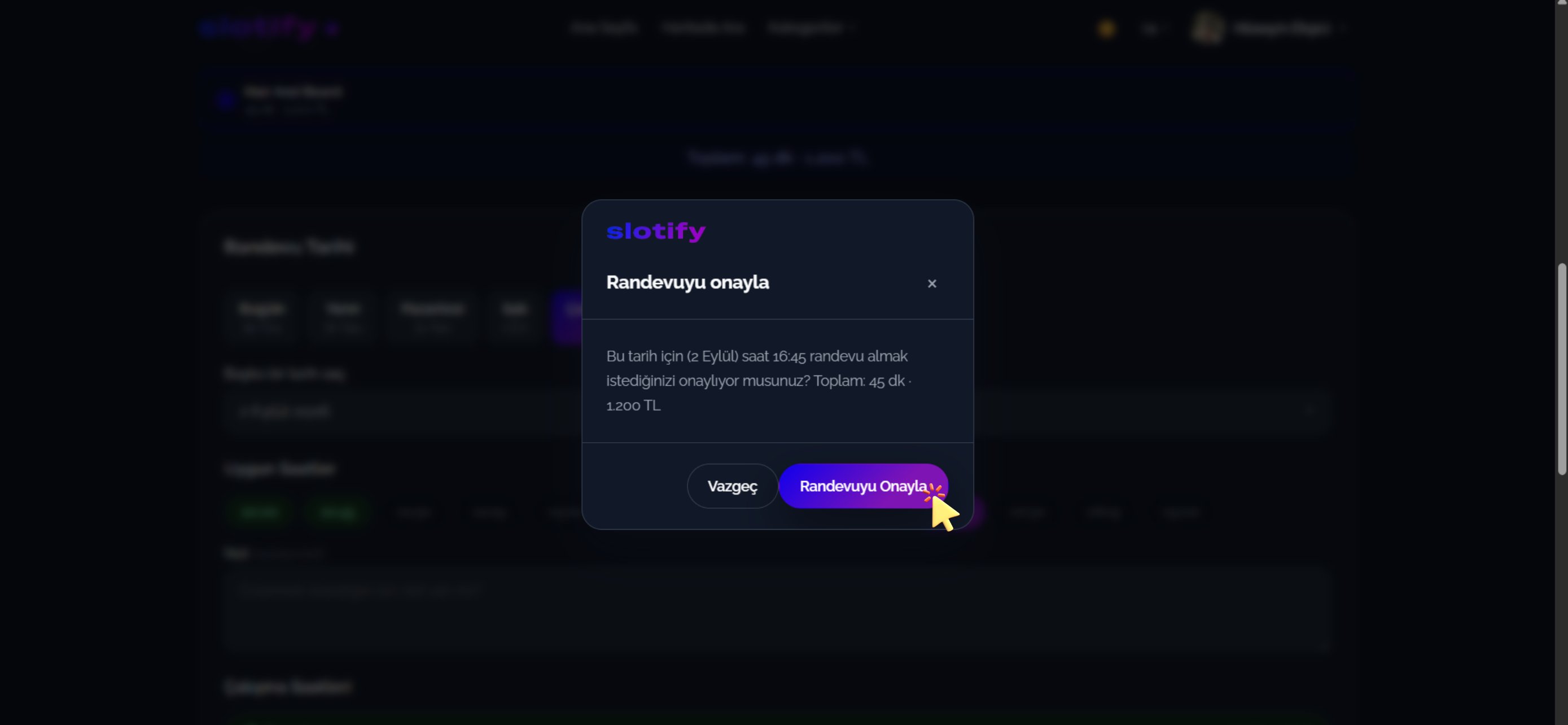
  <Step title="Confirm">
    <Frame>
      <img src="https://mintcdn.com/codevestllc-5d6f3ede/83OKNCH1Mjf0LcvJ/images/customer-web/23.png?fit=max&auto=format&n=83OKNCH1Mjf0LcvJ&q=85&s=2c76a01d576eac672fcf750aa2663f33" alt="Confirmation dialog" width="2778" height="1284" data-path="images/customer-web/23.png" />
    </Frame>

    Final check: date, time, total duration and price.

    <div className="s-action">Click **Confirm Appointment** — you are booked! 🎉</div>

    <Tip>With auto-approval the booking is confirmed instantly; otherwise it stays **Pending** until the business approves and you get a notification. Track everything from the account menu in the top right.</Tip>
  </Step>
</Steps>