> ## Documentation Index
> Fetch the complete documentation index at: https://documentation.slotify.com.tr/llms.txt
> Use this file to discover all available pages before exploring further.

# Map Search

> See nearby businesses on the map

# <span className="s-hero">Map Search</span>

Pan the map and find the closest business to you.

<Info>🌐 **URL:** [`https://slotify.com.tr/search`](https://slotify.com.tr/search) · 🧭 **Menu:** **Map Search**</Info>

<Steps>
  <Step title="Explore the map">
    <Frame>
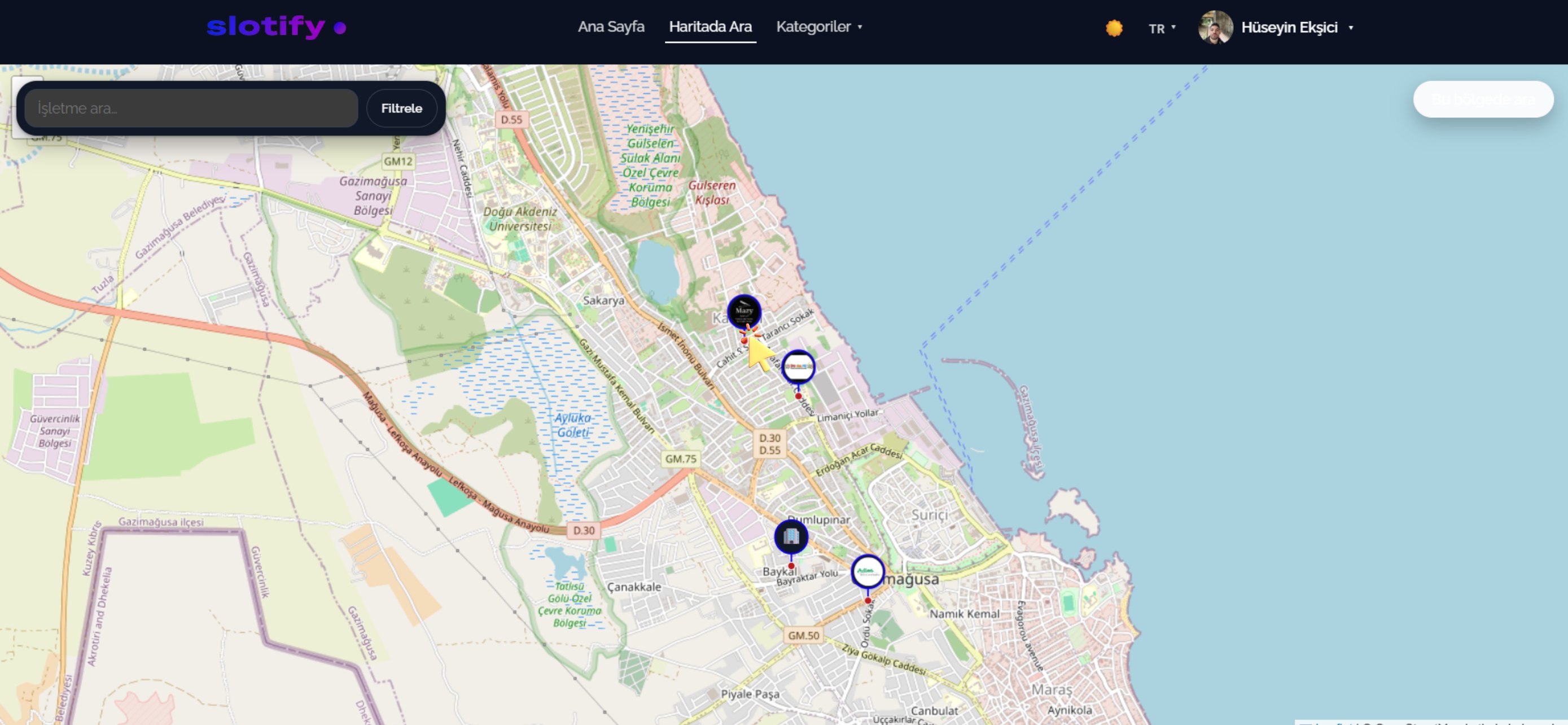
      <img src="https://mintcdn.com/codevestllc-5d6f3ede/83OKNCH1Mjf0LcvJ/images/customer-web/22.png?fit=max&auto=format&n=83OKNCH1Mjf0LcvJ&q=85&s=74457deba5f8ebba91647645a358c0bd" alt="Map with pins" width="2778" height="1284" data-path="images/customer-web/22.png" />
    </Frame>

    Every logo is a business; drag and zoom freely.

    <div className="s-action">Click the logo of a business you are interested in.</div>
  </Step>

  <Step title="Business card">
    <Frame>
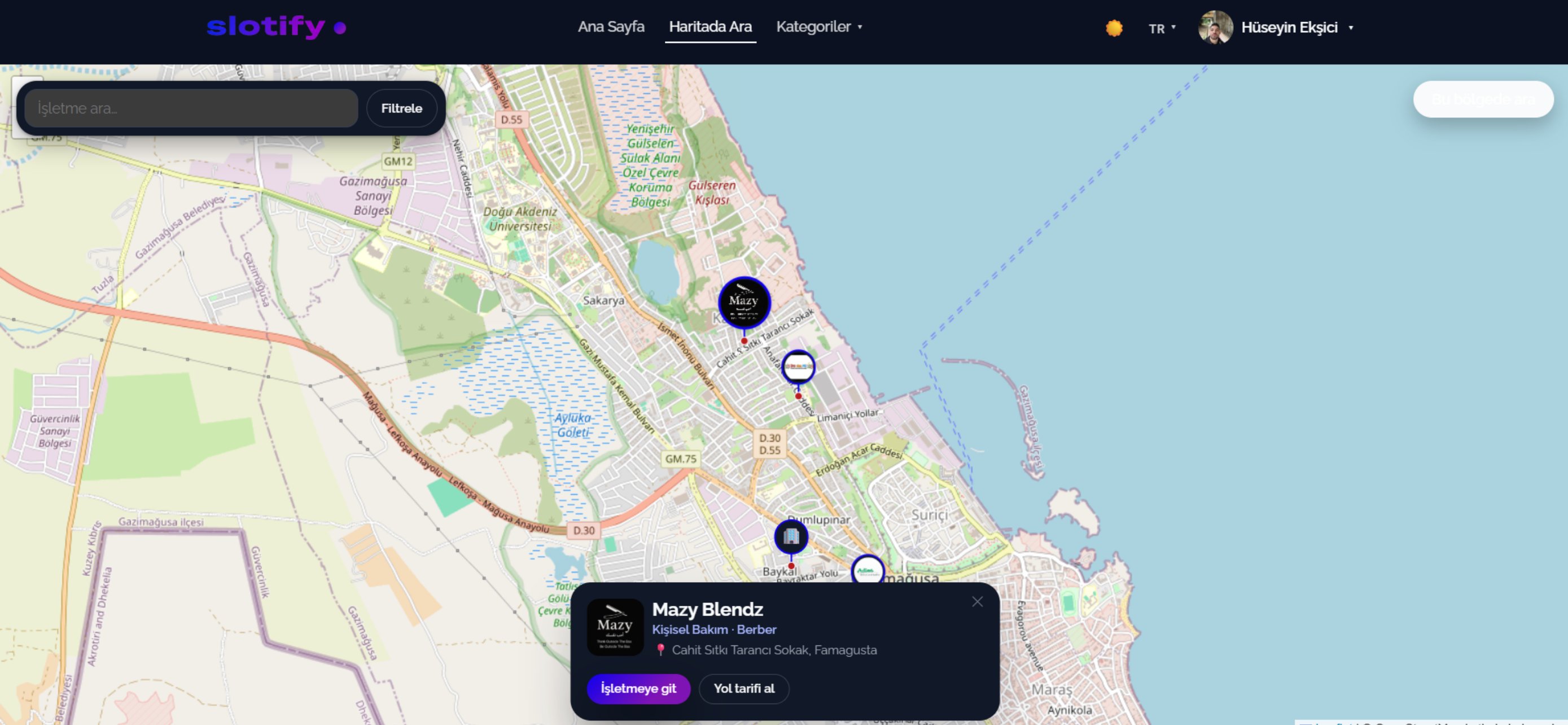
      <img src="https://mintcdn.com/codevestllc-5d6f3ede/83OKNCH1Mjf0LcvJ/images/customer-web/21.png?fit=max&auto=format&n=83OKNCH1Mjf0LcvJ&q=85&s=4dd8c094e824a13d885c1c785ddea030" alt="Map business card" width="2778" height="1284" data-path="images/customer-web/21.png" />
    </Frame>

    The details appear on a card at the bottom.

    <div className="s-action">**Go to business** opens the booking page; **Get directions** opens your maps app.</div>

    <Accordion title="🔎 Controls">
      | Field / Element        | What it means                           |
      | ---------------------- | --------------------------------------- |
      | **Search businesses…** | Search by name.                         |
      | **Filter**             | Narrow the map by category.             |
      | **Logo pins**          | Each is a business.                     |
      | **Go to business**     | Opens the business page where you book. |
      | **Get directions**     | Opens the address in your maps app.     |
    </Accordion>
  </Step>
</Steps>