> ## Documentation Index
> Fetch the complete documentation index at: https://documentation.slotify.com.tr/llms.txt
> Use this file to discover all available pages before exploring further.

# Roles & Permissions

> Create custom permission roles for your team

# <span className="s-hero">Roles & Permissions</span>

Roles control exactly what each teammate can see and do in the panel.

<Info>📱 🧭 **Menu:** **My Business → Permissions**</Info>

<Steps>
  <Step title="View your roles">
    <Frame>
      <img src="https://mintcdn.com/codevestllc-5d6f3ede/YKrZiftlDEtllZar/images/18.png?fit=max&auto=format&n=YKrZiftlDEtllZar&q=85&s=e33db9c8ffabbbebdb21cd3ff53817f6" alt="Role list" width="1080" height="1350" data-path="images/18.png" />
    </Frame>

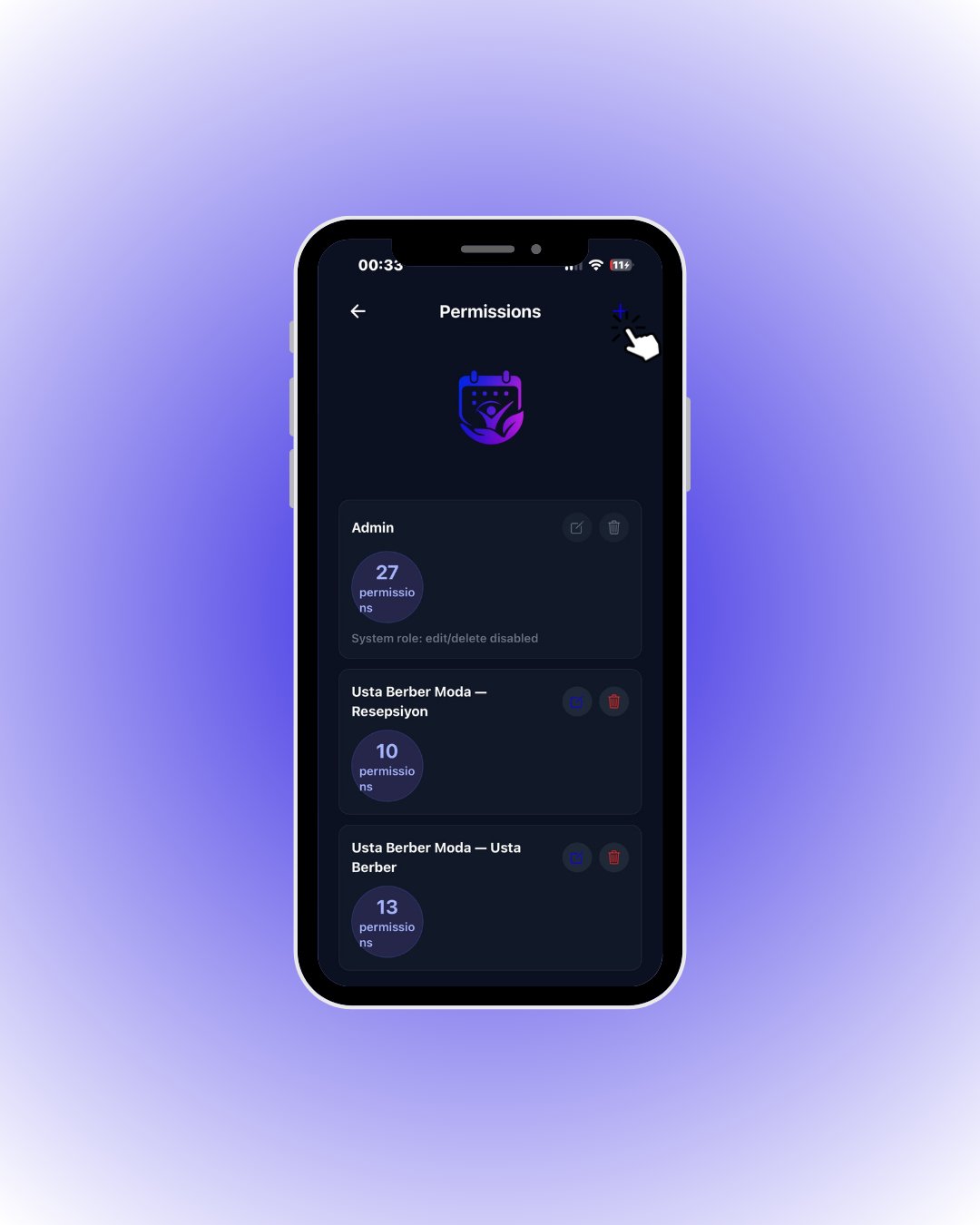
    Existing roles are listed as cards with their permission counts. **Admin** is a system role and cannot be edited.

    <div className="s-action">Tap the **+** button in the top right to create a new role.</div>
  </Step>

  <Step title="Create a role">
    <Frame>
      <img src="https://mintcdn.com/codevestllc-5d6f3ede/YKrZiftlDEtllZar/images/15.png?fit=max&auto=format&n=YKrZiftlDEtllZar&q=85&s=6332adff84058740a0aad21555287122" alt="Create role" width="1080" height="1350" data-path="images/15.png" />
    </Frame>

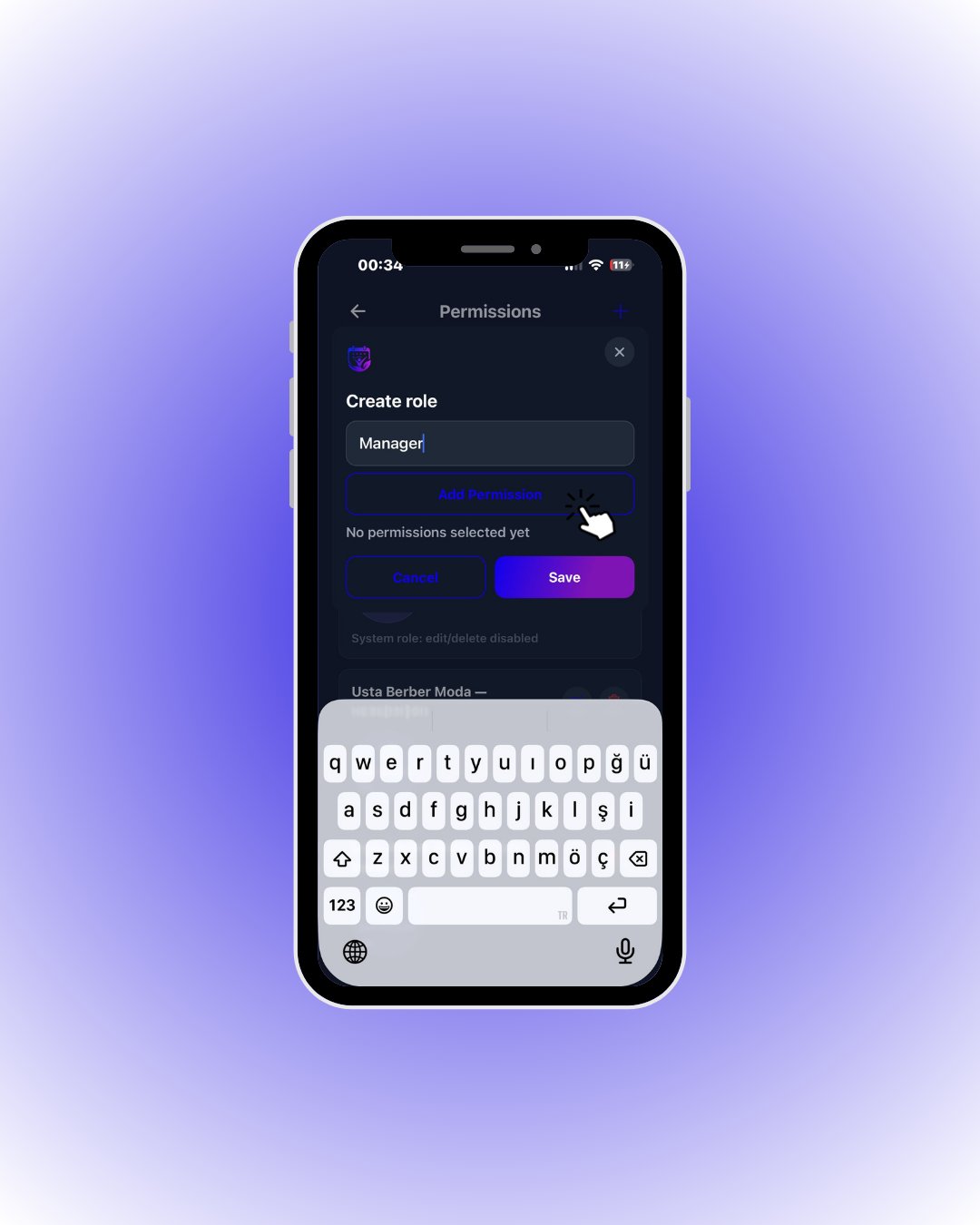
    Give the role a memorable name (e.g. *Manager*).

    <div className="s-action">Tap **Add Permission** to open the permission picker.</div>
  </Step>

  <Step title="Pick permissions">
    <Frame>
      <img src="https://mintcdn.com/codevestllc-5d6f3ede/YKrZiftlDEtllZar/images/10.png?fit=max&auto=format&n=YKrZiftlDEtllZar&q=85&s=b3b2d7bd1d58dbc7355133adee946701" alt="Permission picker" width="1080" height="1350" data-path="images/10.png" />
    </Frame>

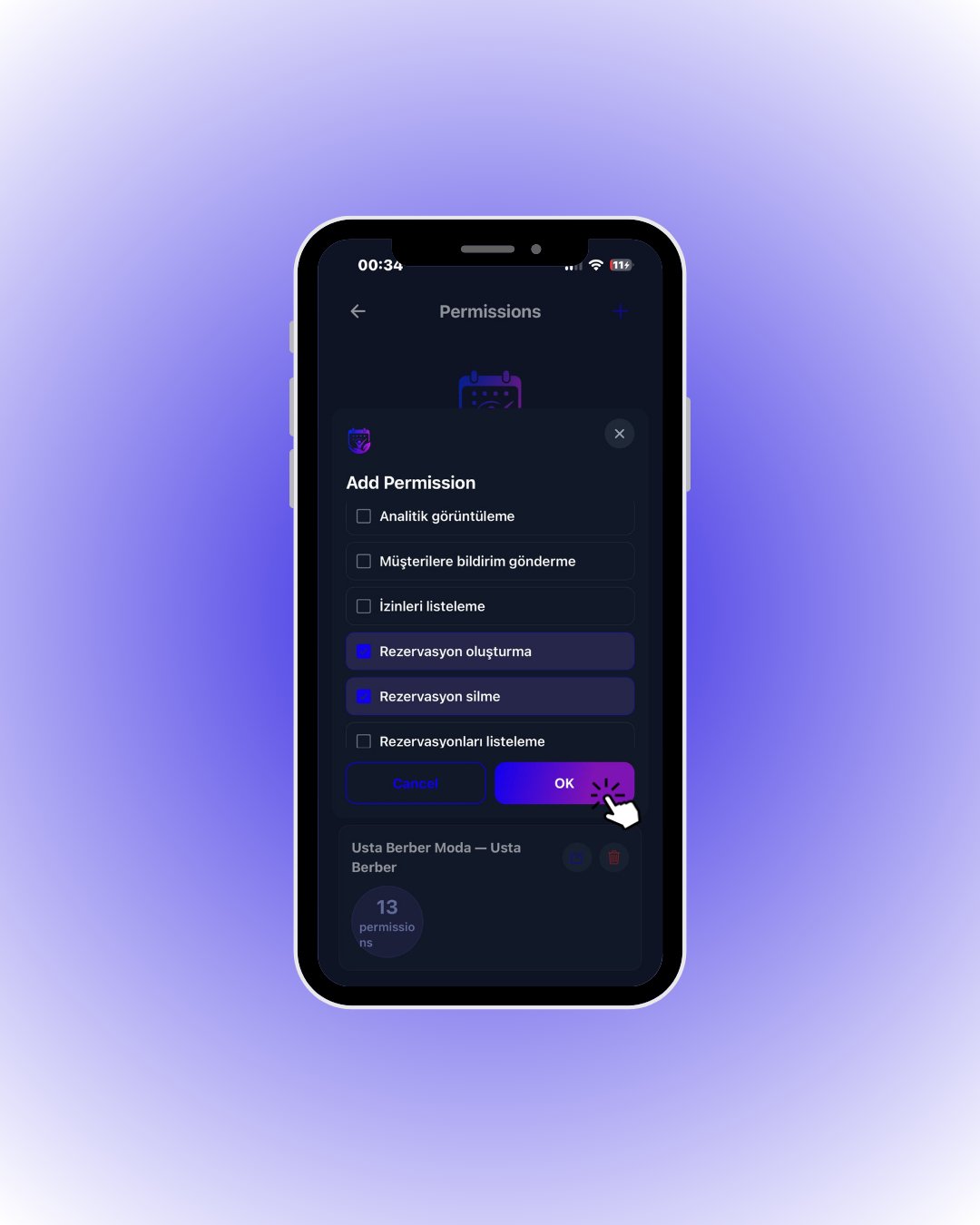
    Tick what this role can do: create reservations, delete them, view analytics…

    <div className="s-action">Tap **OK** when done, then **Save** to store the role.</div>

    <Accordion title="🔎 What the permissions mean">
      | Field / Element                         | What it means                                                                        |
      | --------------------------------------- | ------------------------------------------------------------------------------------ |
      | **Create / delete / list reservations** | Add bookings from the panel, delete them, and view the reservation list.             |
      | **View analytics**                      | Access to revenue and statistics screens.                                            |
      | **Send customer notifications**         | Use the bulk notification screen.                                                    |
      | **List permissions**                    | See the role & permission management screen.                                         |
      | **Number on a role card**               | “13 permissions” — total permissions assigned to the role.                           |
      | **Card actions ✏️ / 🗑️**               | Edit or delete the role. **Admin** is a system role: it cannot be edited or deleted. |
    </Accordion>
  </Step>
</Steps>