> ## Documentation Index
> Fetch the complete documentation index at: https://documentation.slotify.com.tr/llms.txt
> Use this file to discover all available pages before exploring further.

# Sign Up

> Create your business owner account

# <span className="s-hero">Sign Up</span>

Everything in Slotify starts with the right account type.

<Info>📱 🧭 **Menu:** App launch → **Sign Up**</Info>

<Steps>
  <Step title="Choose your account type">
    <Frame>
      <img src="https://mintcdn.com/codevestllc-5d6f3ede/YKrZiftlDEtllZar/images/32.png?fit=max&auto=format&n=YKrZiftlDEtllZar&q=85&s=c446c921d8a9f62d5157b4e010abf116" alt="Account type" width="1080" height="1350" data-path="images/32.png" />
    </Frame>

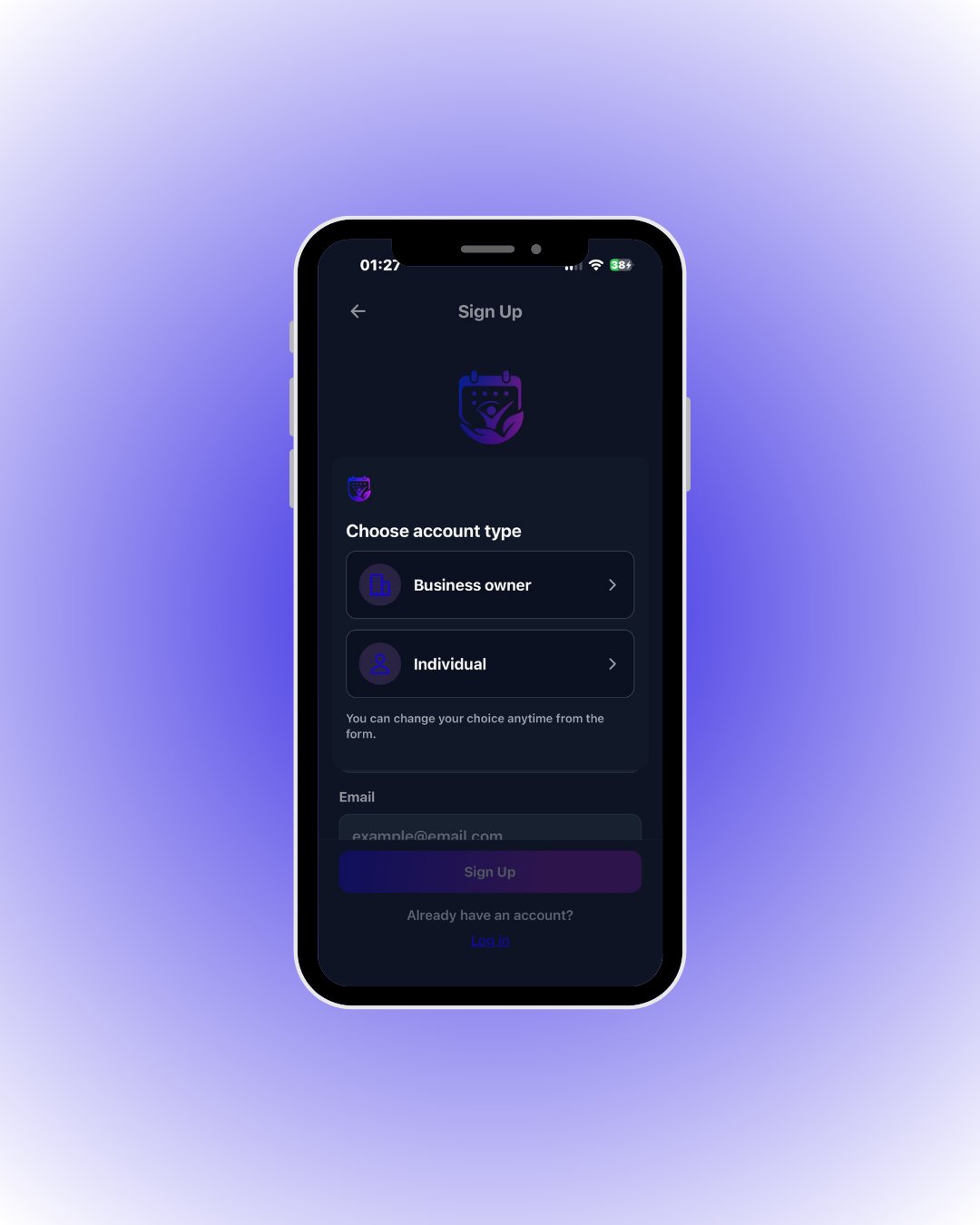
    The sign-up screen offers two account types: **Business owner** for businesses and **Individual** for customers.

    <div className="s-action">Tap **Business owner** — the management panel is only available with this account type.</div>
  </Step>

  <Step title="Fill in your details">
    <Frame>
      <img src="https://mintcdn.com/codevestllc-5d6f3ede/YKrZiftlDEtllZar/images/26.png?fit=max&auto=format&n=YKrZiftlDEtllZar&q=85&s=8a6b213587a62d24e21d5718dad293d3" alt="Registration form" width="1080" height="1350" data-path="images/26.png" />
    </Frame>

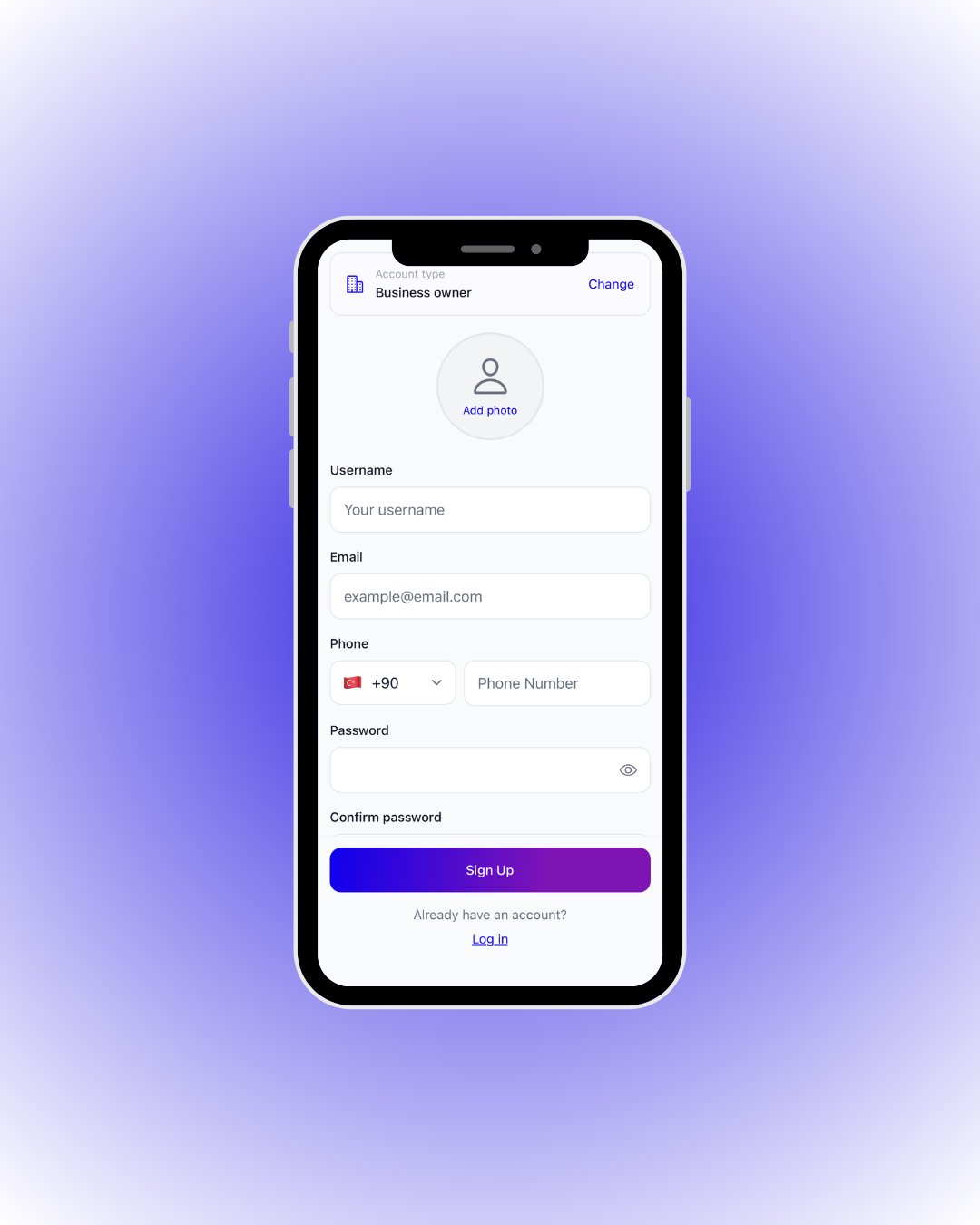
    Enter your username, email, phone and password; add a profile photo if you like.

    <div className="s-action">When the form is complete, tap **Sign Up**. After verification, the business setup wizard welcomes you.</div>

    <Accordion title="🔎 Every field on this screen">
      | Field / Element                 | What it means                                                                       |
      | ------------------------------- | ----------------------------------------------------------------------------------- |
      | **Account type / Change**       | Your selected type is shown on top; tap **Change** to switch anytime.               |
      | **Add photo**                   | Your profile photo — shown as your avatar in the panel and to customers (optional). |
      | **Username**                    | Your display name; customers see it in the expert list.                             |
      | **Email**                       | Your login email; the verification code is sent here.                               |
      | **Phone**                       | Country code + number; used for customer matching and notifications.                |
      | **Password / Confirm password** | Your password and its confirmation; the eye icon reveals it.                        |
    </Accordion>
  </Step>
</Steps>
