> ## Documentation Index
> Fetch the complete documentation index at: https://documentation.slotify.com.tr/llms.txt
> Use this file to discover all available pages before exploring further.

# Users

> Add your team and assign their roles

# <span className="s-hero">Users</span>

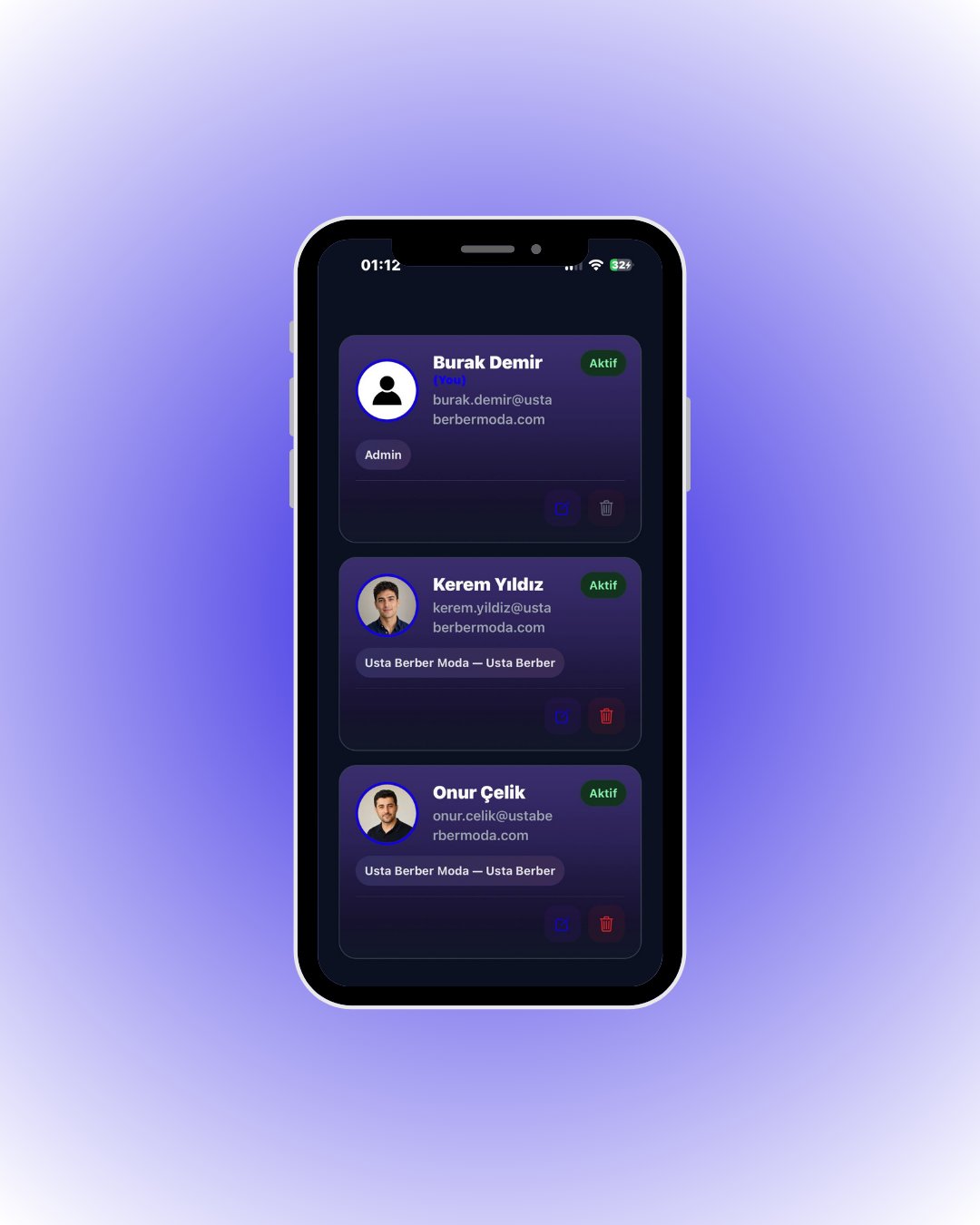
Your team members are listed as elegant cards with photos, roles and status.

<Info>📱 🧭 **Menu:** **My Business → My Users**</Info>

<Steps>
  <Step title="View your team">
    <Frame>
      <img src="https://mintcdn.com/codevestllc-5d6f3ede/YKrZiftlDEtllZar/images/23.png?fit=max&auto=format&n=YKrZiftlDEtllZar&q=85&s=dae5aad3a2de74c3896a851367d47919" alt="User cards" width="1080" height="1350" data-path="images/23.png" />
    </Frame>

    Each card shows the profile photo, email, role badge and **Active** status; edit and delete actions sit at the bottom.

    <div className="s-action">Tap the **+** button in the top right to add a teammate.</div>
  </Step>

  <Step title="Add a user">
    <Frame>
      <img src="https://mintcdn.com/codevestllc-5d6f3ede/YKrZiftlDEtllZar/images/24.png?fit=max&auto=format&n=YKrZiftlDEtllZar&q=85&s=17932a676f990ae190f0b31bdcbe1568" alt="Add user" width="1080" height="1350" data-path="images/24.png" />
    </Frame>

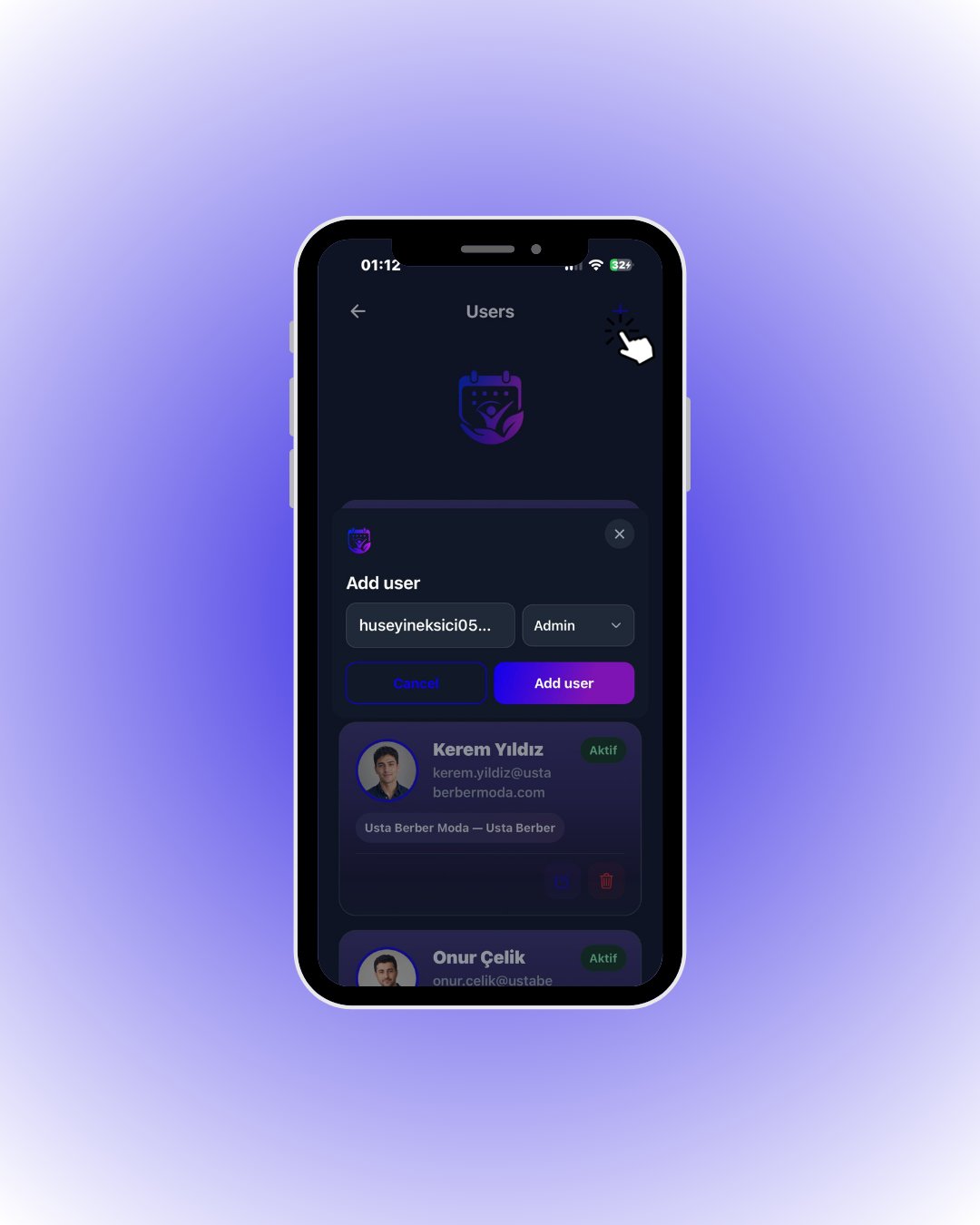
    Type the **email address** of the person you want to invite and pick a role from the dropdown next to it.

    <div className="s-action">Tap **Add user** — the invitation is sent.</div>
  </Step>

  <Step title="Assign a role">
    <Frame>
      <img src="https://mintcdn.com/codevestllc-5d6f3ede/YKrZiftlDEtllZar/images/25.png?fit=max&auto=format&n=YKrZiftlDEtllZar&q=85&s=c53166259c672eaef34bbb91fd5916be" alt="Select role" width="1080" height="1350" data-path="images/25.png" />
    </Frame>

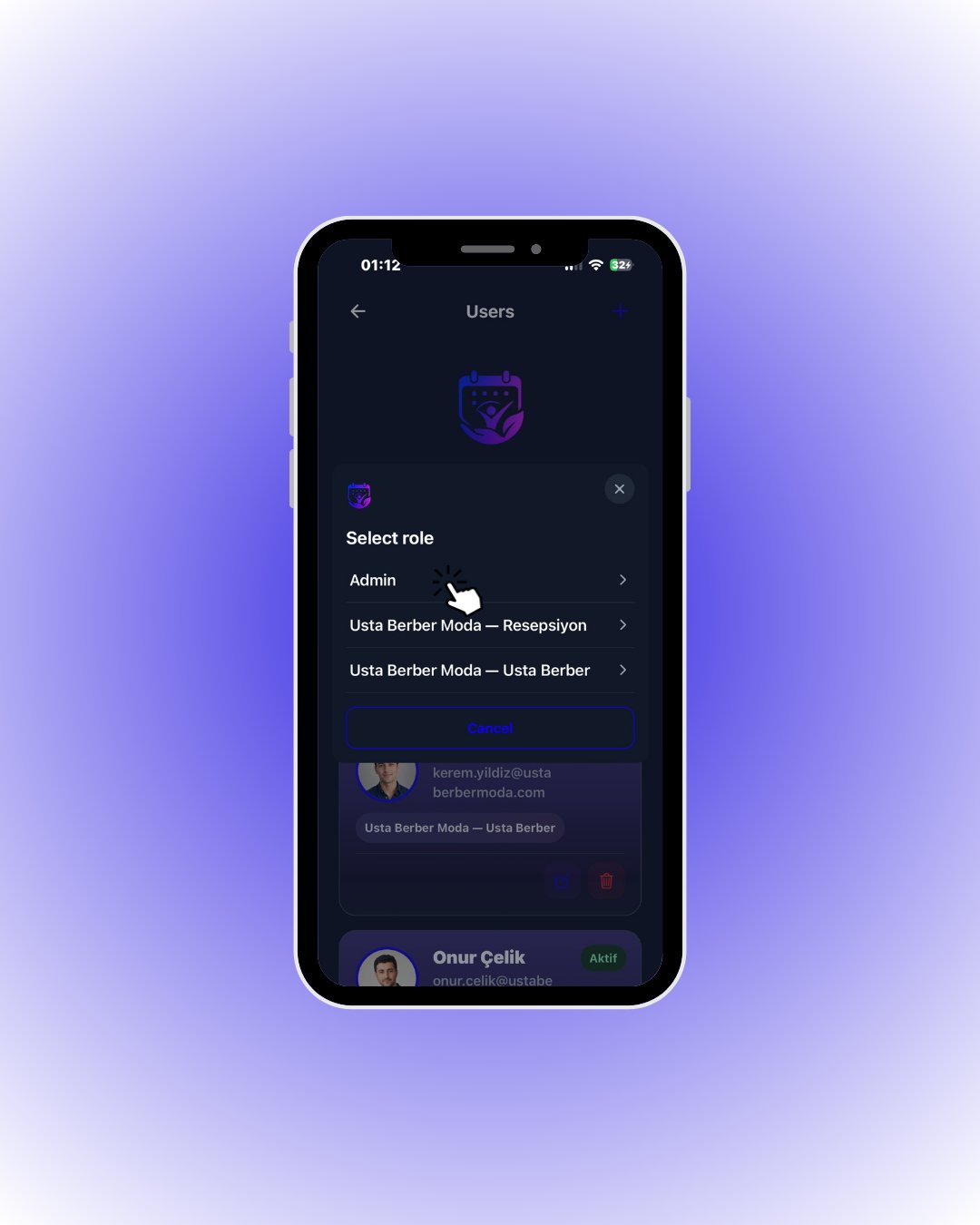
    The role menu lists every role you have created.

    <div className="s-action">Tap the matching role (e.g. **Admin** or your custom *Reception* role).</div>

    <Accordion title="🔎 Everything on a user card">
      | Field / Element          | What it means                                                        |
      | ------------------------ | -------------------------------------------------------------------- |
      | **Profile photo**        | The user’s photo; initials are shown if there is none.               |
      | **(You) tag**            | Marks your own card.                                                 |
      | **Email**                | The user’s login address.                                            |
      | **Role badge**           | Assigned role (e.g. *Admin*, *Reception*).                           |
      | **Active / Inactive**    | Whether the user is working; inactive users cannot receive bookings. |
      | **✏️ / 🗑️**             | Edit or delete the user. You cannot delete your own account.         |
      | **Add user → Email**     | Invitee’s email; the invitation is sent there.                       |
      | **Add user → Role menu** | The permission set of the new user.                                  |
    </Accordion>
  </Step>
</Steps>