> ## Documentation Index
> Fetch the complete documentation index at: https://documentation.slotify.com.tr/llms.txt
> Use this file to discover all available pages before exploring further.

# My Business

> Manage your business profile on the web

# <span className="s-hero">My Business</span>

Name, category, logo, location and gallery — all on one page.

<Info>🌐 **URL:** [`https://admin.slotify.com.tr/tenant`](https://admin.slotify.com.tr/tenant) · 🧭 **Menu:** **Business Management → My Business**</Info>

<Steps>
  <Step title="General information">
    <Frame>
      <img src="https://mintcdn.com/codevestllc-5d6f3ede/YKrZiftlDEtllZar/images/web/19.png?fit=max&auto=format&n=YKrZiftlDEtllZar&q=85&s=4c7ed9a515ced8b1591b268c20229805" alt="General information" width="2778" height="1284" data-path="images/web/19.png" />
    </Frame>

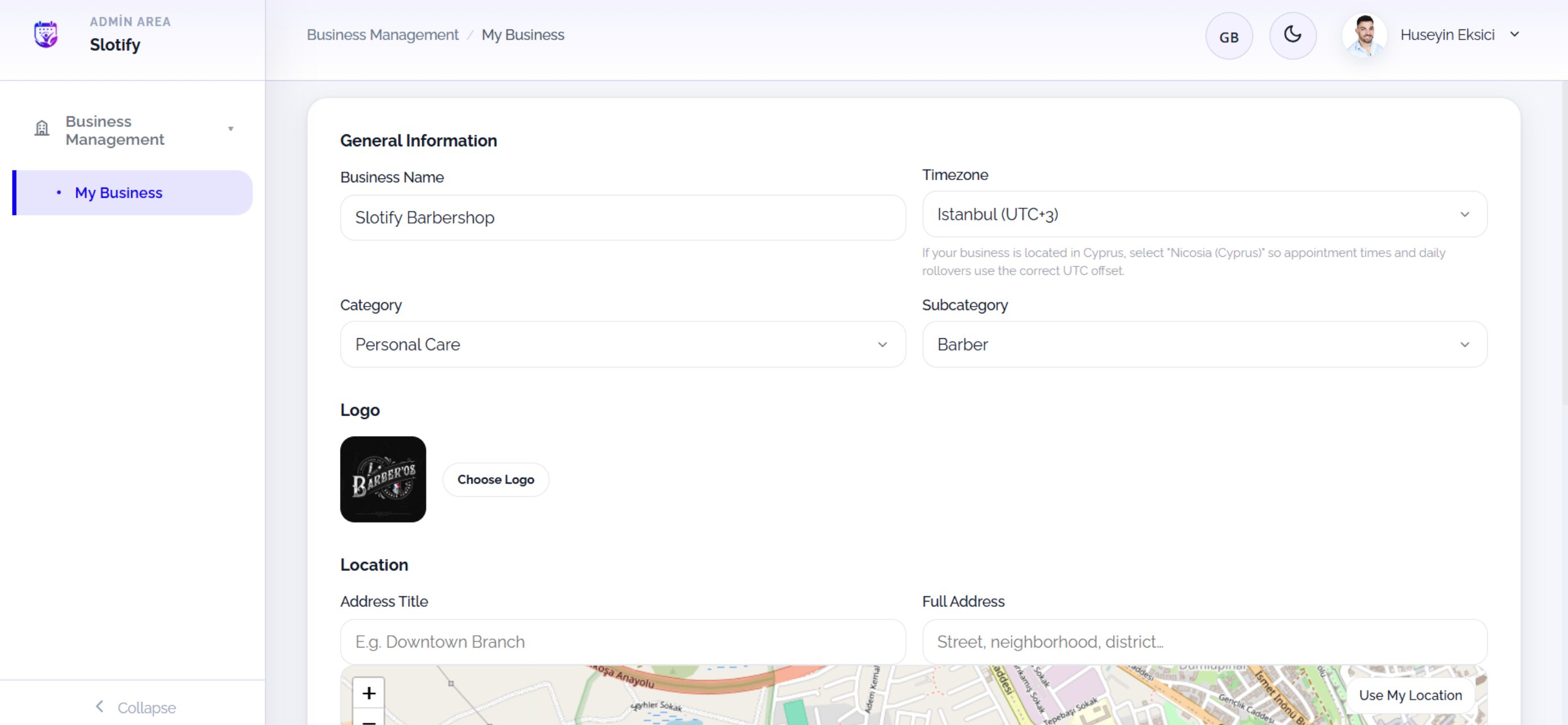
    Business name, time zone, category and logo live here.

    <Accordion title="🔎 General fields">
      | Field / Element            | What it means                                                                                                  |
      | -------------------------- | -------------------------------------------------------------------------------------------------------------- |
      | **Business Name**          | The name customers see.                                                                                        |
      | **Timezone**               | Appointment times are computed with it; pick **Nicosia (Cyprus)** if you are in Cyprus (the page reminds you). |
      | **Category / Subcategory** | Main field (e.g. Personal Care) and specialty (e.g. Barber).                                                   |
      | **Logo / Choose Logo**     | Current logo and the change button.                                                                            |
    </Accordion>
  </Step>

  <Step title="Location & gallery">
    <Frame>
      <img src="https://mintcdn.com/codevestllc-5d6f3ede/YKrZiftlDEtllZar/images/web/18.png?fit=max&auto=format&n=YKrZiftlDEtllZar&q=85&s=aac9cf5e2c1918a8a952084cace725be" alt="Location and gallery" width="2778" height="1284" data-path="images/web/18.png" />
    </Frame>

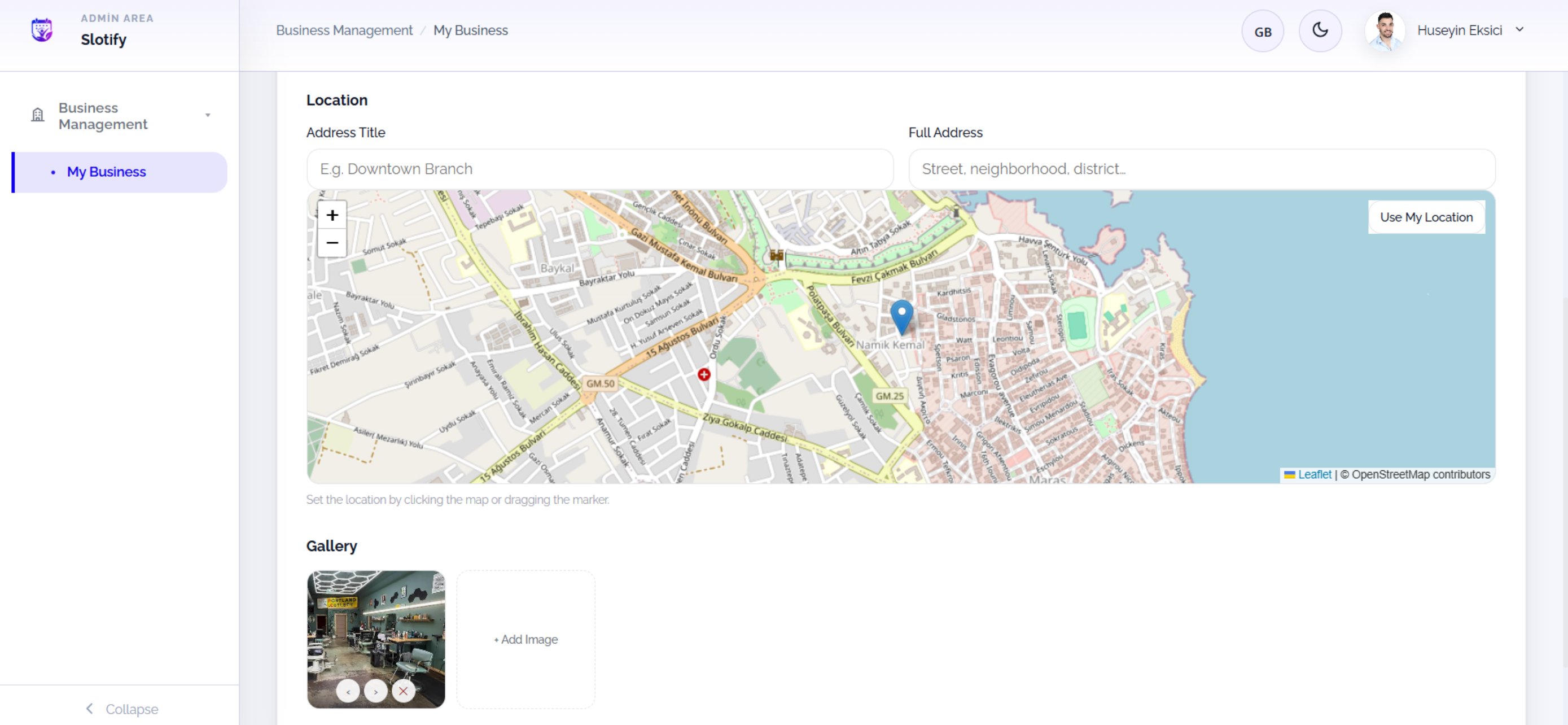
    Pin your location on the map, type the address details, manage your gallery.

    <div className="s-action">Click the map or drag the marker to set the point; **Use My Location** grabs your GPS position in one click. Remember to save afterwards.</div>

    <Accordion title="🔎 Location & gallery fields">
      | Field / Element           | What it means                                                                      |
      | ------------------------- | ---------------------------------------------------------------------------------- |
      | **Address Title**         | Short label (e.g. *Downtown Branch*).                                              |
      | **Full Address**          | Street, neighborhood, district…                                                    |
      | **Map**                   | Click or drag the marker to pick the point.                                        |
      | **Use My Location**       | Auto-pin from your browser location.                                               |
      | **Gallery / + Add Image** | Business photos; ‹ › reorder, ❌ removes. The first photo is your storefront image. |
    </Accordion>
  </Step>
</Steps>
