> ## Documentation Index
> Fetch the complete documentation index at: https://documentation.slotify.com.tr/llms.txt
> Use this file to discover all available pages before exploring further.
# Sign Up on the Web
> Create your business account from the browser
# Sign Up on the Web
You can also register for the Slotify admin panel from your browser.
🌐 **URL:** [`https://admin.slotify.com.tr/register`](https://admin.slotify.com.tr/register) · 🧭 **Menu:** —
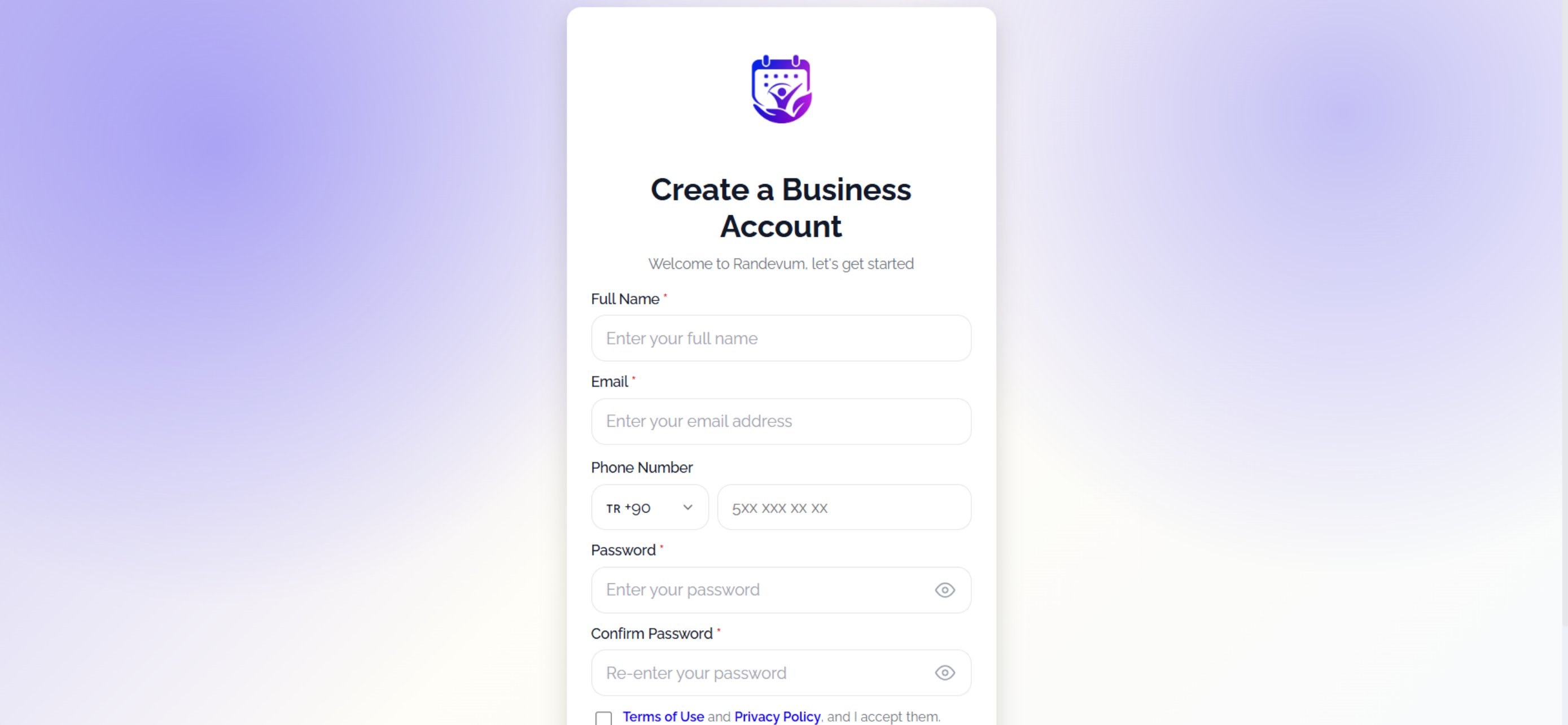 Fill in the “Create a Business Account” form.
Complete the fields, tick **Terms of Use / Privacy Policy**, then click **Sign Up**. For later logins: [`https://admin.slotify.com.tr/login`](https://admin.slotify.com.tr/login)
| Field / Element | What it means |
| --------------------------------- | ----------------------------------------------------------- |
| **Full Name** | Your display name across the panel and expert lists. |
| **Email** | Your login email; verification goes here. |
| **Phone Number** | Country code + number (5XX XXX XX XX). |
| **Password / Confirm Password** | Password and confirmation; 👁 reveals it. |
| **Terms of Use & Privacy Policy** | Consent checkbox — registration cannot complete without it. |