> ## Documentation Index
> Fetch the complete documentation index at: https://documentation.slotify.com.tr/llms.txt
> Use this file to discover all available pages before exploring further.

# Users

> Invite your team and assign roles on the web

# <span className="s-hero">Users</span>

Invite teammates by email and assign their roles.

<Info>🌐 **URL:** [`https://admin.slotify.com.tr/users`](https://admin.slotify.com.tr/users) · 🧭 **Menu:** **Business Management → Users**</Info>

<Steps>
  <Step title="Open the invite dialog">
    <Frame>
      <img src="https://mintcdn.com/codevestllc-5d6f3ede/YKrZiftlDEtllZar/images/web/14.png?fit=max&auto=format&n=YKrZiftlDEtllZar&q=85&s=567649c9e6d1b4a2002a90ea87ba43fc" alt="Invite user" width="2778" height="1284" data-path="images/web/14.png" />
    </Frame>

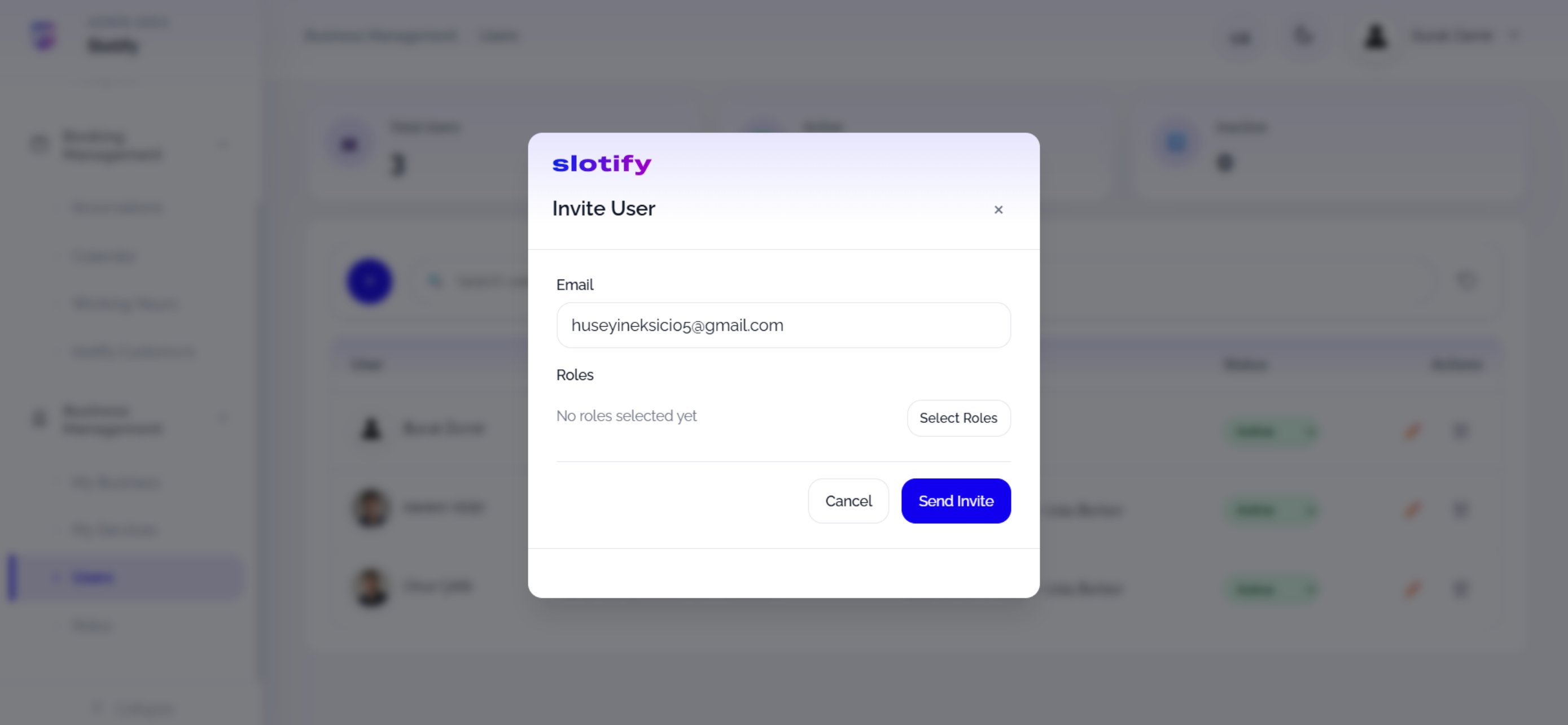
    The **+** button opens **Invite User**. Type the email; roles start empty (*No roles selected yet*).

    <div className="s-action">Click **Select Roles** to open the role picker.</div>
  </Step>

  <Step title="Pick roles">
    <Frame>
      <img src="https://mintcdn.com/codevestllc-5d6f3ede/YKrZiftlDEtllZar/images/web/13.png?fit=max&auto=format&n=YKrZiftlDEtllZar&q=85&s=4d8d31cf677af119c8bad4101651f875" alt="Select roles" width="2778" height="1284" data-path="images/web/13.png" />
    </Frame>

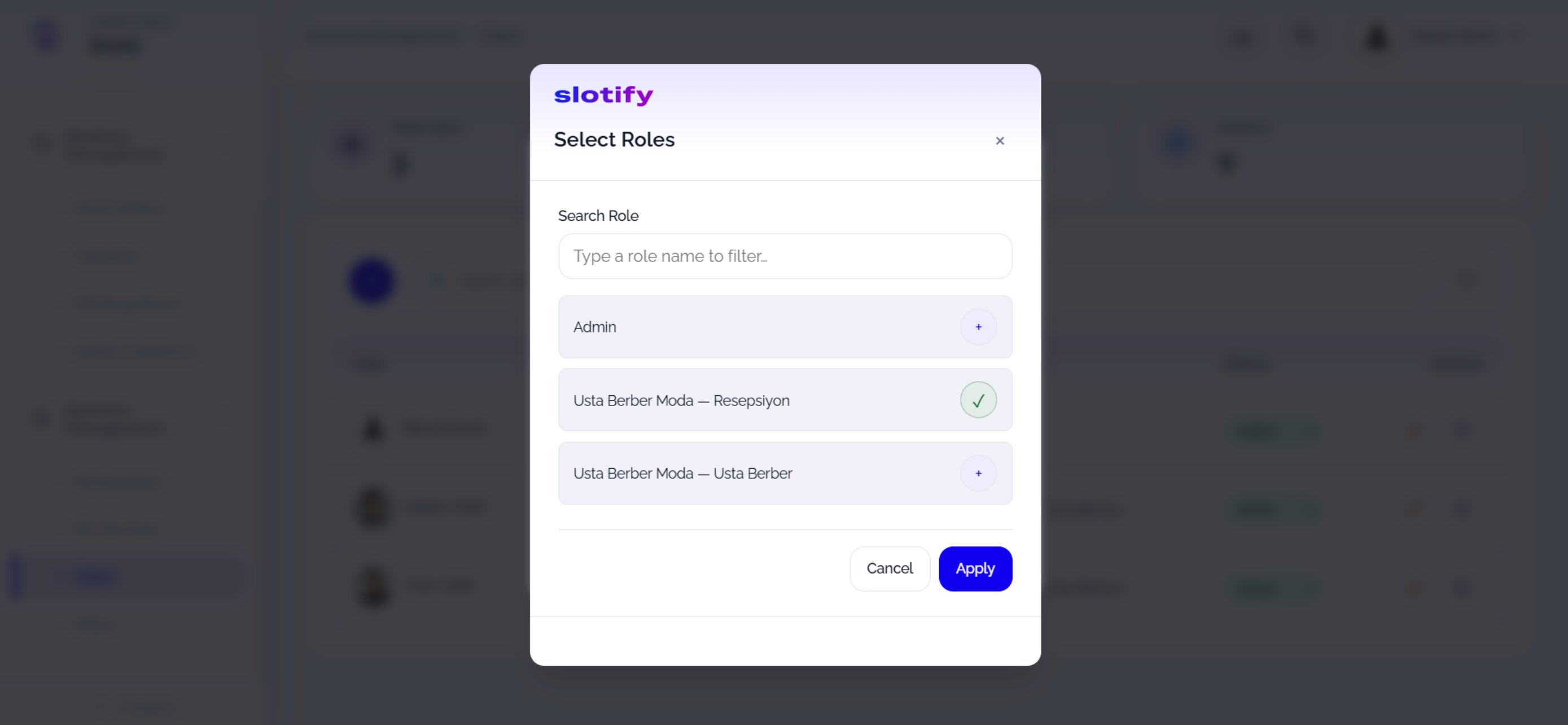
    Every role you created is listed; ✓ marks the ones to assign.

    <div className="s-action">Tick the roles and click **Apply**.</div>
  </Step>

  <Step title="Send the invite">
    <Frame>
      <img src="https://mintcdn.com/codevestllc-5d6f3ede/YKrZiftlDEtllZar/images/web/12.png?fit=max&auto=format&n=YKrZiftlDEtllZar&q=85&s=c63c9b4900de271df39f17c05411b969" alt="Send invite" width="2778" height="1284" data-path="images/web/12.png" />
    </Frame>

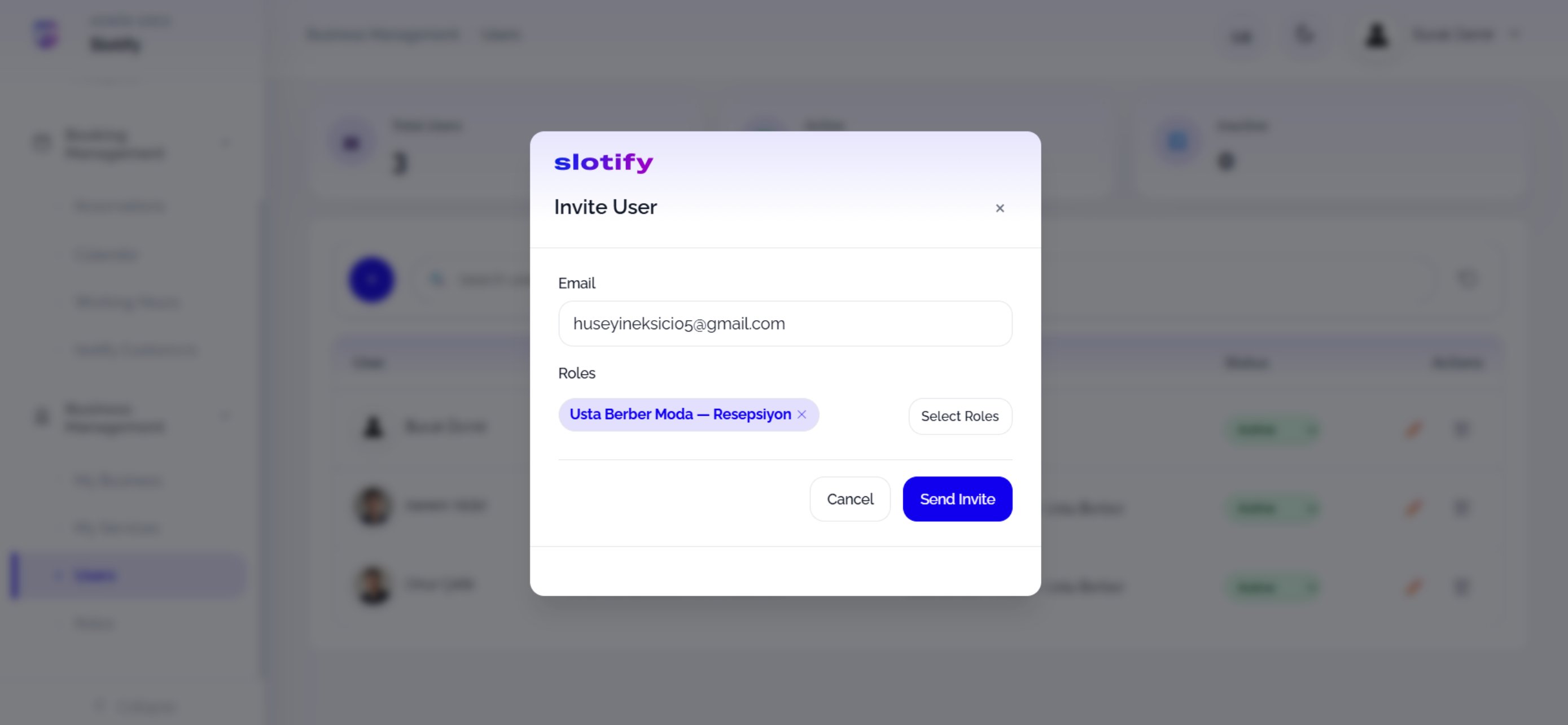
    Chosen roles appear as purple chips (removable with ❌).

    <div className="s-action">Click **Send Invite** — the invitation email goes out; the user joins once they accept.</div>

    <Accordion title="🔎 Dialog fields">
      | Field / Element          | What it means                                                                      |
      | ------------------------ | ---------------------------------------------------------------------------------- |
      | **Email**                | The invitee’s email address.                                                       |
      | **Roles / Select Roles** | The user’s permission set; multiple roles allowed.                                 |
      | **Users table**          | Behind the dialog: each member’s photo, role, **Active** status and ✏️/🗑 actions. |
    </Accordion>
  </Step>
</Steps>