Create Reservation

Create a booking in seconds for the customer calling you or walking in.
📱 🧭 Menu: My Business → Create Reservation
1

Pick expert & services
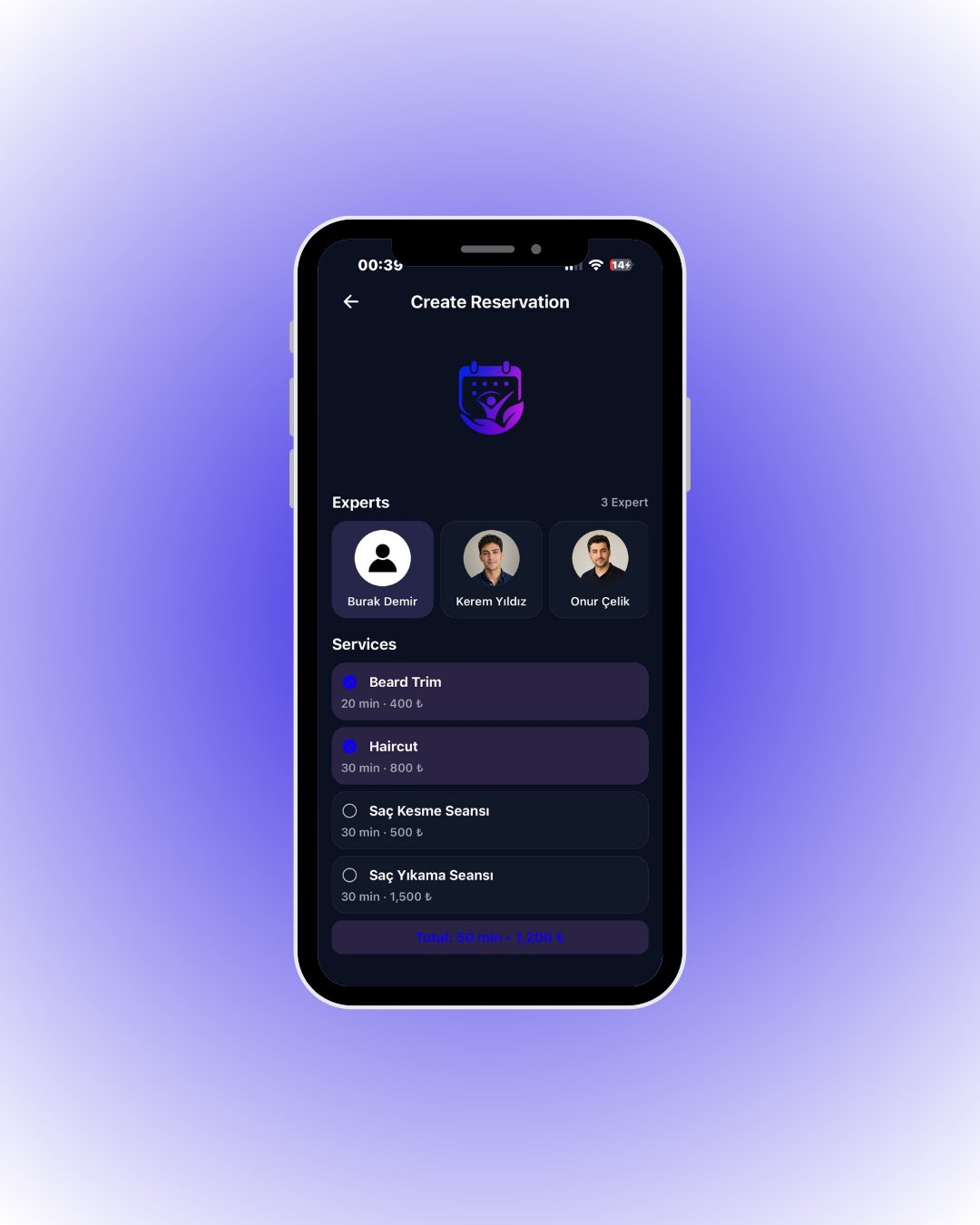
Expert and services
Choose the expert first, then one or more services — total time and price update live at the bottom. Session (group) services are selected on their own.
2

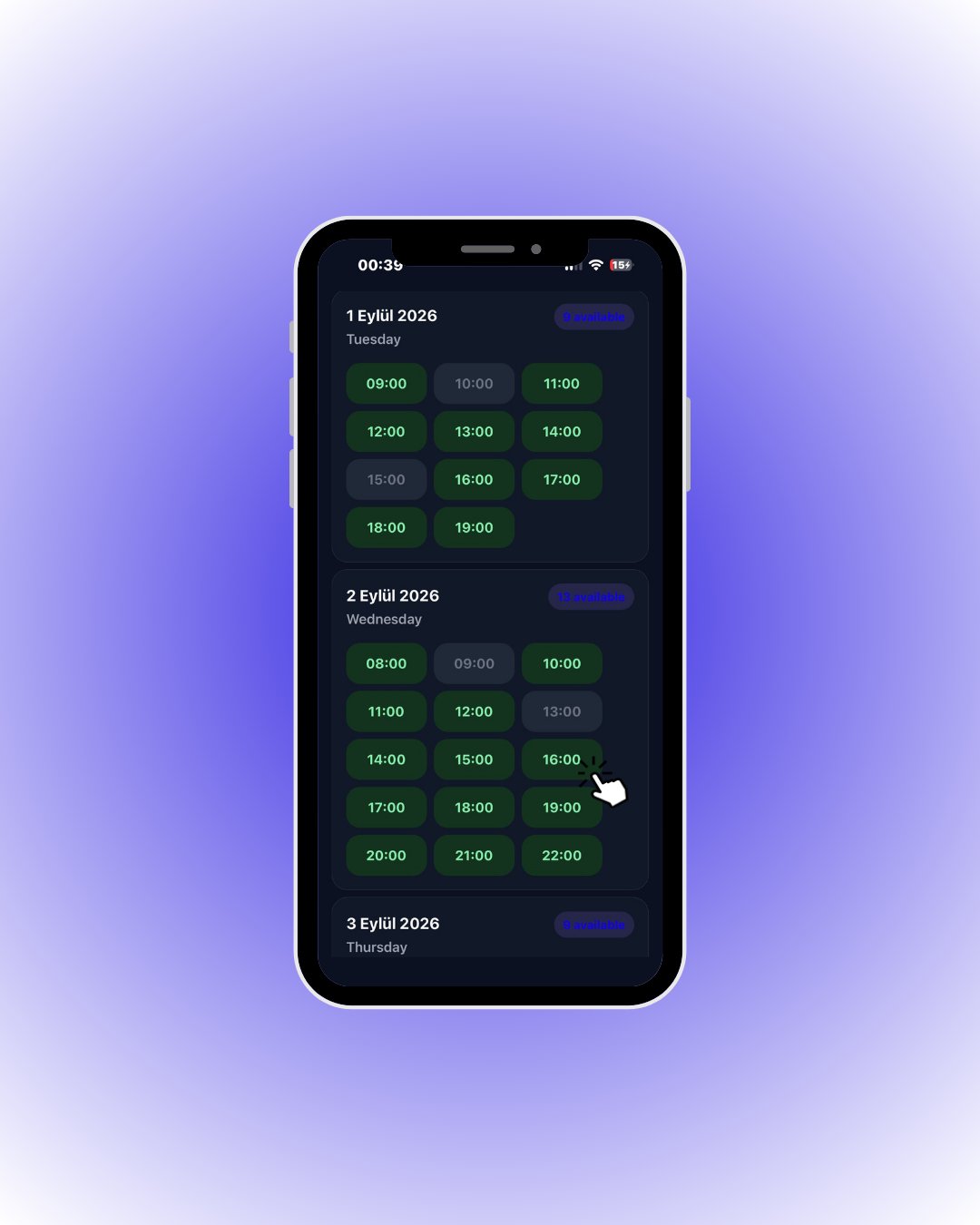
Pick a time

Available slots
Available slots are green, taken ones are dimmed. For session services each slot also shows the remaining capacity.
Tap a green slot — the customer picker opens.
3

Select an existing customer
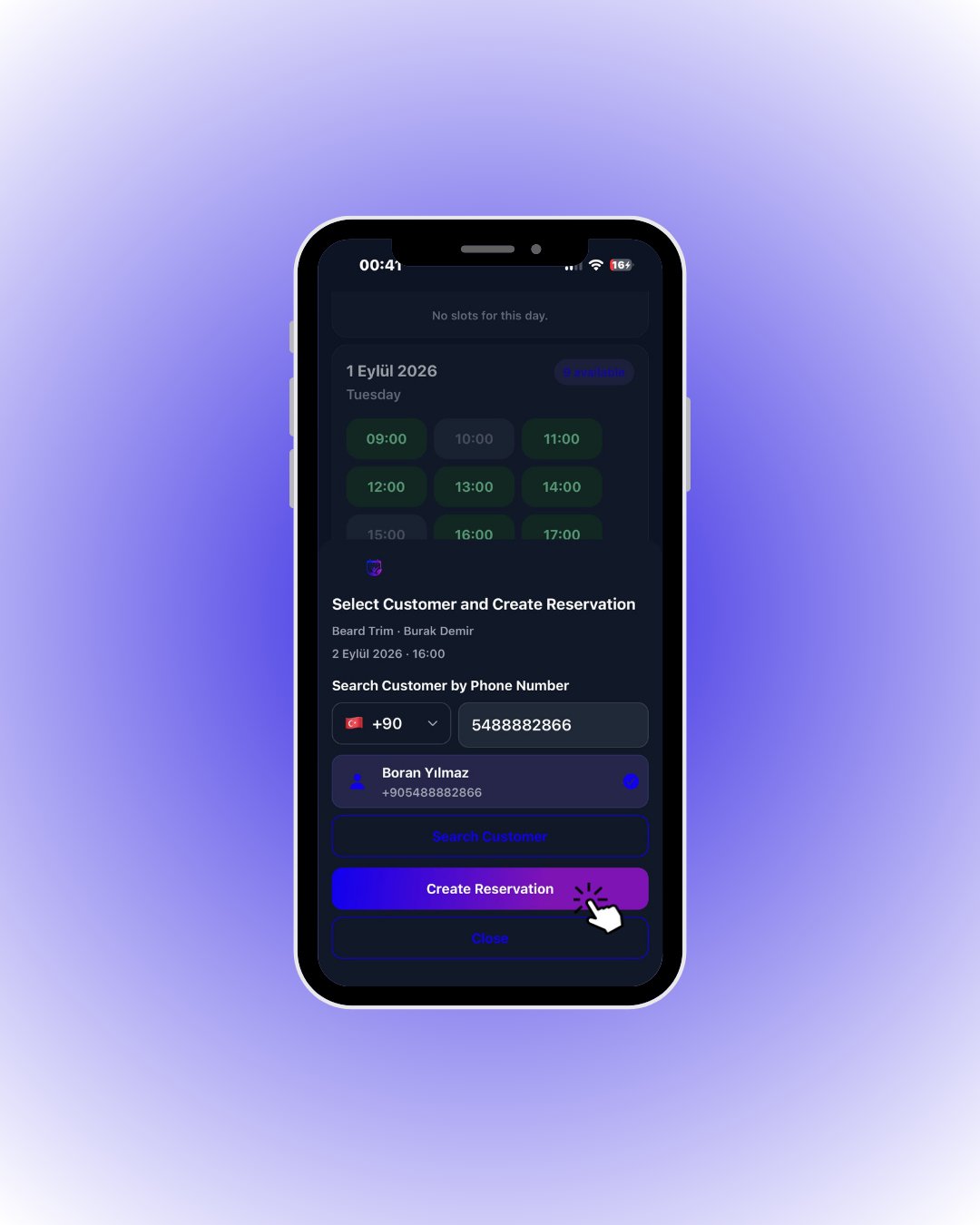
Search customer
Type the customer’s phone number and search. If registered, their card appears; tap it to select.
Tap Create Reservation — the booking is created instantly.
4

If the customer is new
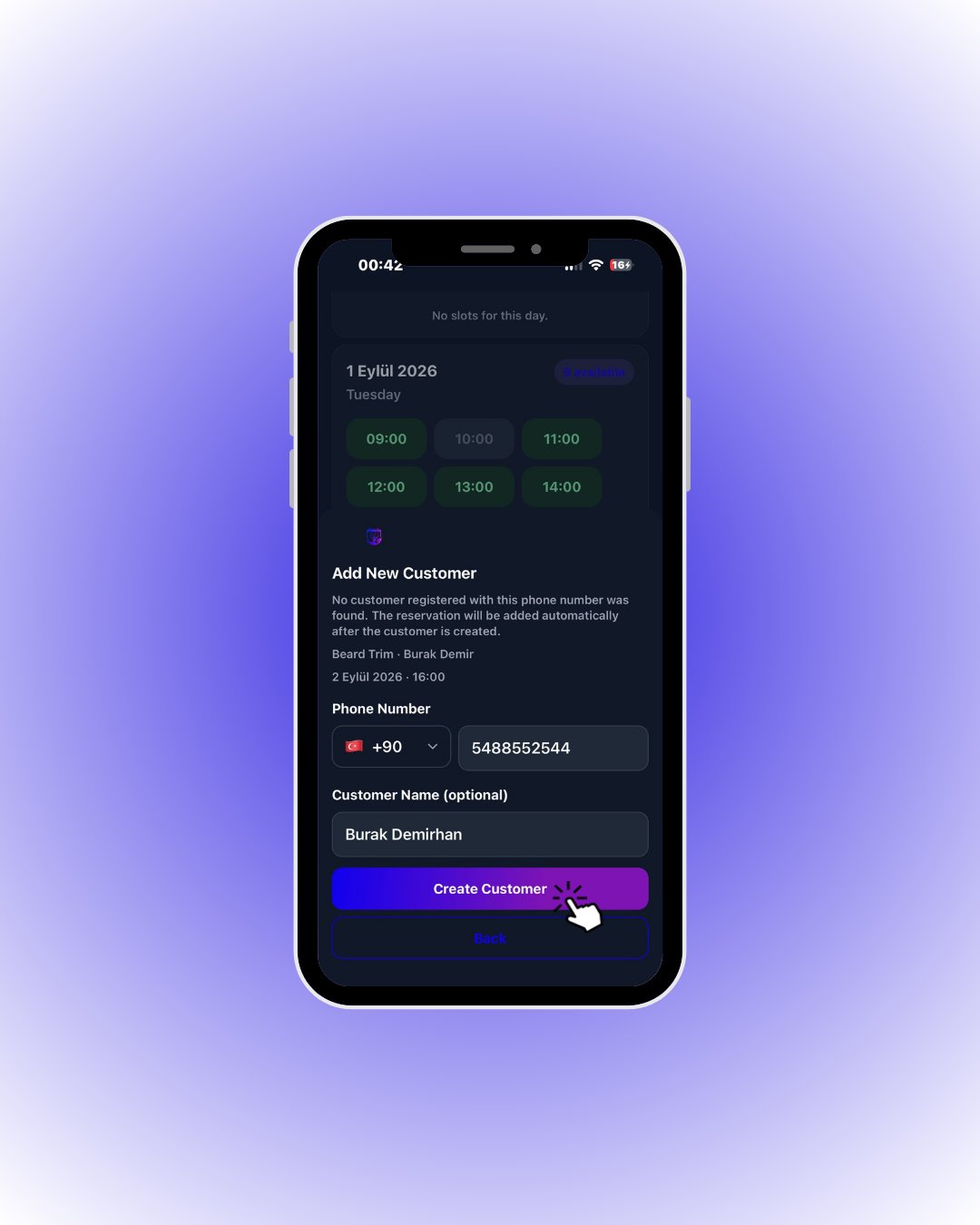
Add new customer
If the number is not registered, Slotify takes you to the new-customer screen; the name field is optional.
Tap Create Customer — the customer is created and the reservation is added automatically.