Book on the Web

Four steps and you are booked.
1

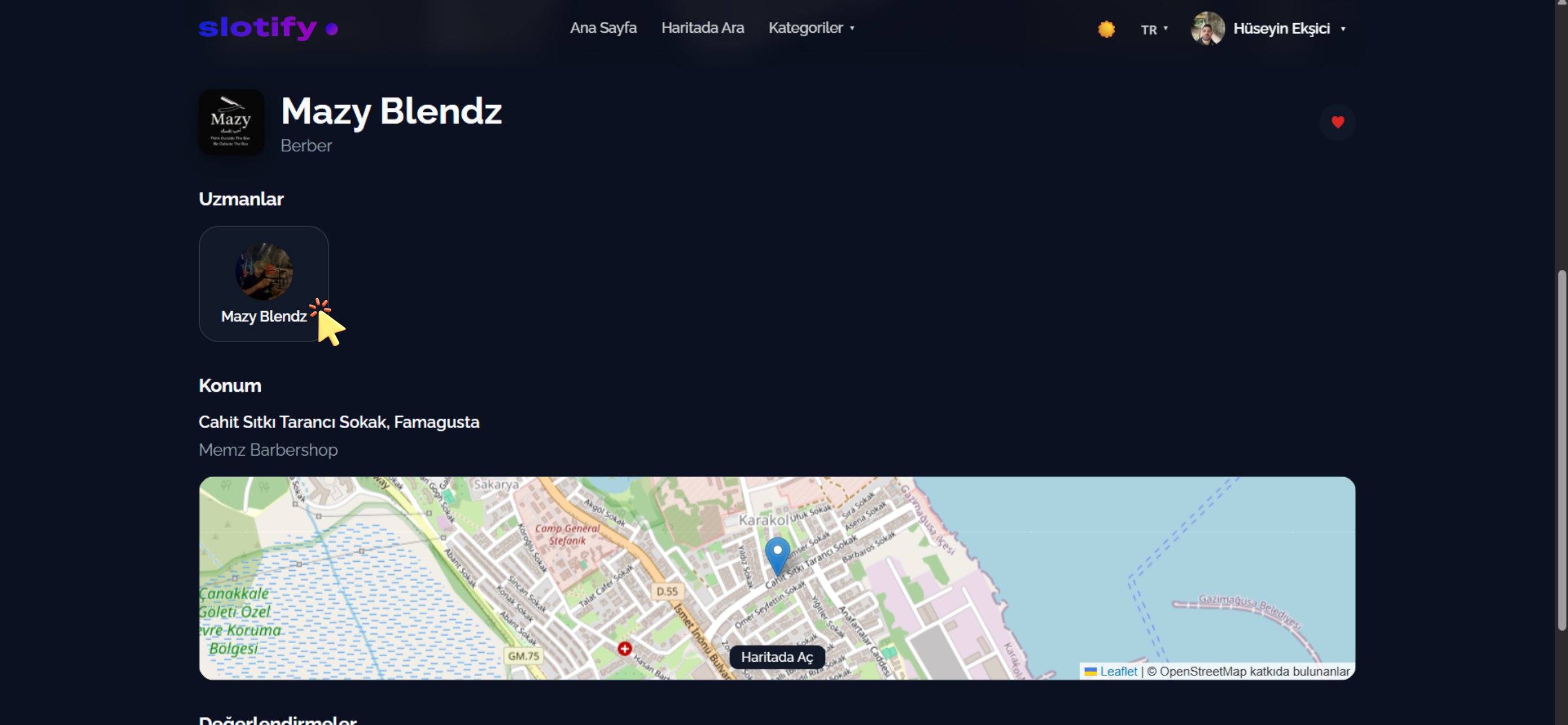
Business page

Business page
Name, category, experts, location and reviews are all here.
Click the expert you want under Experts.
2

Pick a service

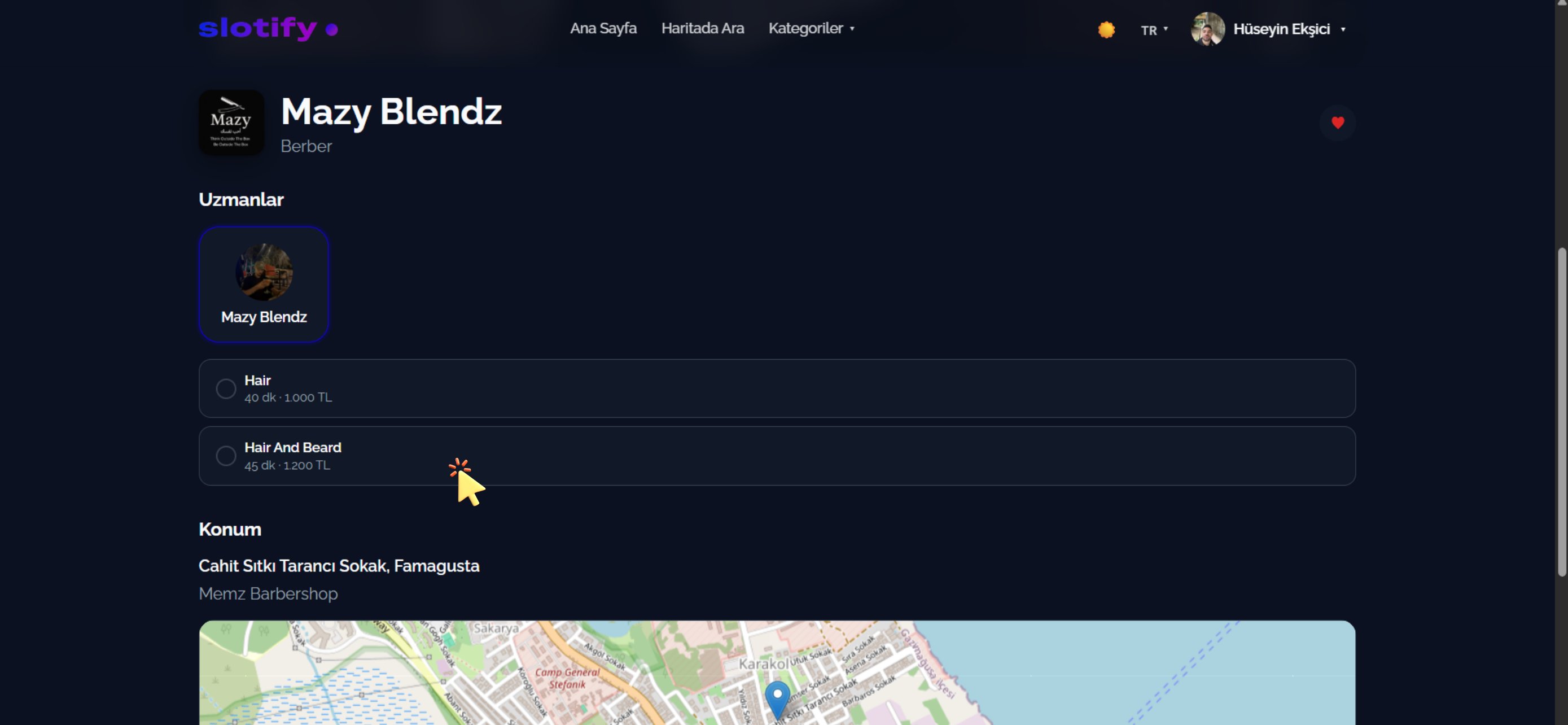
Service list
The expert’s services are listed with duration and price.
Click the service you want — e.g. Hair And Beard · 45 min · 1,200 TL.
3

Pick date and time
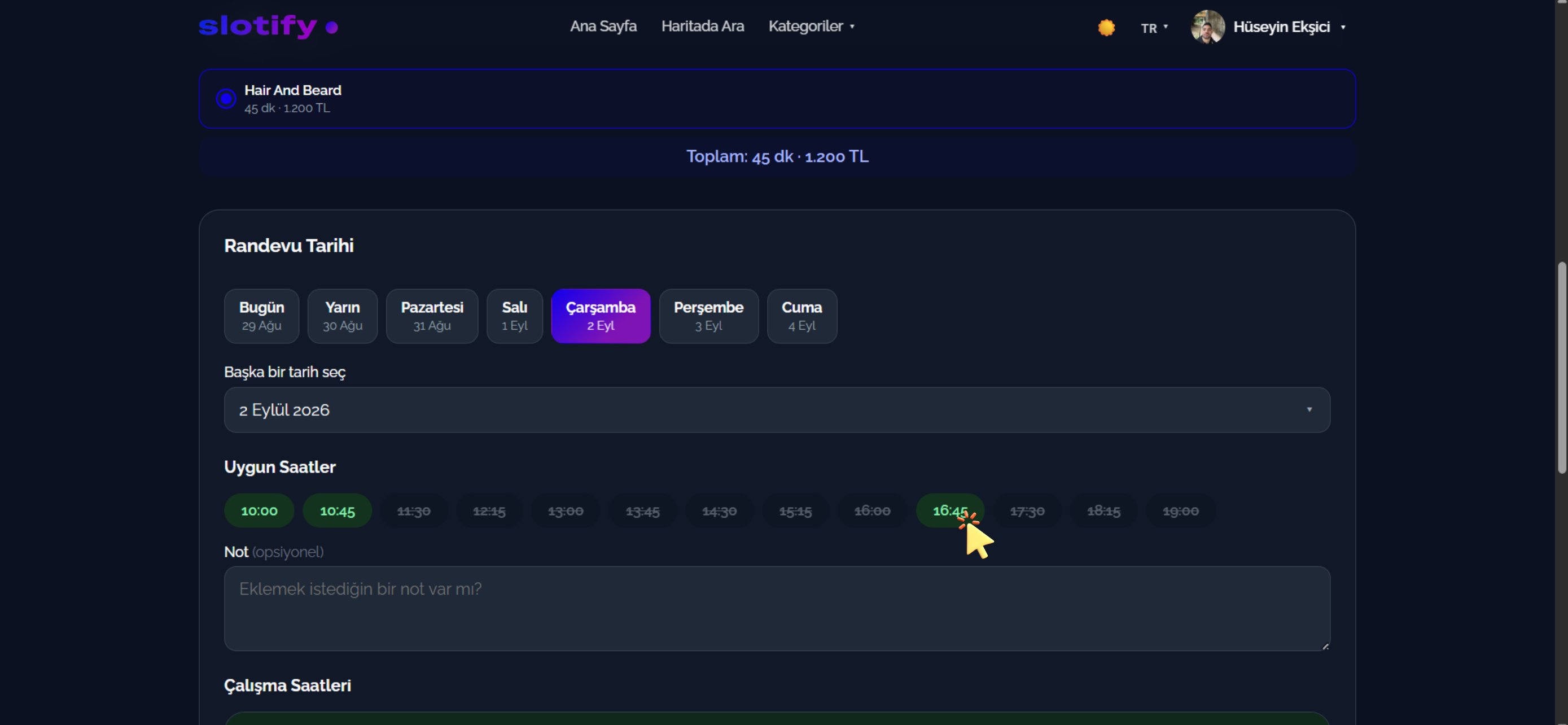
Date and time
The total shows on top; below it the day strip and available hours.
Pick a day, then click a green time (e.g. 16:45). Struck-through times are taken.
4

Confirm

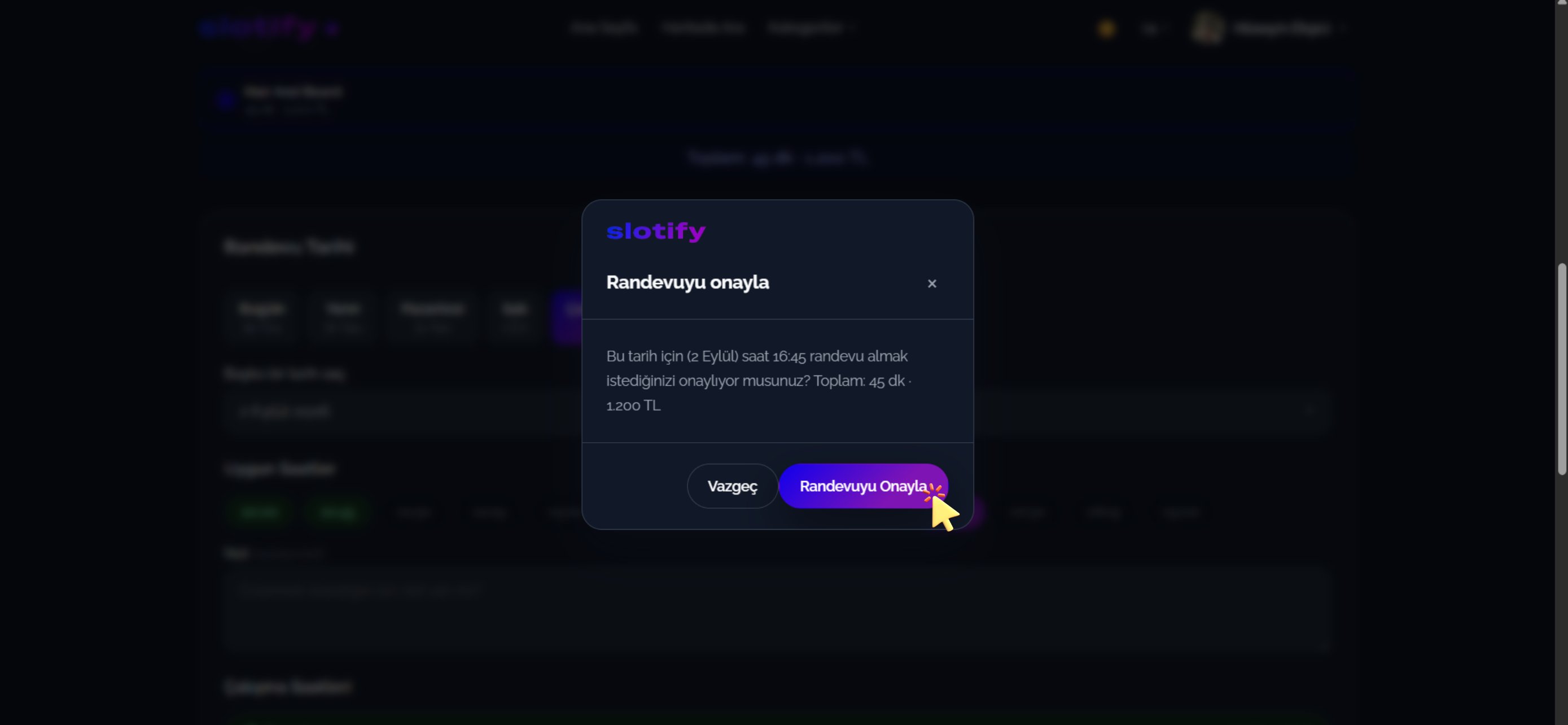
Confirmation dialog
Final check: date, time, total duration and price.
Click Confirm Appointment — you are booked! 🎉
With auto-approval the booking is confirmed instantly; otherwise it stays Pending until the business approves and you get a notification. Track everything from the account menu in the top right.