

Create Reservation
Create a booking in seconds for the customer on the phone.🌐 URL:
https://admin.slotify.com.tr/reservations/new · 🧭 Menu: Booking Management → Reservations1
Pick expert & services
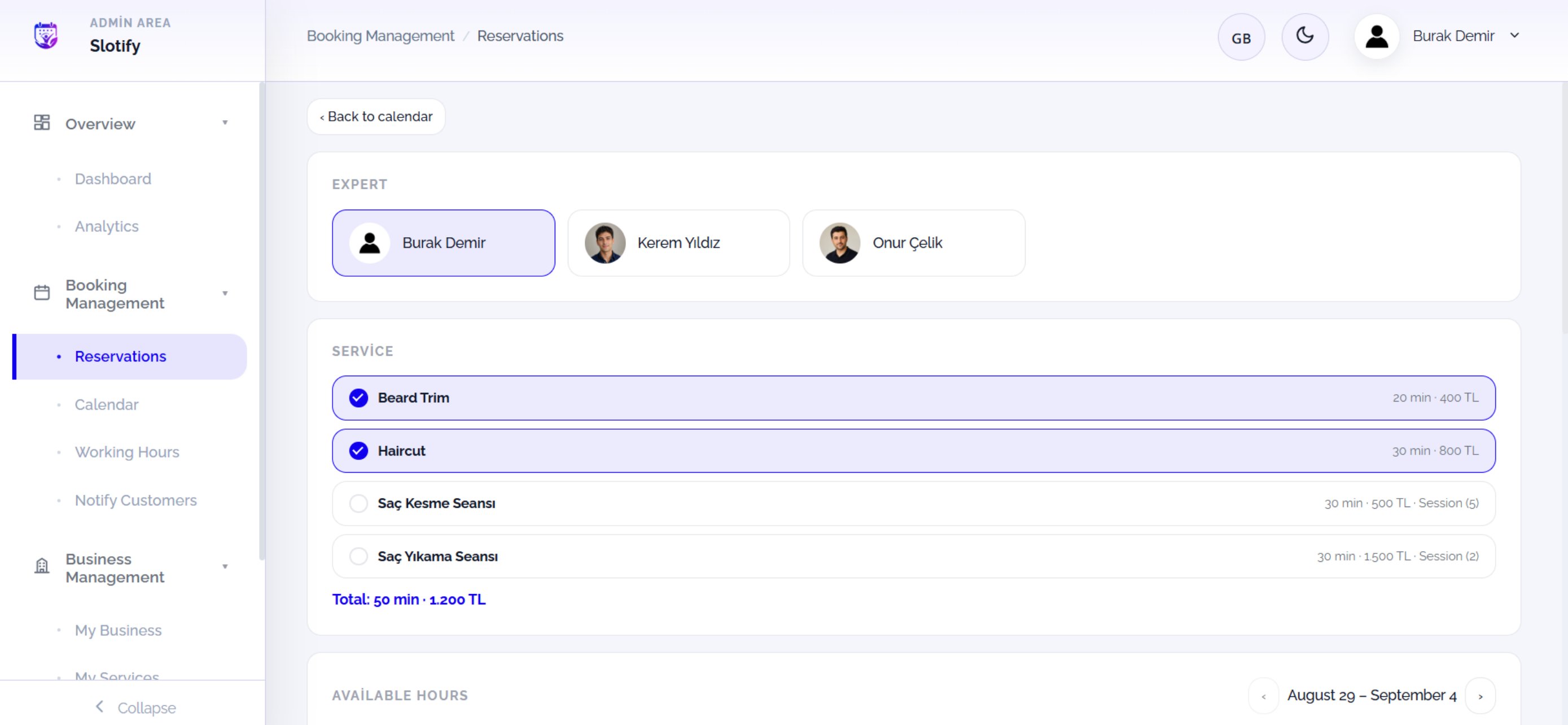
🔎 Elements here
🔎 Elements here
2
Pick a time
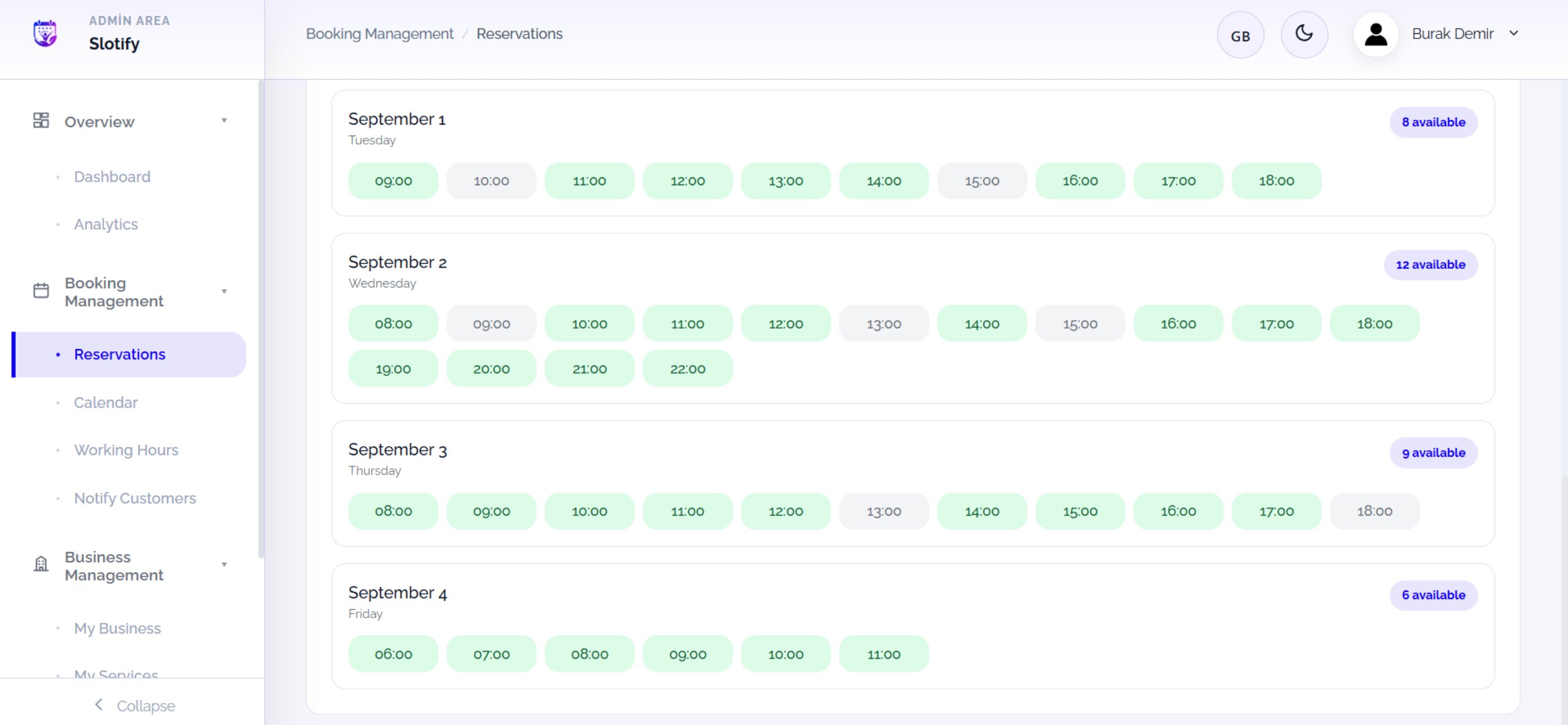
Click a green slot — the customer picker opens.
3
Existing customer
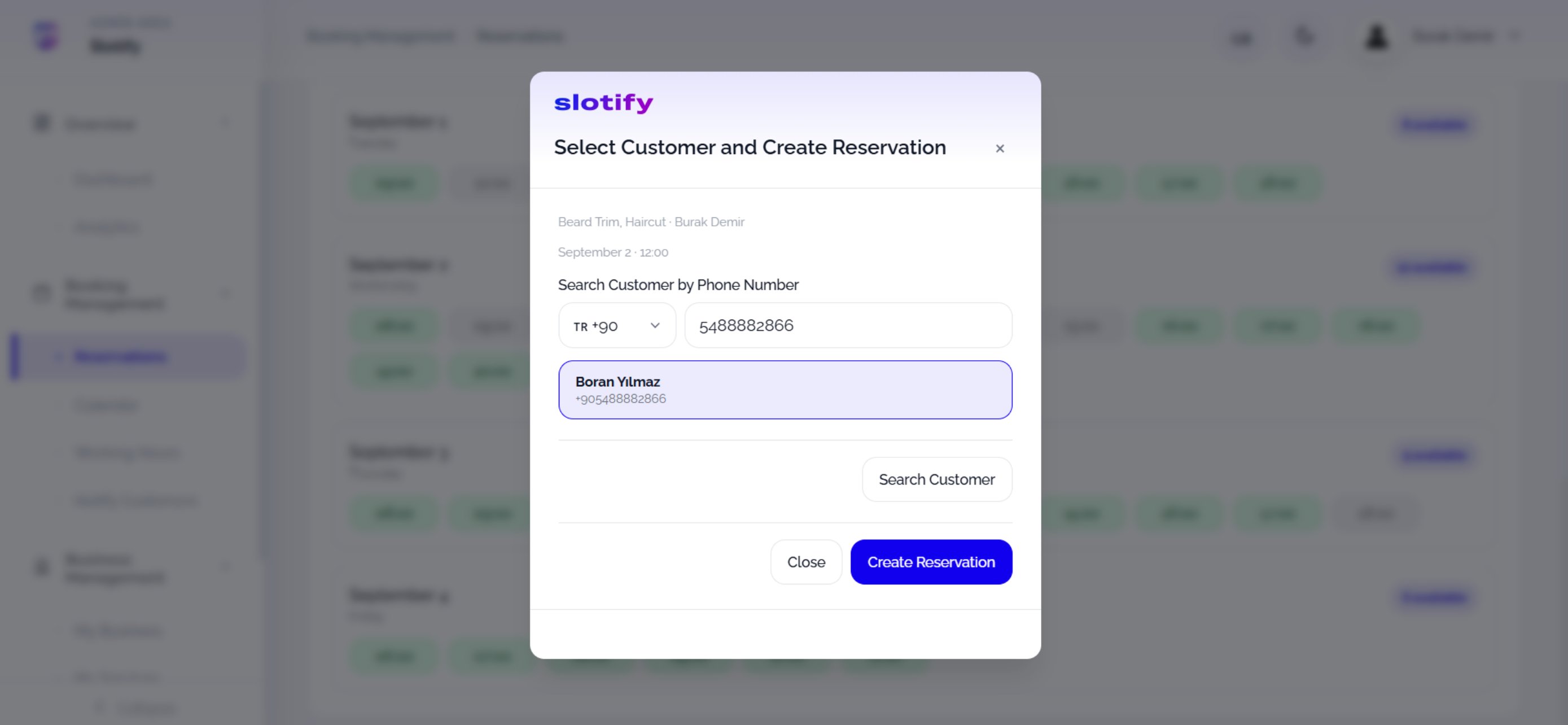
Click Create Reservation — the booking is created instantly.
4
New customer
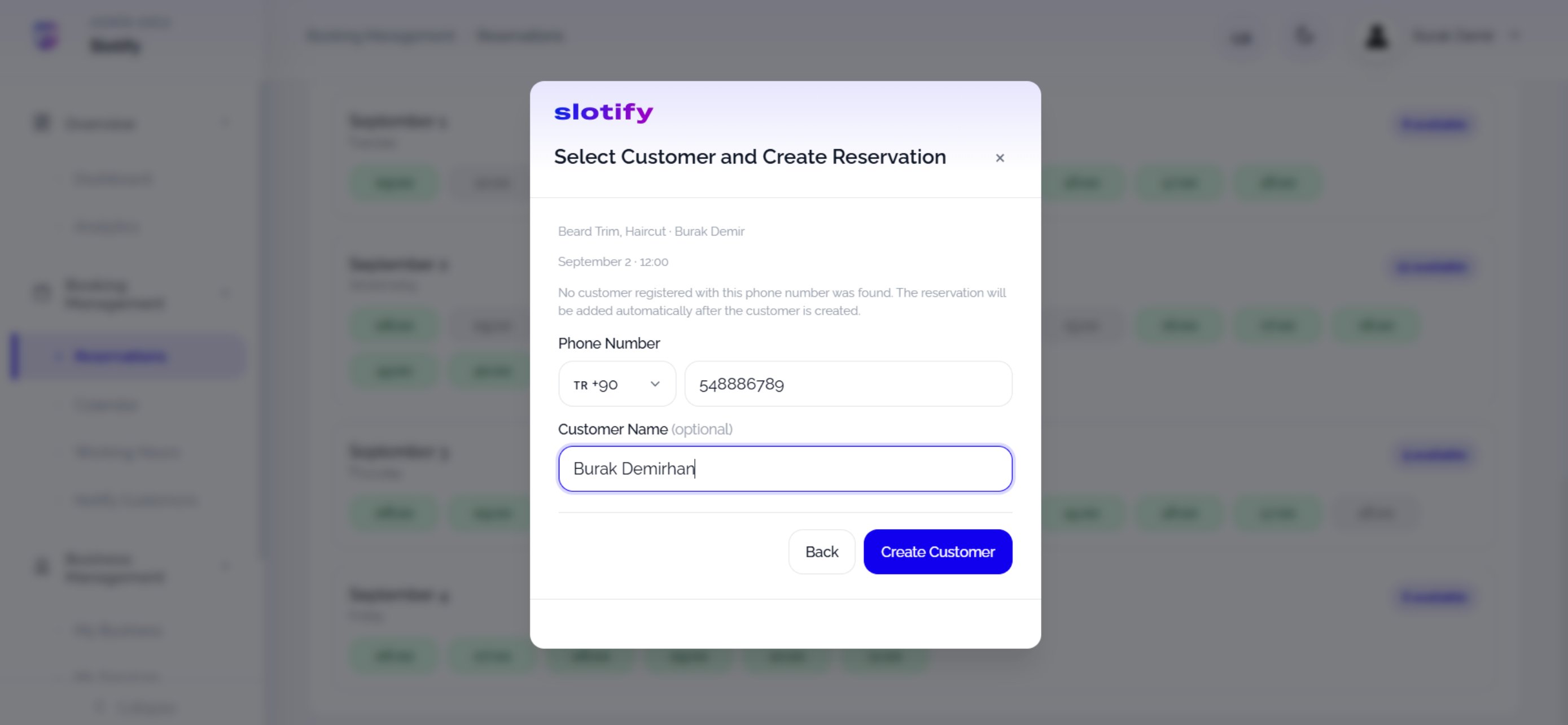
Click Create Customer — the customer is created and the booking added automatically.