

Users
Invite teammates by email and assign their roles.🌐 URL:
https://admin.slotify.com.tr/users · 🧭 Menu: Business Management → Users1
Open the invite dialog
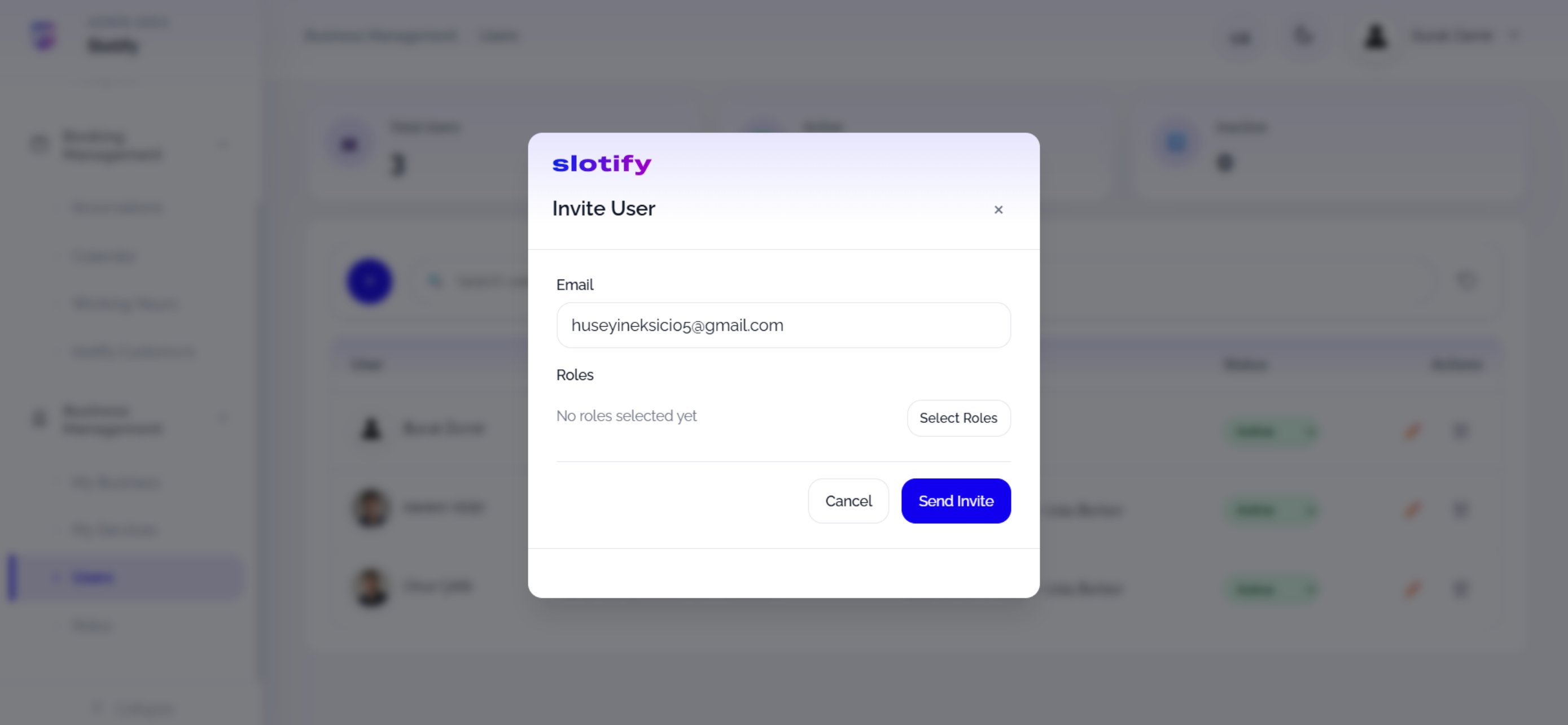
Click Select Roles to open the role picker.
2
Pick roles
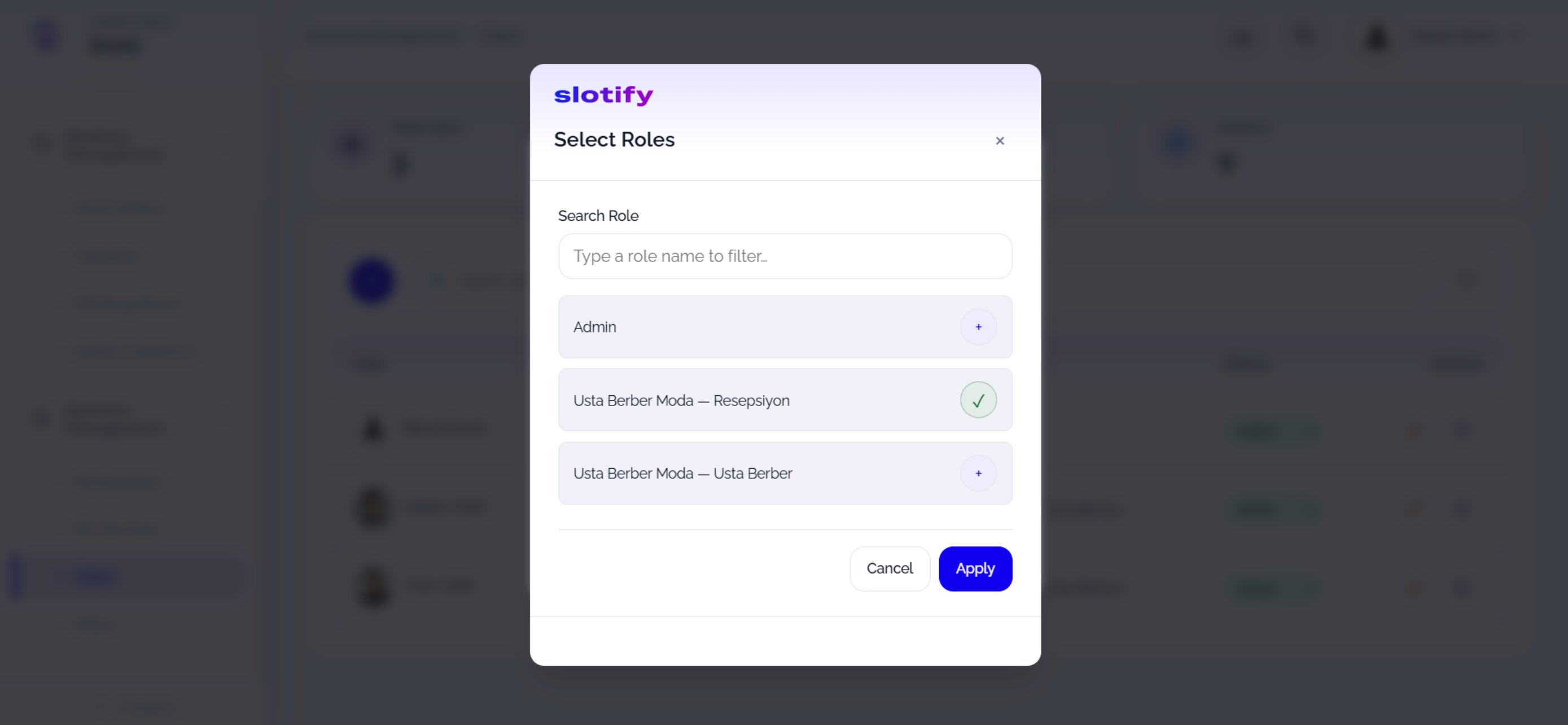
Tick the roles and click Apply.
3
Send the invite
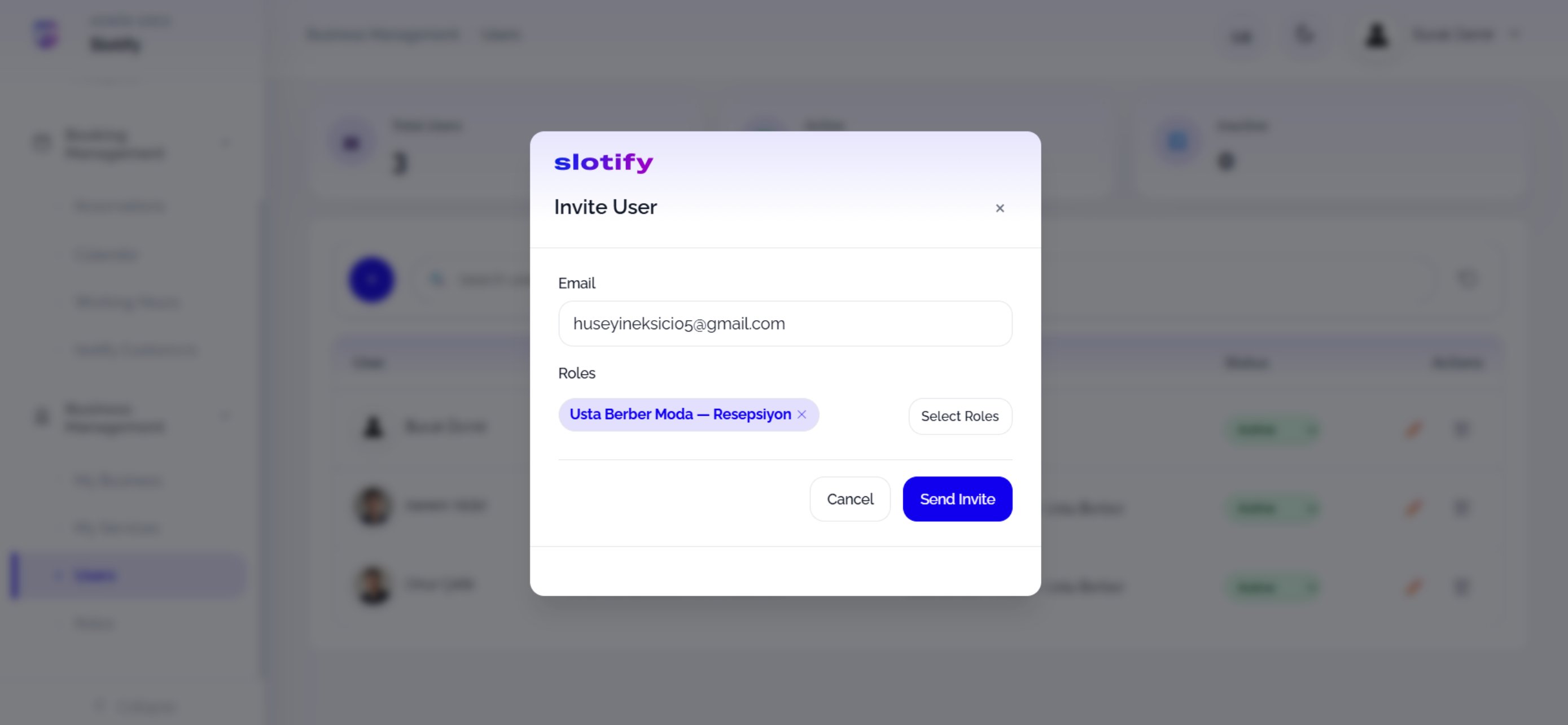
Click Send Invite — the invitation email goes out; the user joins once they accept.
🔎 Dialog fields
🔎 Dialog fields