

My Services
Manage your services from the web panel, filtered per staff member.🌐 URL:
https://admin.slotify.com.tr/services · 🧭 Menu: Business Management → My Services1
Service list
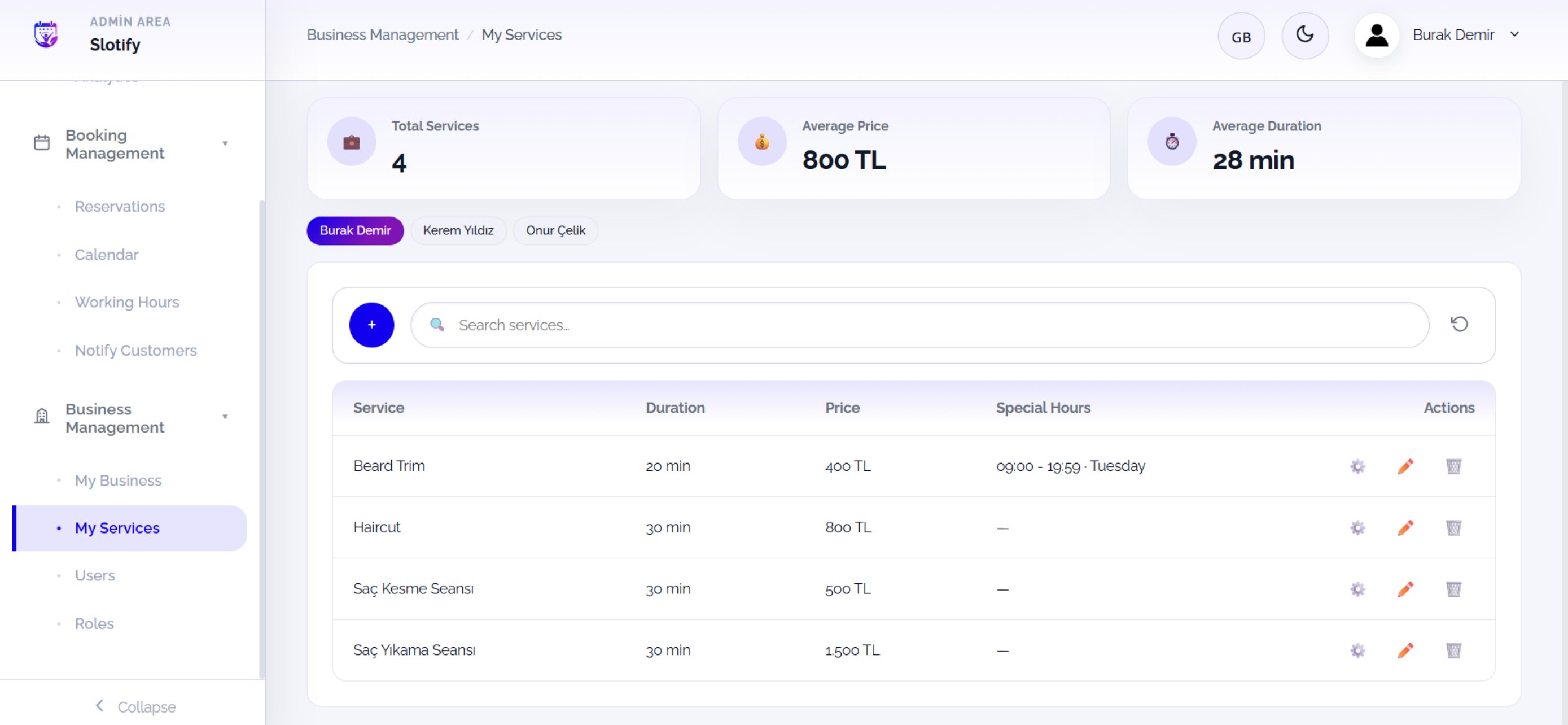
Click + for a new service; click a staff chip to see that expert’s services.
🔎 Table & actions
🔎 Table & actions
2
New service
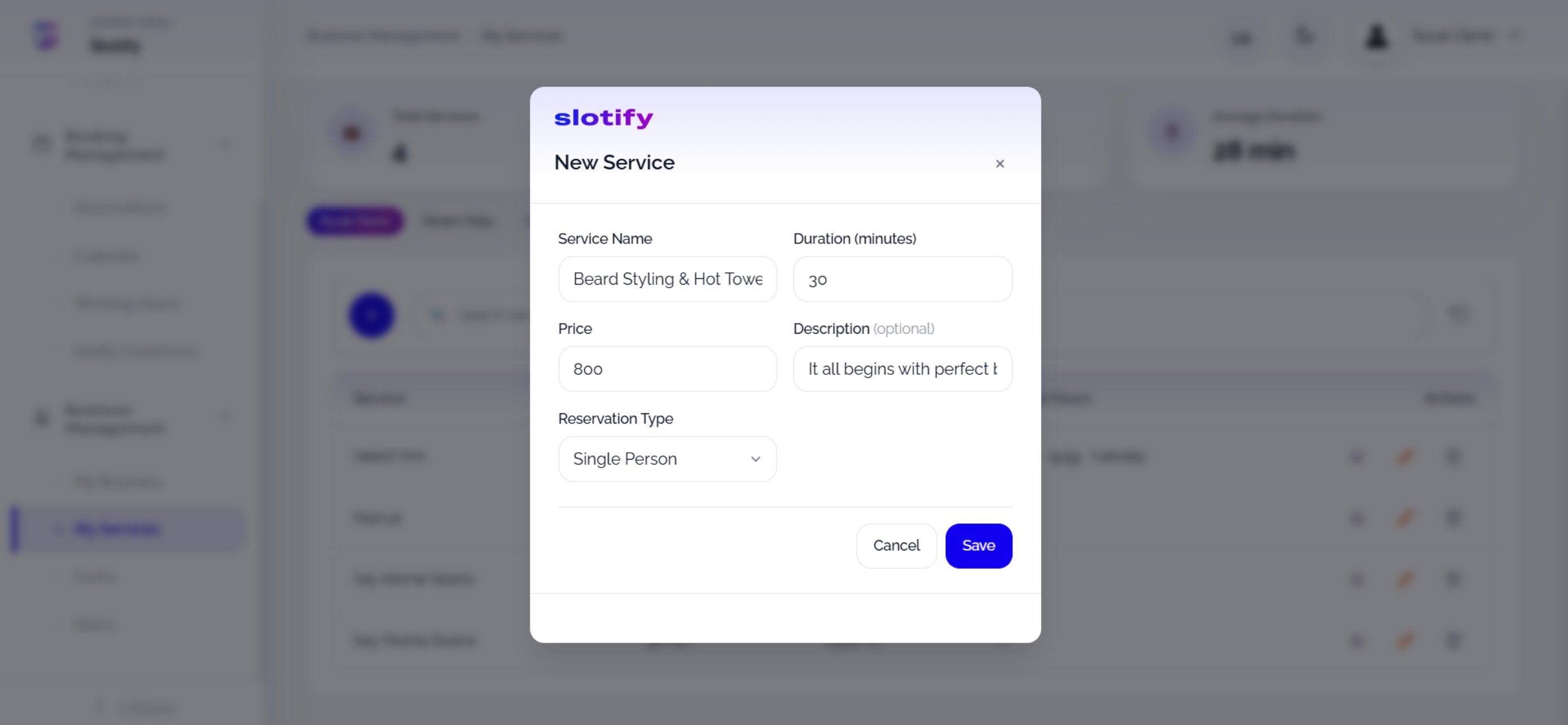
Complete the fields and click Save.
🔎 Every form field
🔎 Every form field
3
Special working hours
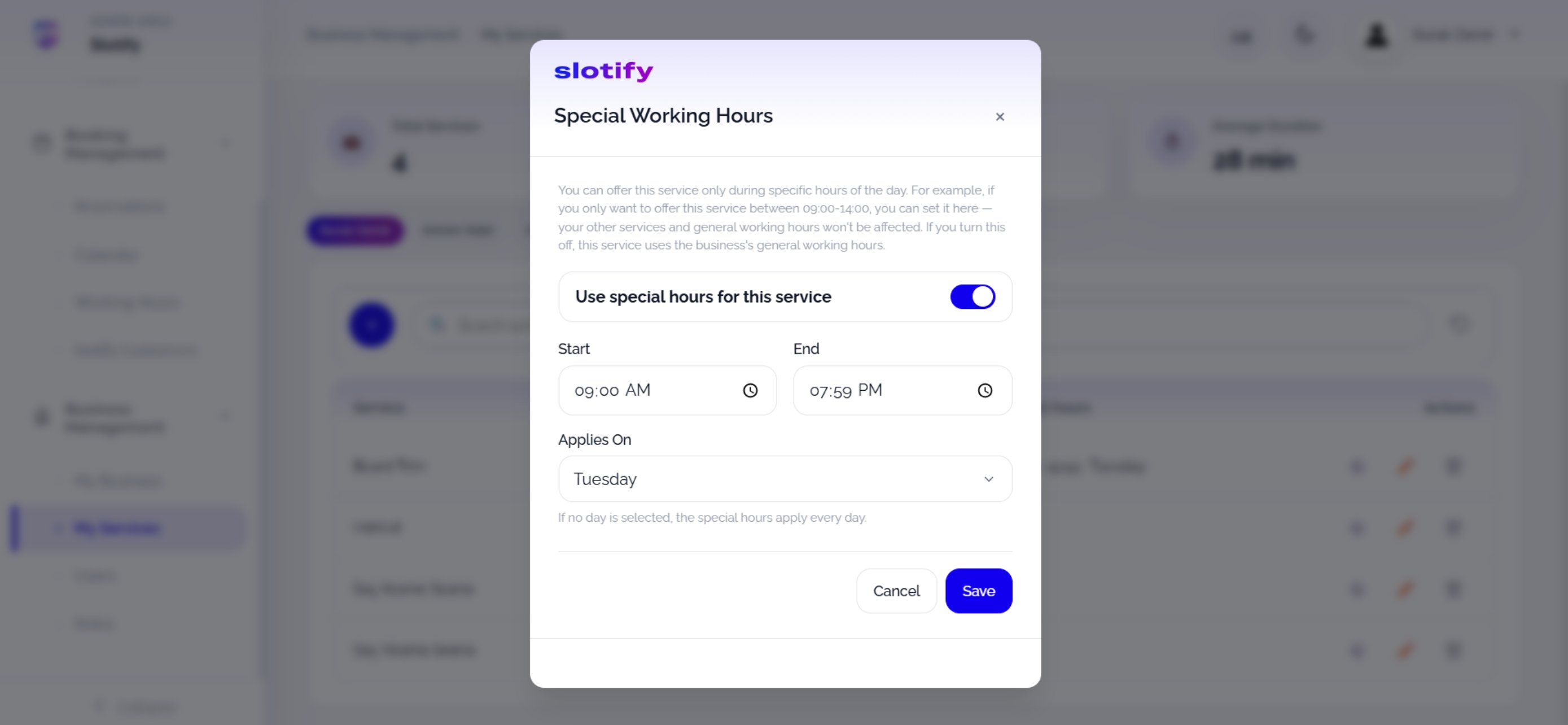
Turn on Use special hours for this service, pick the window and day, then click Save.
🔎 Special-hours rules
🔎 Special-hours rules