

Discover Businesses
Two ways to find what you need: categories and the map. Both take a few taps.1
Home screen
📱 🧭 Where: Bottom bar → Home
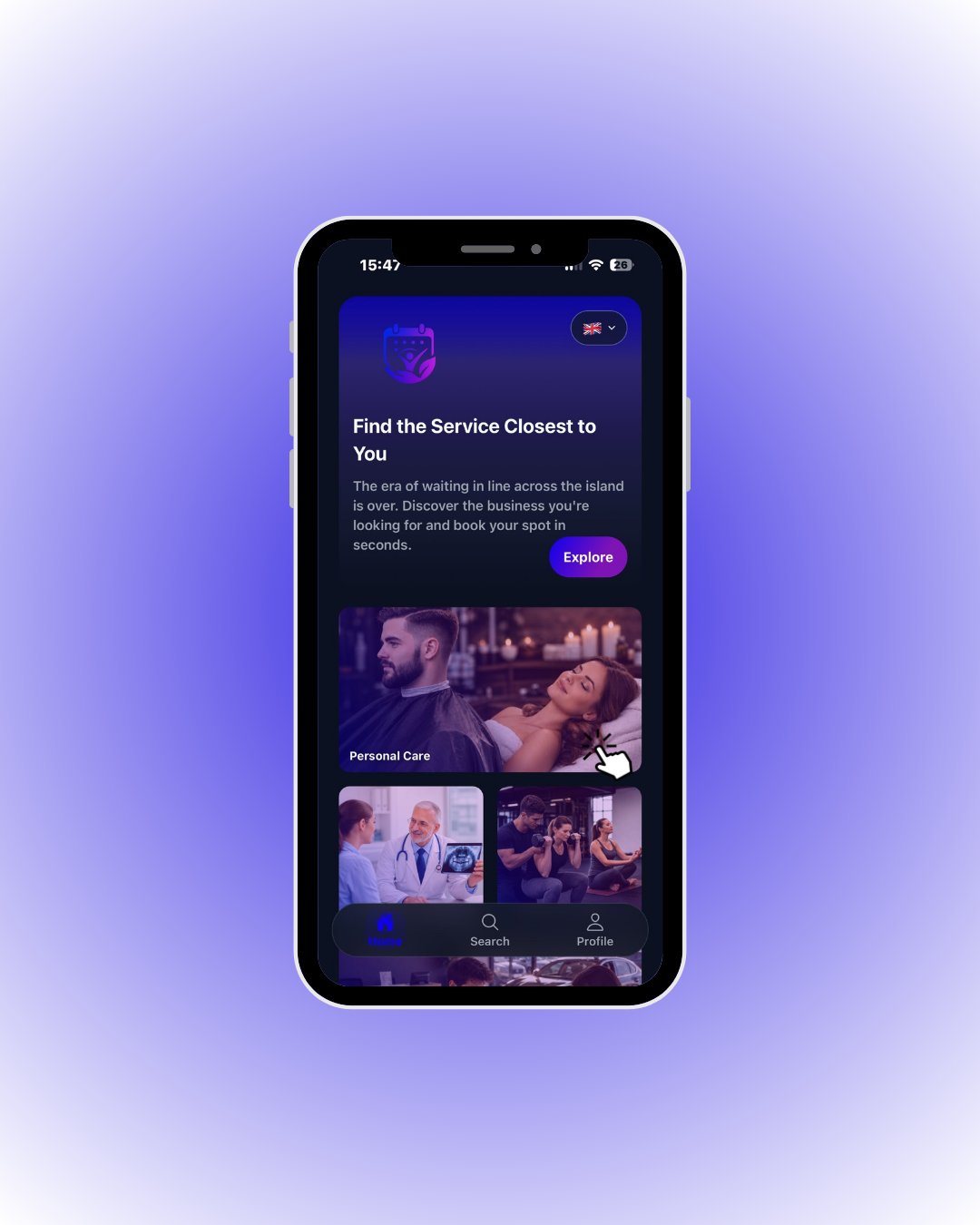
Tap the category you need — e.g. Personal Care for a barber or hairdresser.
2
Categories
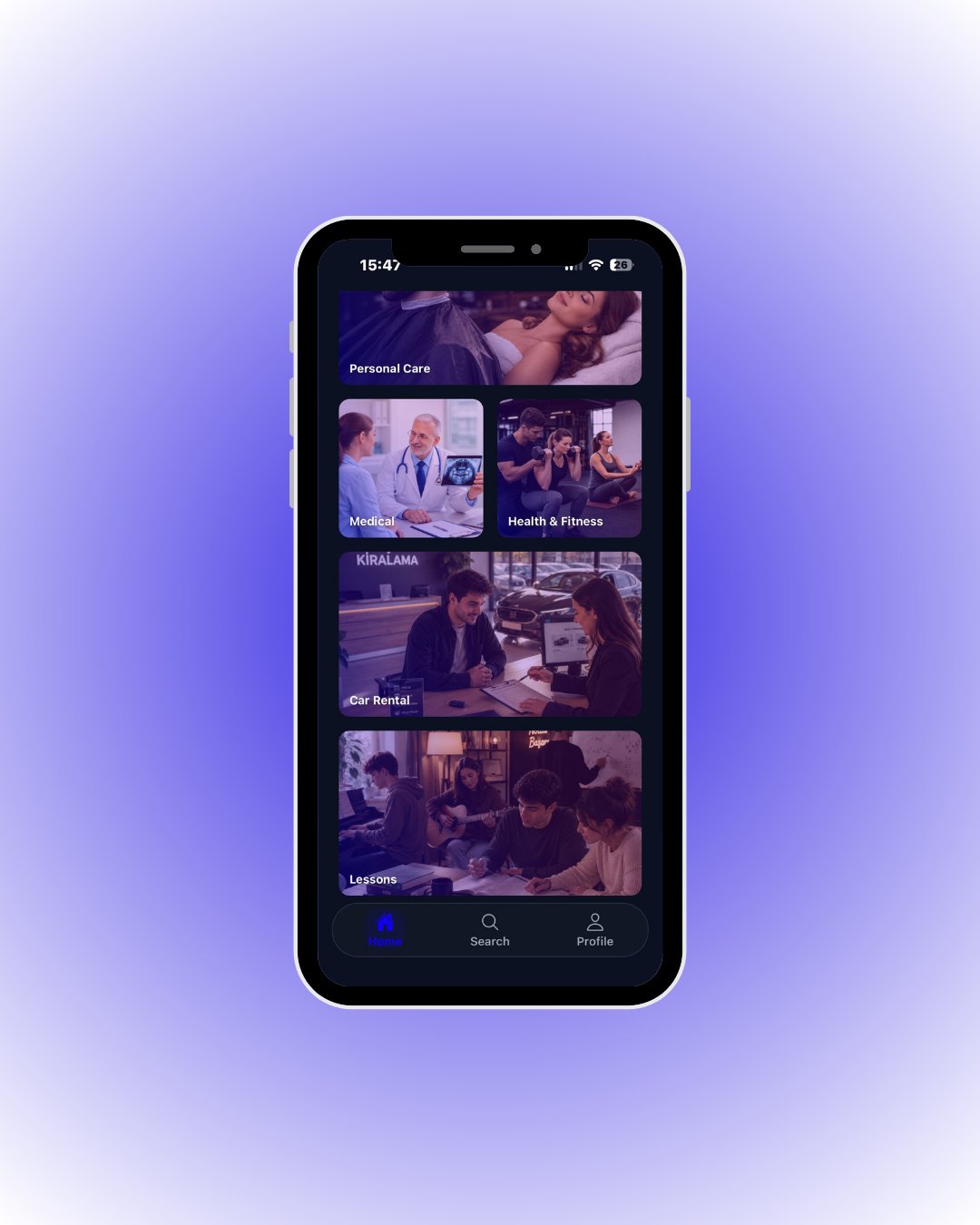
🔎 What each category covers
🔎 What each category covers
3
Business list
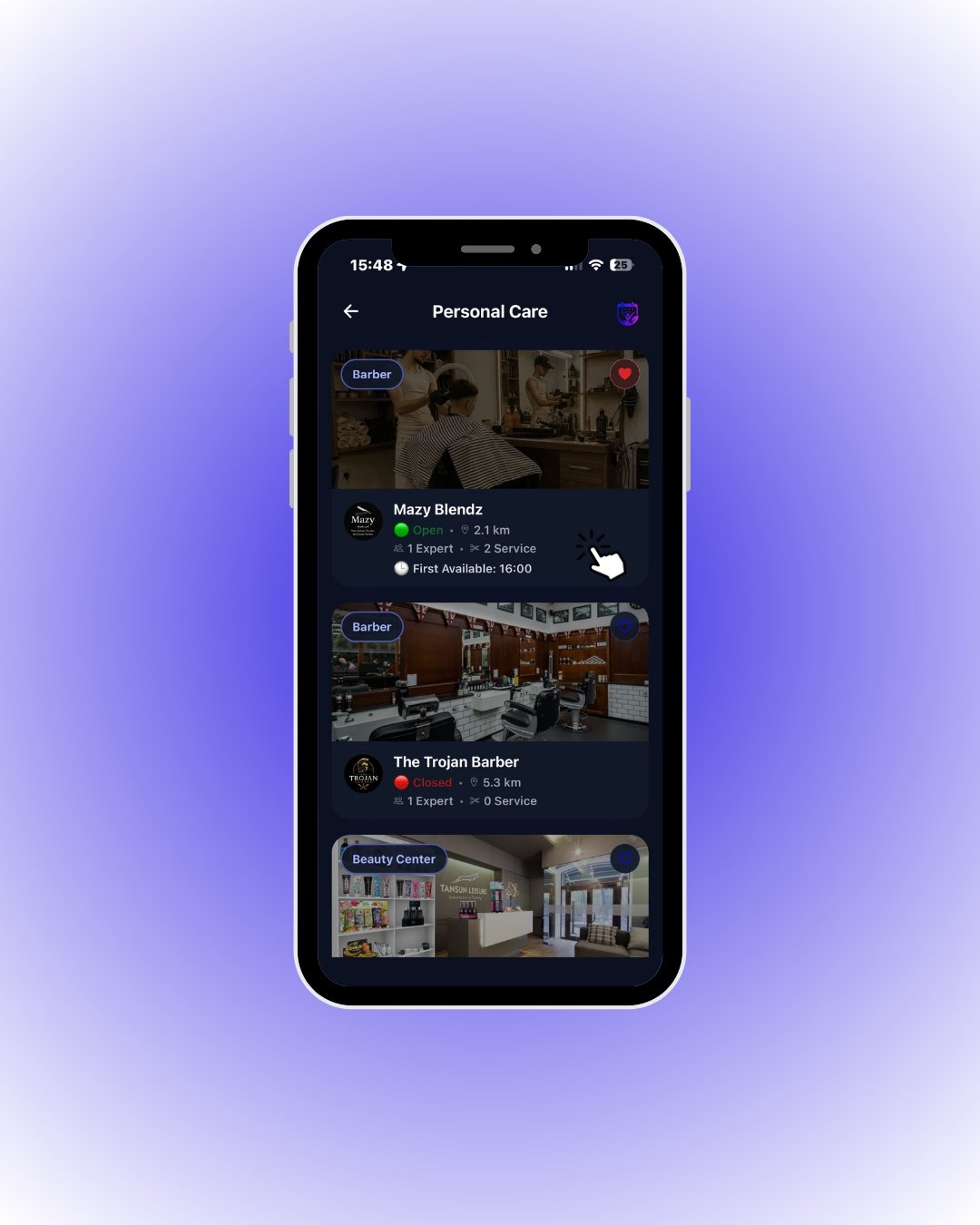
Tap a business card to open its detail page.
🔎 What the card tells you
🔎 What the card tells you