

Services
Manage the services your customers book here.📱 🧭 Menu: My Business → My Services
1
View your services
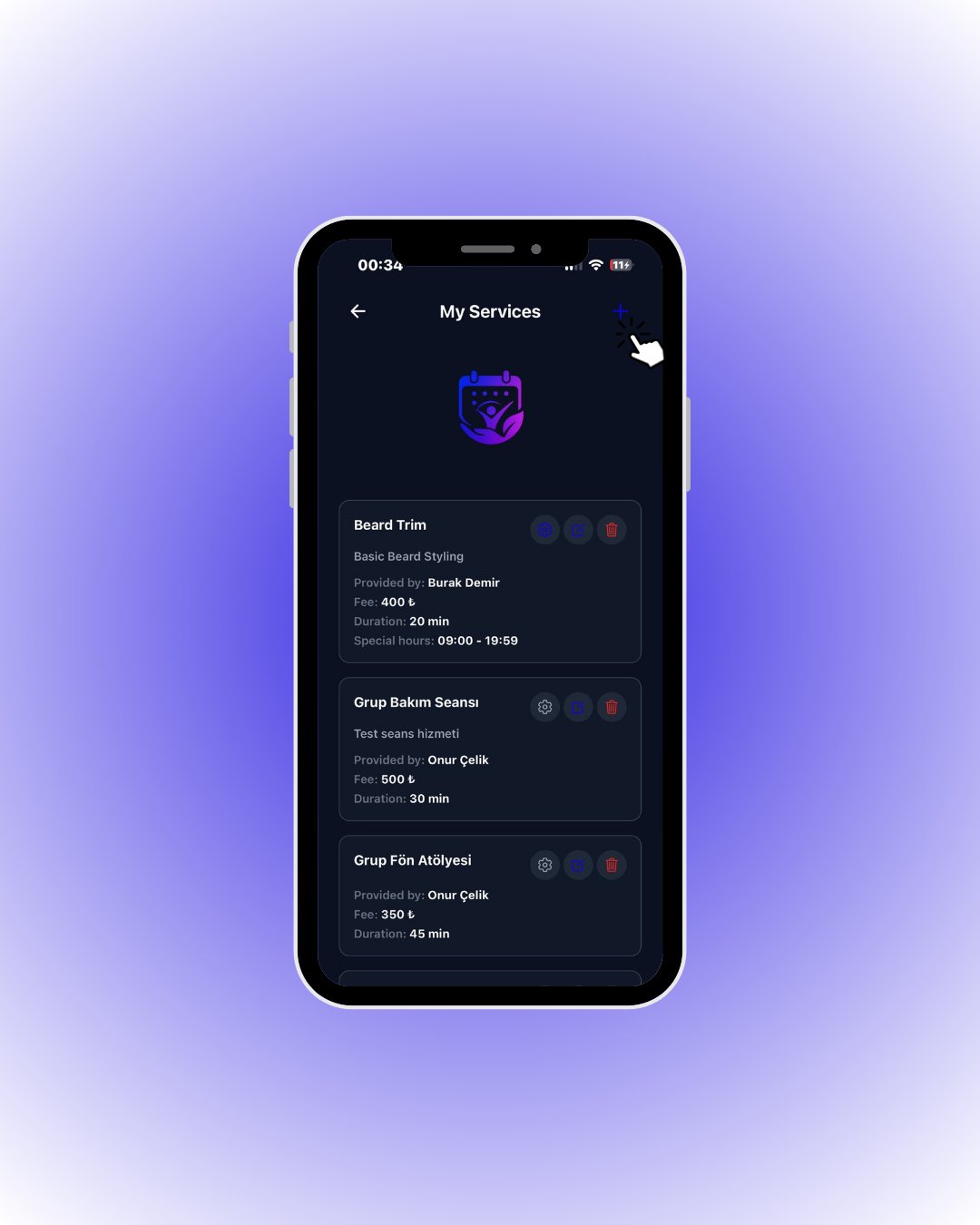
Tap the + button in the top right to add a service.
2
Add a service
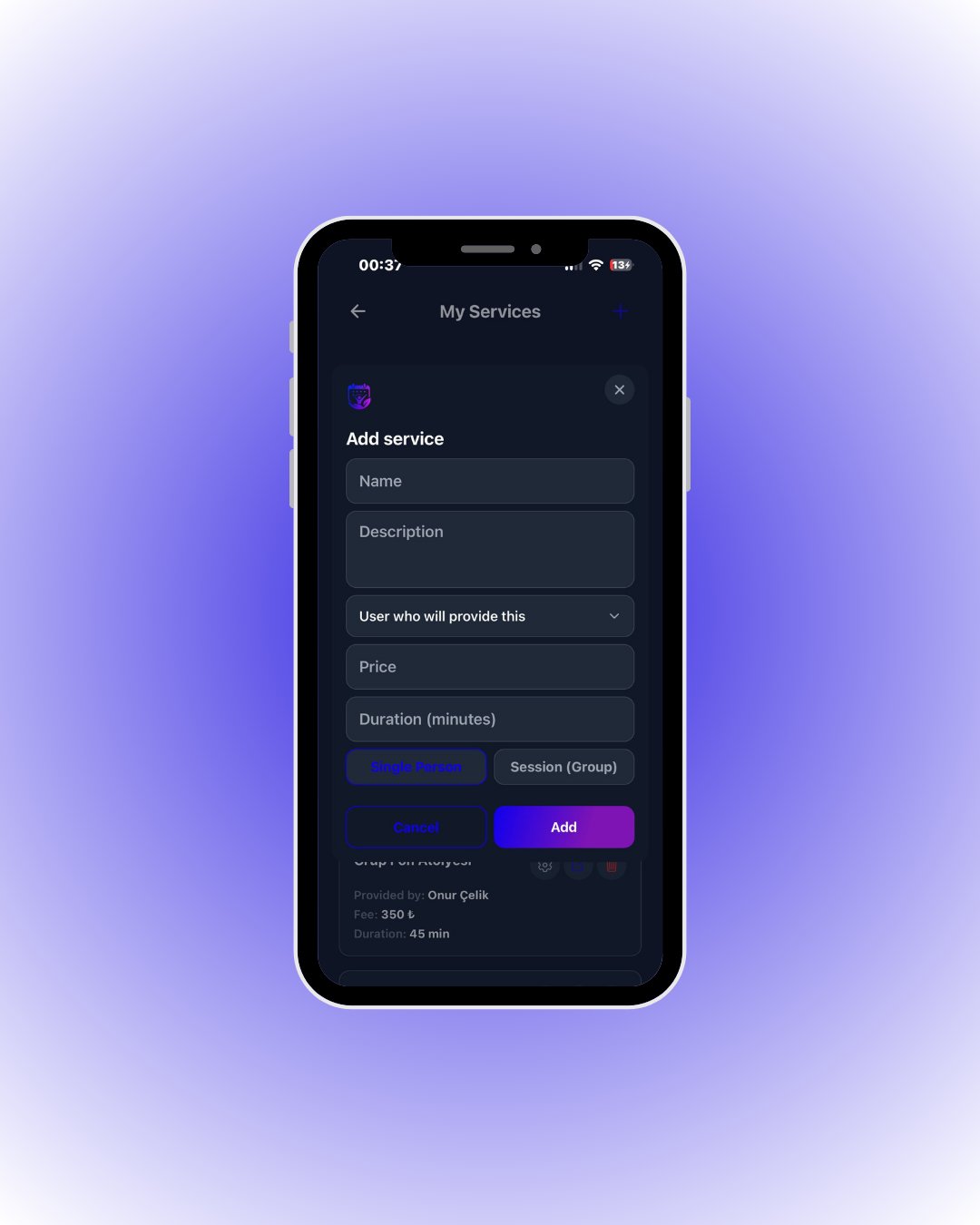
Fill it in and tap Add.
🔎 Every field in the service form
🔎 Every field in the service form
3
Special hours (optional)
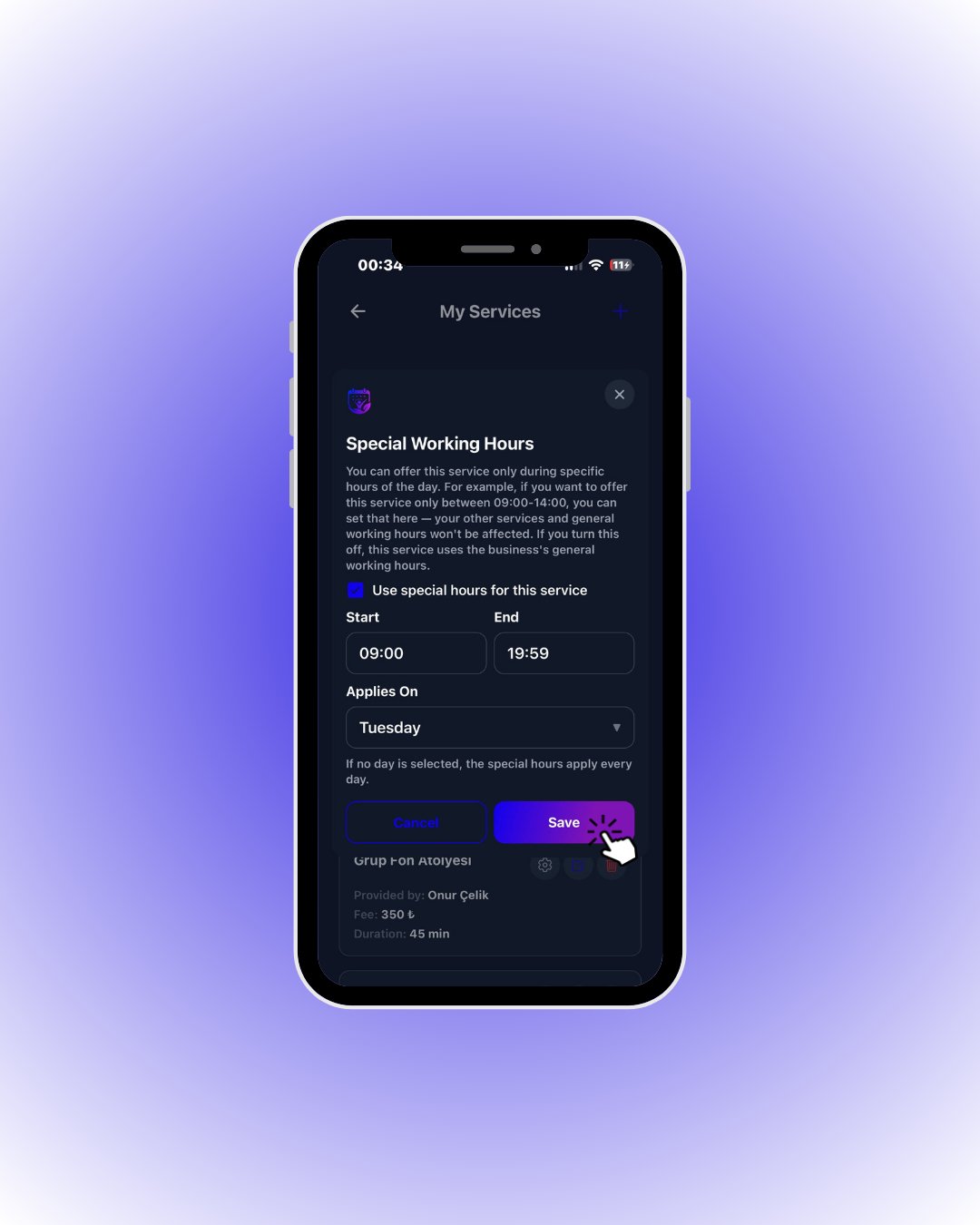
Tick Use special hours for this service, pick the times and day, then tap Save.
🔎 Special-hours rules
🔎 Special-hours rules