

Working Hours & Reservation Settings
On the web panel, working hours and reservation settings are managed on the same page.🌐 URL:
https://admin.slotify.com.tr/working-hours · 🧭 Menu: Booking Management → Working Hours1
Weekly hours table
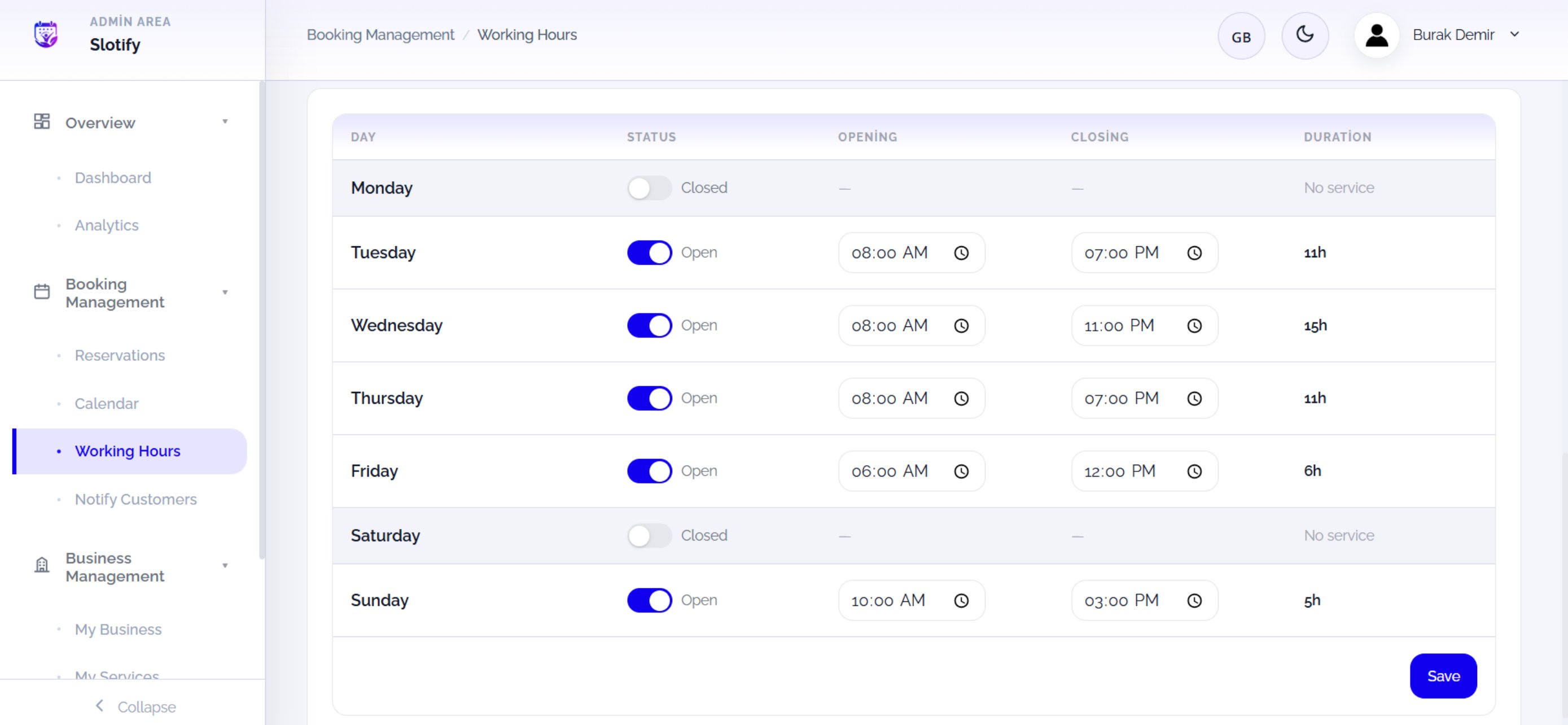
Click Save at the bottom right when done — you cannot take bookings until your hours are saved.
🔎 Table columns
🔎 Table columns
2
Reservation settings + summary cards
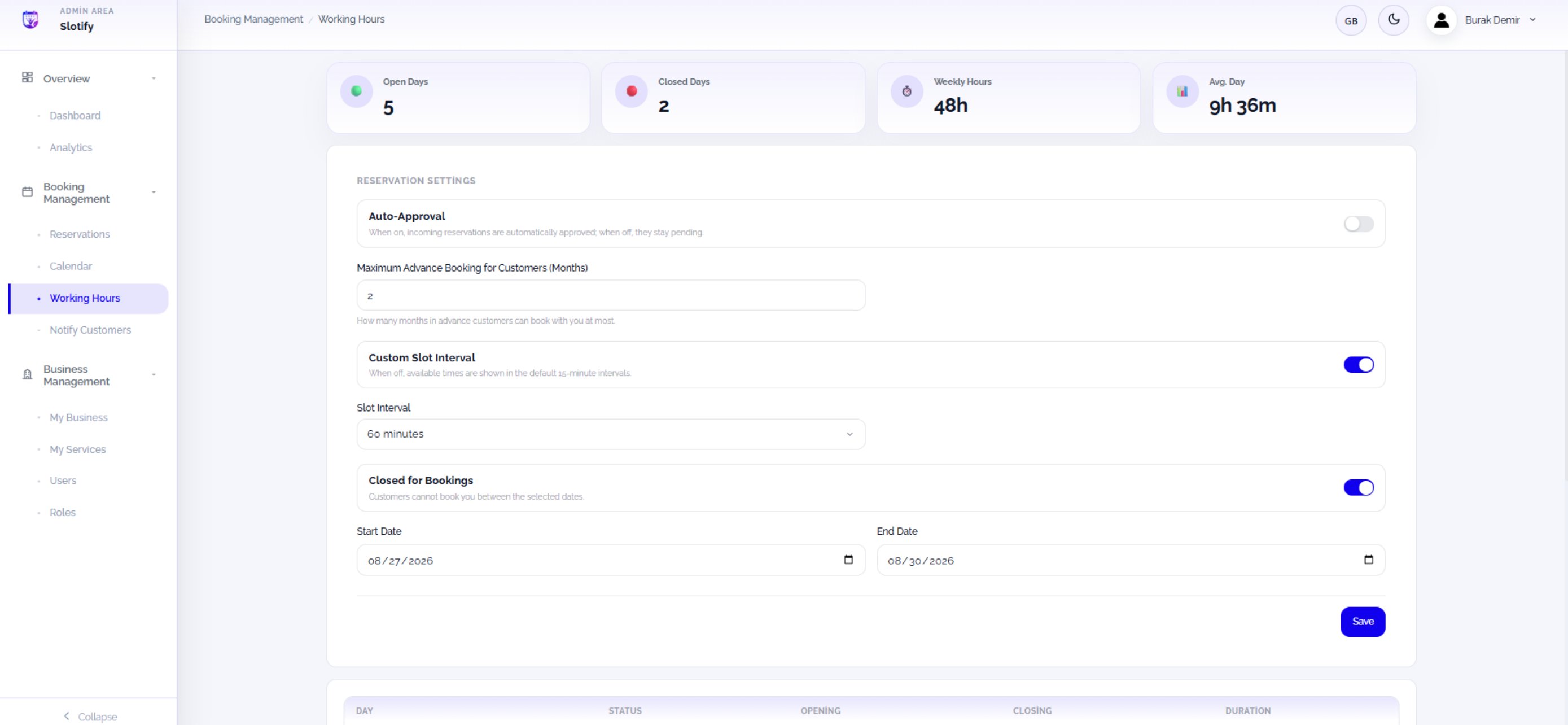
Click this section’s own Save button after changing settings.
🔎 What each setting means
🔎 What each setting means