

Roles
Manage your team’s permissions from the web panel.🌐 URL:
https://admin.slotify.com.tr/roles · 🧭 Menu: Business Management → Roles1
The Roles page
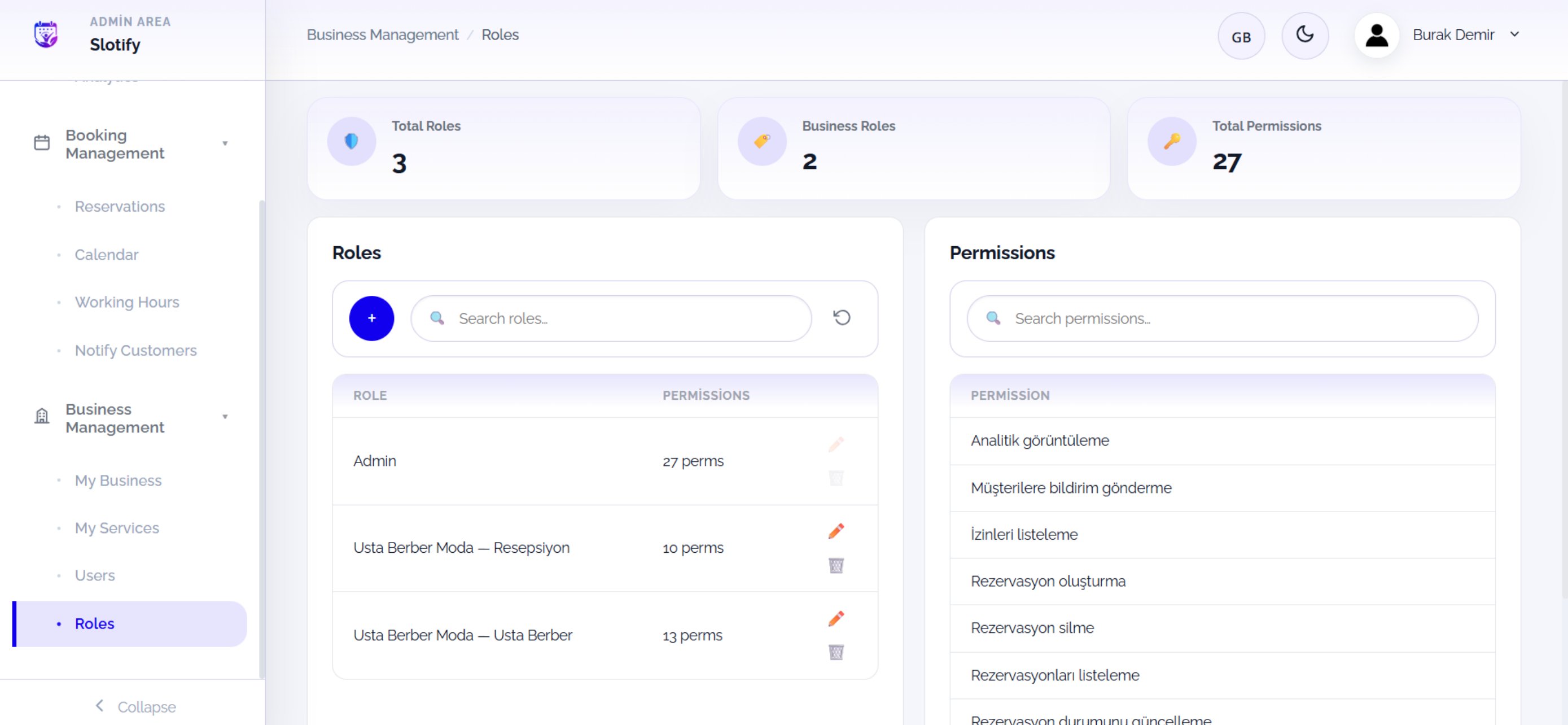
Click the + button at the head of the role list to create a role.
🔎 Page elements
🔎 Page elements
2
Create a role
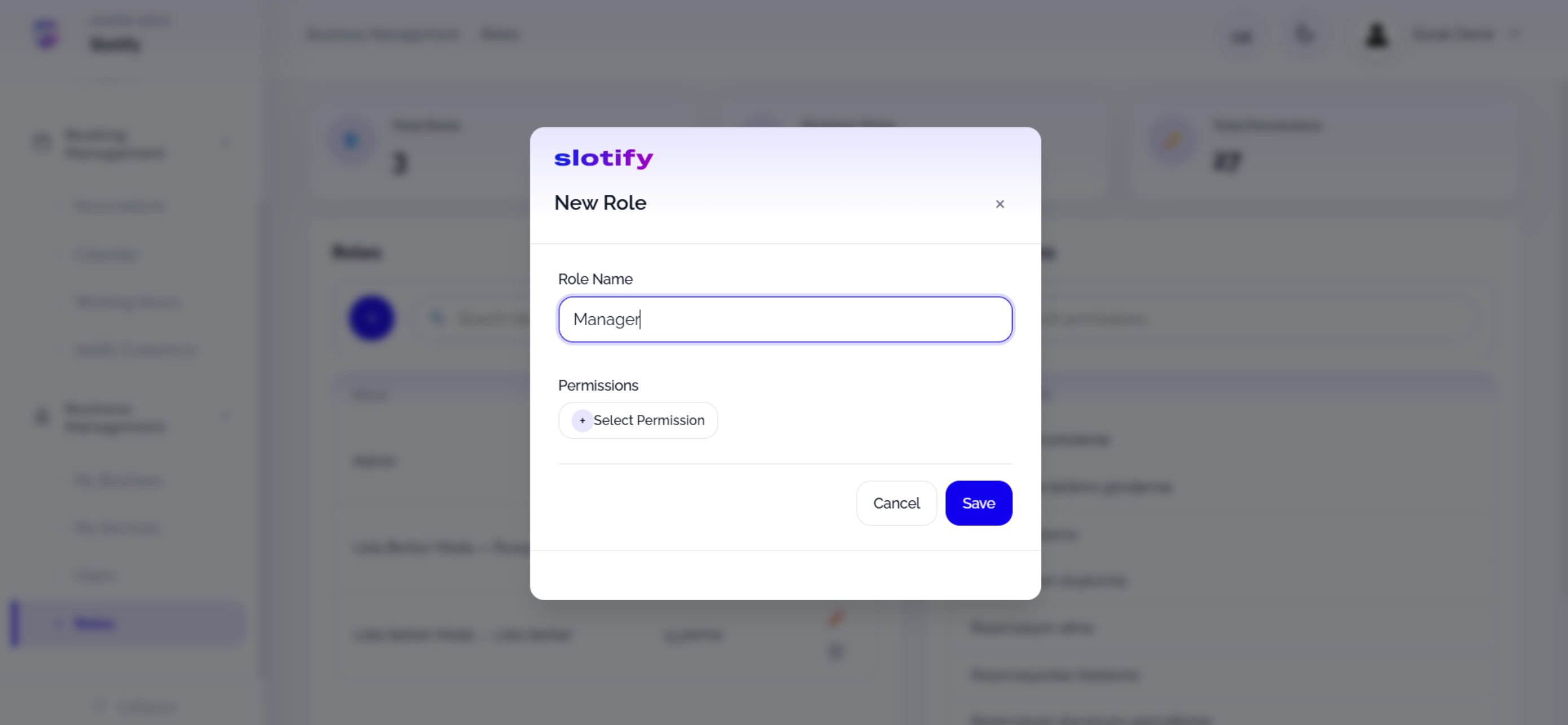
Click + Select Permission to open the permission picker.
3
Pick permissions
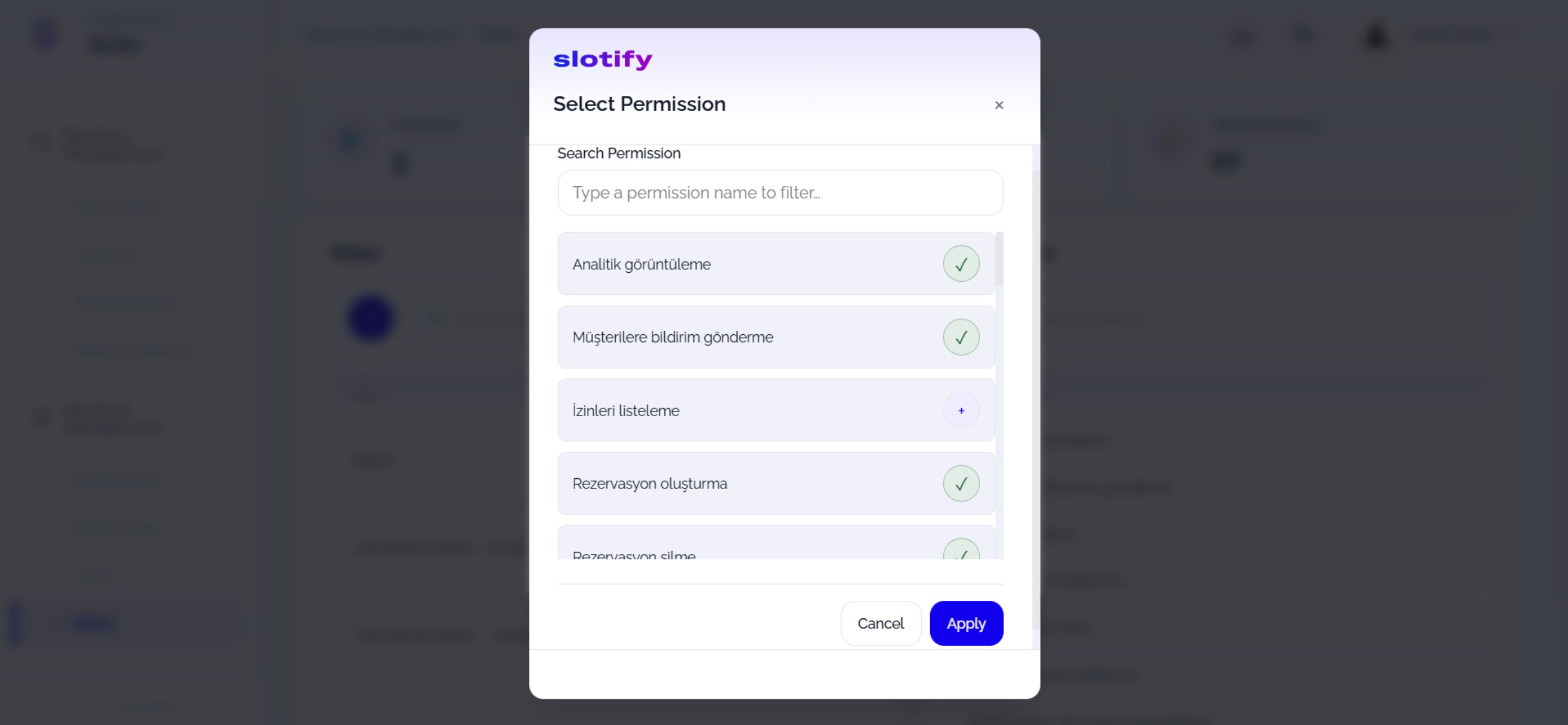
Confirm with Apply.
4
Save
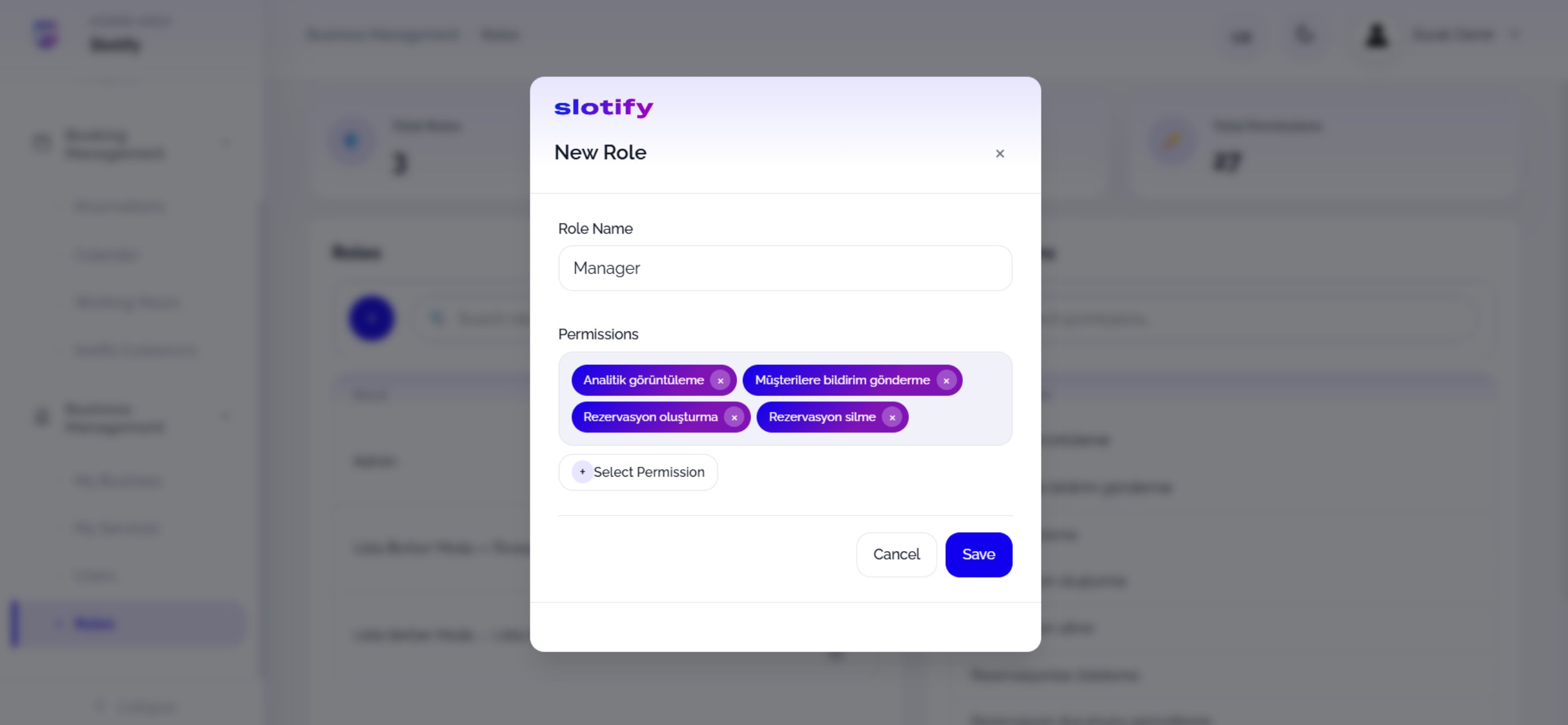
Click Save — the role is ready to assign.